
Minimalist ergonomic workspaces for better focus and comfort
Abstract:
The article explores how blending minimalism with ergonomic principles can significantly enhance the work environment for tech professionals, arguing that simplifying the workspace—by removing clutter, unused gadgets, and excess features—naturally fosters healthier habits, better focus, and well-being. It provides actionable advice for setting up a minimalist, ergonomic desk, whether in a tiny apartment, shared coworking space, or on the road, emphasizing that even basic household items like books and towels can substitute for specialized gear. Unique real-world examples, such as Matt D’Avella’s compact sit-stand desk in a small flat and Ali Abdaal’s ergonomic student setup, illustrate how creative adaptations can make any space comfortable and productive. The article stresses that personalization is key: workspaces should evolve with changing needs, using simple checklists, habit-stacking, and collaborative feedback to maintain comfort without accumulating unnecessary tools. Industry frameworks like 5S and standards such as WELL and ISO 45001:2018 are referenced as adaptable guides for sustaining tidy, supportive environments. Ultimately, the article’s core message is that a minimalist approach not only streamlines the physical workspace but also supports lasting ergonomic habits, adaptability, and productivity, proving effective for tech professionals in any setting.
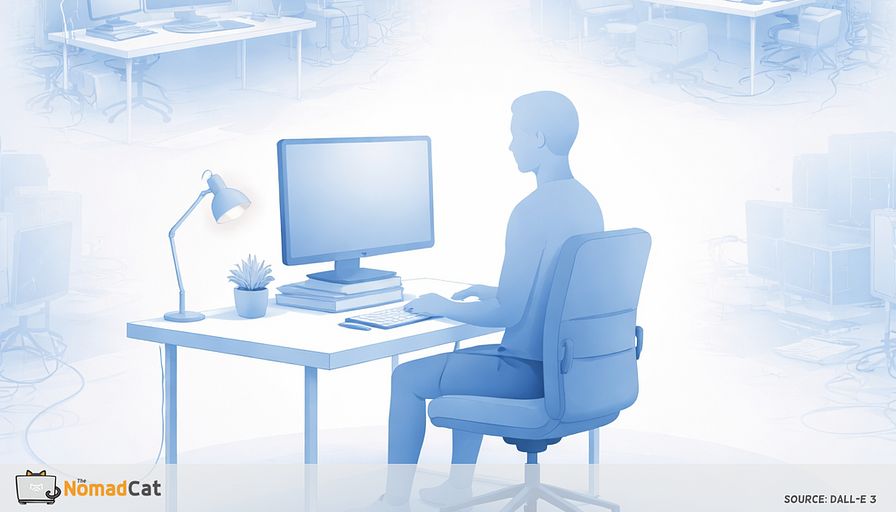
Minimalism and ergonomics for tech pros
Minimalism and ergonomics might look like two different worlds, but together, they offer a straightforward way to improve the workday for tech professionals like me. I have seen it firsthand: the endless notifications, the spaghetti of wires, and the pile of gadgets I never use—these things slowly eat away at my focus and my back. But with just a few tweaks, I can make my workspace lighter, more productive, and a bit less like a scene from a cable horror movie.
Here, I’ll share how a clutter-free workspace is not just about looking neat. Minimalism actually makes healthy ergonomic habits easier. It’s simpler to sit comfortably, move more, and avoid those classic aches that sneak up after hours at the keyboard. I’ll cover the basics for setting up a minimalist desk, tips for any budget or space, and some practical tricks I’ve picked up—like turning a stack of gardening books into a monitor stand. There are ideas for tiny flats, portable gear for nomads, and ways to sneak good posture into the daily grind.
Throughout, I’ll sprinkle in real-world examples—like how I turned a cramped Berlin kitchen into a decent office, or how a creative setup made a Lisbon Airbnb feel almost like home. The goal is practical solutions, with a warm, sometimes slightly clumsy touch (my French roots show up in my syntax, sorry!). Whether you want to refresh a home office or just survive a week of hot-desking, this guide is for supporting productivity and comfort—without the extra fluff.
Why a simple workspace helps me focus and feel better
Sitting down at a messy desk? For me, it’s like an instant stress injection. As a tech worker, I need to concentrate, but even one stray cable can break my flow. Clutter makes it harder to think clearly. Minimalism helps by trimming away the excess. Keeping only what’s essential lightens my mental load and supports better decisions. There’s research showing that neat spaces reduce stress and help me do more meaningful work. But honestly, the biggest win is physical: less stuff means fewer obstacles to good posture and movement.
How minimalism makes ergonomics easier
When there’s less junk to adjust or move, it’s much easier to follow good ergonomic habits. By focusing on essentials, I spend less time fiddling with gear and more time actually sitting comfortably. Some clear benefits:
- Fewer adjustments make it simple to set monitors at eye level and chairs at the right height
- Clean, organized surfaces discourage new clutter from building up
- Keeping only what’s necessary limits awkward habits, like stretching to reach things
These small tweaks help me keep better posture and avoid pain. And, let’s be honest, less stuff means fewer things to trip over when I’m half-awake in the morning.
Minimalism’s physical perks at the desk
There’s a certain relief in a tidy workspace. When my desk is free of extra things, I can move my arms and legs without knocking over yesterday’s coffee mug. The workday feels more manageable physically—no more twisting like a pretzel to reach my mouse. Starting the day at a clear desk is like giving my body a fresh start. Not every setup offers this—sometimes all those fancy features just get in the way and make me feel like I’m piloting a spaceship instead of writing code.
When complexity backfires
Too many features, too little focus
A desk packed with gadgets sounds impressive, but it often causes problems. I remember once in Beijing, I had a chair with five levers, three screens, and a tangle of cords. Starting any task felt like launching a rocket. All this complexity can lead to overload and even push me to ignore the helpful features I paid for. Instead of getting more work done, it’s easier to get sidetracked—or just give up and work from the couch.
When complexity hurts more than it helps
When equipment is confusing or tricky to use, I often skip the ergonomic benefits. Some common problems:
- Chairs not set at the right height due to confusing adjustments
- Footrests and monitor arms left unused
- Supposedly helpful features forgotten or misused
Instead of helping, these add-ons can actually lead to discomfort or even injury over time. Simple, easy-to-use setups tend to stick around longer.
Why simple setups last
Minimalist, user-friendly workspaces have the best chance of lasting. When tools are intuitive, healthy routines grow naturally. With less to worry about, it’s easier to see real improvements in comfort and productivity. So, what goes into a minimalist ergonomic workspace?
The core of a minimalist ergonomic desk
The essentials for every workspace
The heart of a minimalist ergonomic workspace is just a few must-haves. The desk is central—often overlooked, but key for comfort and avoiding injury. The right desk height puts elbows at about ninety degrees and forearms level with the floor. Here’s what I keep in mind:
- Elbow angle: About ninety degrees
- Forearms: Parallel to the floor while typing
- Wrists: Should stay mostly straight
Industry guidelines (like ISO 45001:2018) highlight that these simple adjustments can reduce musculoskeletal complaints by up to 30%. Not bad for a few minutes’ work.
But ergonomics isn’t just about the desk. Getting all the basics right makes a huge difference.
Making comfort possible with any chair
A supportive chair matters, but not everyone has a fancy model. In Berlin, I once used a kitchen chair for months. I rolled up a towel and shoved it behind my lower back for support—voilà, instant lumbar cushion! If my feet didn’t touch the floor, I’d use a box or a stack of books. These tweaks can improve comfort even in temporary setups. Monitor placement also plays a big role.
Raising screens the simple way
Screens need to be at or slightly below eye level, and at arm’s length, to avoid neck strain. Using external keyboards and mice with laptops helps avoid awkward angles. No need for special gear—just use things already at hand:
- Stack books or boxes as monitor stands (my gardening books have seen more action as monitor risers than in the garden)
- Prop up laptops with a shoebox or ream of paper
- Repurpose storage bins for extra height
Raising a screen with simple items is a proven win. Lighting is another part of comfort that often goes overlooked.
Lighting that works
Good lighting matters for reducing eye strain. Adjustable lighting that avoids glare works well. Natural light is best, but a desk lamp with a moveable head works in most situations. Even just moving your lamp or changing its angle can help avoid reflections and harsh shadows.
No matter my space or budget, I can adapt my setup to fit my needs.
Adapting essentials for any space or budget
Small or shared spaces
Small spaces call for flexible solutions. Modular or folding furniture can make a healthy setup possible. In Lisbon, I used a foldable desk that packed away at night—perfect for a studio. Even a kitchen table can be adapted with a few changes.
For people moving around, portability is just as important.
Portable essentials for flexible work
Shared or hot-desk offices are easier to navigate with portable gadgets. Compact keyboards, lightweight laptop stands, and roll-up supports fit in any bag. Some essentials are:
- Fold-up laptop stands
- Slim keyboards and mice
- Flexible lumbar pillows
- Lightweight footrests
This gear helps me keep healthy habits going anywhere—at home, coworking, or on the road.
Creative solutions for any budget
When money is tight, everyday items can stand in for ergonomic gear. Gardening books can lift a monitor, and towels can support the back. The trick is to use what’s handy—no need to spend big to stay comfortable. I’ve had months where the budget was tighter than my jeans after lockdown, so I know the value of making do.
Ergonomic hacks for real life
Everyday items for comfort
Simple tweaks using household items can really add comfort. Try raising a monitor or laptop by stacking sturdy books or a box so the top hits just below eye level. Steps:
- Find a few thick books or a stable box
- Set them under your monitor or laptop
- Add an external keyboard and mouse if using a laptop
No shopping needed, just a bit of creativity (and maybe a little luck that the box doesn’t collapse mid-Zoom call).
Upgrading any chair
Make any chair more comfortable by placing a rolled towel or small pillow at your lower back. If feet dangle, use a stack of magazines or books. These quick fixes work even when I’m just working at the kitchen table and help my body at the end of a long day.
DIY standing desks
Standing helps avoid sitting too long, but special equipment isn’t required. Stack boxes or bins on a table to bring the keyboard and monitor up to elbow height. Always make sure the stack is stable and safe. I once used a crate of oranges in Lisbon—worked fine until I got hungry.
Portable tools for any desk
Foldable laptop stands and compact keyboards are perfect for working in different places. Some handy items include:
- Foldable laptop stands
- Compact keyboards and wireless mice
- Lightweight lumbar cushions
- Portable footrests
With these, I can keep a healthy setup anywhere without carrying much.
More portable essentials
A portable monitor or lightweight footrest adds comfort and flexibility. In a café, extra screen space can make a big difference. Picking gear that can be used for more than one job keeps things even simpler.
Multi-use tools for efficiency
Choose items that do double-duty, like a laptop stand that also supports a tablet. A few favorites are:
- Laptop stands that work for tablets too
- Foldable desks for laps or tables
- Cushions that double for back and seat support
Still, tools help only so far—what matters most is building healthy habits into my routine.
Making ergonomics automatic
Cues and reminders for posture and eyes
I don’t need a pile of gadgets or sticky notes to remember good posture. I use visual cues—a colored sticker or a piece of tape on my monitor’s edge. This small marker acts as a gentle reminder to check my posture without adding clutter. For example, a red dot on my screen prompts me to sit straight now and then. Digital reminders can also help, as long as they’re not distracting.
Most digital calendars and computers can send gentle reminders for breaks and posture checks. I use built-in notifications or alarms to plan movement and screen breaks through the day. For my eyes, simple routines often work best.
A well-known tip is the 20-20-20 rule: Every twenty minutes, look at something about twenty feet away for twenty seconds. According to the American Optometric Association, this helps relax the eyes and prevents strain—a data-driven strategy that actually works. These pauses are easy to remember and need no gear.
But how do I keep these habits from slipping?
Building ergonomic habits into my workflow
I link posture checks or breaks to regular daily activities. This is called habit stacking. For example, after sending an email or finishing a call, I might:
- Adjust my chair and monitor
- Stretch for a few seconds
- Check my sitting position
These tweaks blend into my work, making healthy habits second nature. Regular self-checks can keep small problems from growing.
A basic checklist helps fix issues quickly. Here’s one I use:
- Is the screen at eye level?
- Are my feet flat or on a footrest?
- Are elbows at about ninety degrees while typing?
- Is my back supported and are shoulders relaxed?
- Do I move or take breaks every hour?
If I use many workspaces, a fast reset each time I sit down helps.
For those moving between offices or cafés, a quick setup check keeps things comfortable. Adjust the chair, monitor, and keyboard position and I’m set. These steps help support my health wherever I work and take only a few minutes.
Real-world inspiration: minimalist workspaces that work
Tailored setups for every space
Shared or temporary spaces can also be comfortable with some effort. Matt D’Avella’s approach stands out: in a small flat, he uses a compact sit-stand desk, a monitor raised with books, and only the essentials—easy to reset and maintain, proving even small homes can be ergonomic without added mess.
Small changes, big impact
Often, just a couple of changes make a dull or cramped workspace efficient and comfortable. Ali Abdaal shows how a basic student desk can become more ergonomic with a height-adjustable table and a monitor arm. After these upgrades, even a tiny room becomes a comfy, efficient corner. Many others share similar tweaks online—there’s no shortage of creative ideas.
Community creativity
Tech professionals often turn small spots—closets, home nooks—into functional offices. Examples include:
- Turning a tiny closet into an office using a slim desk, wall shelves, and a lamp
- Creating a fold-away desk under the stairs with a rolling cart
- Repurposing kitchen corners with simple monitor stands and footrests
Minimalism also shines in coworking spaces, where portable setups pay off.
Portable gear for freelancers
For freelancers in shared offices, portable and simple setups work best. A foldable laptop stand, compact keyboard, and small lumbar cushion can turn any booth or desk into a comfortable spot. Collaborative projects and workspace showcases often highlight these flexible, travel-ready solutions. No matter the place, the focus stays on comfort, efficiency, and adaptability.
What real setups show about minimalist ergonomics
Adaptability and intention
The best minimalist spaces have a few things in common. They stick to essentials, adapt to changing needs, and avoid collecting unnecessary gear. A few important features:
- Adaptable setups
- Careful choices about what to include
- Room to tweak things easily
Personalization stands out—each desk suits the person using it, not just a pretty picture.
Why personalization beats one-size-fits-all
Copy-paste setups rarely work. The best workspaces are adjusted to match each person’s habits and needs. Swapping out a chair or changing desk height as needed, for example, helps the workspace keep supporting me over time. Sustainable routines also matter.
Sustainable setups evolve with me
Desks work best when I tweak them as things change. When I moved from Beijing to Berlin, I had to rethink my whole setup—my fancy chair didn’t fit in the new flat, so I built a standing desk from leftover wood and a few screws (my carpentry hobby finally paid off). Later, in Lisbon, my workspace was a kitchen table with a stack of gardening books as a monitor riser. These simple setups were always the easiest to reset and adapt, and they kept me focused on work, not on shopping for the next big thing.
Continuous improvement for minimalist workspaces
Rethinking setups without buying more
Small changes can make a big difference. I use a checklist every few months or when my work style changes to spot and fix issues. Simple questions to ask:
- Are elbows comfortable at ninety degrees?
- Is the monitor at eye level?
- Are feet flat or on a solid footrest?
- Is the back supported with relaxed shoulders?
- Do I take breaks and stretch through the day?
Routine checks help me maintain best practices without buying new gear. Sometimes, my wallet thanks me for being stubbornly creative.
Small tweaks, big results
Feedback from friends or coworkers can help spot easy improvements. They might suggest moving a box to lift my monitor, or shifting a pillow for better support. Adjusting what I already own can often bring the most comfort. And if someone laughs at my DIY footrest, well, at least my feet are happy.
Learning from others and structured reviews
For those in shared spaces, reviewing setups with others can reveal quick fixes. A teammate may have a better chair position, or someone may swap footrest tips. Open chats about these things keep everyone comfortable. Using structured methods can help too.
Simple frameworks for sustainable organization
Frameworks like 5S—Sort, Set in order, Shine, Standardize, Sustain—are simple and repeatable:
- Sort: Remove what I don’t need
- Set in order: Arrange essentials for easy reach
- Shine: Keep things clean
- Standardize: Make routines for tidiness
- Sustain: Build habits that stick
This approach keeps workspaces both tidy and ergonomic.
Industry standards for ongoing improvement
Standards such as WELL and ISO 45001:2018 support regular checks, flexible layouts, and well-being. For solo pros, these can be adapted into simple routines:
- Regular comfort assessments
- Adjustable setups
- Frequent self-checks
- Attention to physical and mental health
Mixing formal standards with everyday habits keeps my workspace working for me.
A workspace that grows with me
Bringing together structured steps and personal reflection helps keep workspaces fresh and useful. There’s a real feeling of relief after decluttering a desk—the kind where my shoulders drop and I can finally breathe. After a long day, sitting down at a comfortable setup feels like a small victory. With a minimalist, ergonomic desk, comfort and productivity come without clutter or extra gadgets. And if I can build it out of garden books and a kitchen chair, anyone can.
A minimalist, ergonomic workspace is more than just neatness. For me, it’s a practical way to improve focus, comfort, and well-being every day. By cutting back to essentials and making small changes, distractions shrink and posture improves. From creative uses of items around the house to gear for on-the-go, simplicity and intentional choices make all the difference. With regular check-ins, my setup stays just right as my needs shift. Minimalist ergonomics is about building a space that really works for me—wherever I am, even if it’s a kitchen table in Lisbon or a closet in Berlin. And if I can do it, with my French-English mashup and all, so can you.
You might be interested by these articles:


Why moving beats perfect posture for comfort and focus at work

why perfect posture is overrated for minimalist tech workers

Invisible ergonomics making healthy work habits stick anywhere

Small tweaks for a calmer tech workspace

easy lighting hacks for better focus anywhere

Mastering GDPR Compliance for AI Chatbots

The invisible work rules that make desk health feel awkward




