
Invisible ergonomics making healthy work habits stick anywhere
Abstract:
The article argues that for tech professionals, maintaining health and comfort at work is less about owning specialized ergonomic gear and more about creating flexible, portable wellness routines embedded within digital workflows. Recognizing that many people work in unpredictable environments—like cafés or shared apartments where fancy chairs and desks aren’t practical—the article promotes the concept of "invisible ergonomics": making small, software-driven adjustments such as movement reminders, eye-care breaks, varied hand movements, and workflow-based health prompts that travel with you and adapt to your real-life conditions. It provides practical examples, like using keyboard shortcuts, automating mini-breaks in project tools, and following the 20-20-20 eye rule via browser plugins, while drawing on real-world cases from companies such as Automattic and Microsoft Japan, who favor routine-based wellness over hardware investments. The article emphasizes ongoing self-experimentation and simple tracking, echoing the author’s own scientific approach of trying, observing, and tweaking habits to find what works best. Ultimately, it demonstrates that small, consistent changes in digital routines can foster lasting well-being and productivity, offering tech workers both comfort and control regardless of where—or how—they work.
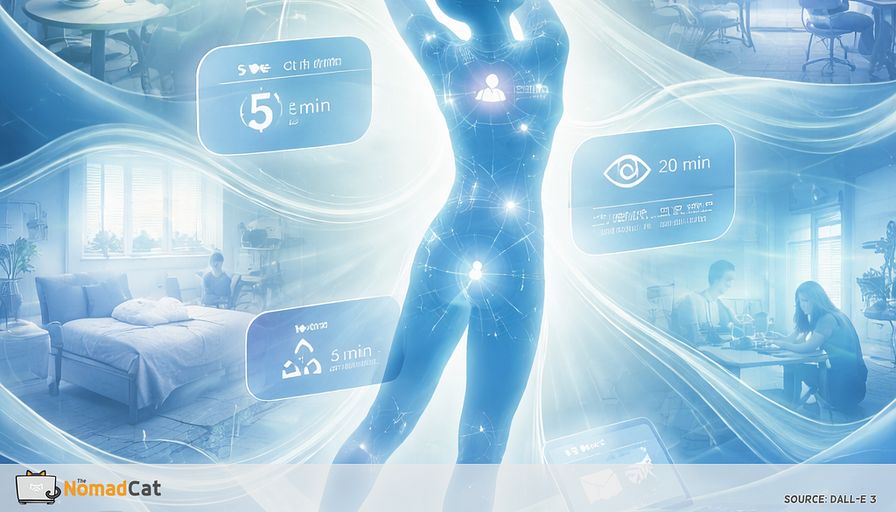
For many tech professionals, finding a comfortable, healthy setup is a real challenge. Sure, fancy chairs and standing desks sound great, but most of my work actually happens in noisy cafés, cramped apartments, or wherever there’s Wi-Fi and a free plug. Good posture and comfort can feel like luxuries reserved for people with deep pockets or private offices. Most ergonomic advice just doesn’t fit the reality I—and many others—face every day.
But here’s something I learned after years of bouncing between Berlin and Lisbon: health at work isn’t really about gear. It’s about the habits and digital routines you carry with you. By tweaking your workflow, you can make comfort part of your work, no matter where you are. What follows is a look at invisible ergonomics—how small changes in your software and daily routine can support your body, even if your desk wobbles or your chair is borrowed.
Here’s what you’ll find:
- Why changing workflows matters more than buying gear
- How digital tools and gentle prompts can build automatic healthy habits
- Ways to add movement and eye care to daily routines
- Tips for making wellness routines that fit any workspace
- Simple ideas for tracking what helps, so you can keep getting better
It’s not about chasing the perfect chair anymore. It’s about shaping routines that have your back wherever you are. With a bit of creativity and a few handy workflow tweaks, staying healthy just becomes another part of getting work done. Let’s see how this approach makes healthy habits stick.
Rethinking workflow for real-world ergonomics
Why workflow beats gear
Most ergonomic advice zeroes in on the workspace—office chairs, standing desks, special keyboards. But honestly, many of us can’t control where we work. I’ve moved between cafés, coworking spaces, and shared flats, sometimes all in the same week. Minimal setups and travel make expensive gear hard to use or buy. Money matters too; not everyone can afford fancy equipment. Yet most tips still focus on gear, overlooking the value of our own habits. With all these hurdles, it’s smarter to find solutions that don’t depend on expensive stuff.
Digital workflows—wellness that travels
Instead of worrying about what’s on your desk, changing your digital workflow can help your health pretty much anywhere. You can set reminders to move, build in short breaks, or design your software to make healthy habits easier. Honestly, whether I’m in a crowded café or squeezed at a kitchen table, these little tricks still do the job. For example, using keyboard shortcuts cuts down on repetitive movements. Cloud tools help you move around more, and apps can remind you when it’s time for a break. These ideas slip right into your work—no gear needed.
From objects to habits—making wellness accessible
By shifting focus from objects to daily habits, you can bring a tech worker’s problem-solving mindset into the world of health. Instead of depending on a perfect chair, you design digital routines that offer small, regular support for your body. Invisible ergonomics is about weaving wellness into your day in ways that anyone can manage. When I first moved to Lisbon, I realized how much my routines mattered more than my workspace. My back thanked me for every stretch break, not for any fancy chair.
Invisible ergonomics—wellness in your routine
What is invisible ergonomics?
Invisible ergonomics means putting health right into your digital routine. It’s less about visible gear—more about making comfort part of how you work. For example, you might add movement reminders right into your work tools or set up regular mini-breaks in your project boards. These things make healthy habits almost automatic—a bit like a hidden helper built into your software. When I was working in Berlin, I set up my code editor to ping me for a stretch every time a build finished. It felt odd at first, but soon enough, I started to look forward to those little pauses.
Digital tools for healthy habits
Tweaking digital tools—even just a little—can gently encourage good habits all day long, like:
- Setting your code editor to remind you to stretch every so often
- Using software build times as a sign to stand up or give your eyes a break
- Adding plugins to your calendar that create mini-breaks between meetings
These small changes turn normal digital routines into reminders to look after yourself. They’re more about building healthy routines than about buying gadgets. There’s evidence that digital prompts tied to your real workflow are better at reducing aches and tiredness.
Every workflow supports well-being
Really, invisible ergonomics is a mindset—seeing every routine as a way to support your own comfort, no matter where you are. Even a busy day becomes a series of chances to do something good for your body. The next step is figuring out how to turn this idea into habits that last.
Customizing digital tools for physical health
Healthy prompts in your workflow
Putting health reminders into your workflow can make them feel less like interruptions and more like part of getting stuff done. Instead of using just a timer, you can tie breaks or movement to your tasks. For example, you might set up a script to nudge you to stretch after every bug fix or have a sound play after a project builds to remind you to look up from your screen. Research shows reminders that follow your real work patterns, not just the clock, are better at reducing discomfort. Some ready-to-use ideas:
- Set reminders in your favorite editor to stretch after each coding milestone
- Make completion notifications a signal to get up or rest your eyes
- Use project board plugins to slot micro-breaks into your day
These prompts are easier to keep up with and don’t break your focus so much.
Apps like Stretchly, Eyeleo, and Workrave do more than just count down minutes. They pay attention to what you’re actually doing with the keyboard or mouse, then prompt breaks at good times—less likely to interrupt your groove.
Sure, sometimes the reminders seem a bit random, but over time I’ve found these built-in suggestions really help cut down on aches and tiredness. When I was freelancing in Lisbon, I’d get so absorbed in code that I’d forget to move for hours. A simple popup from Stretchly was enough to get me out of my chair, even if just for a minute.
If you like tinkering, you can set up custom reminders with things like AutoHotkey or editor plugins. Maybe your script tells you to stretch every time you close a bug, or dims your screen after long typing. Tailoring things this way is good for people who want solutions that really fit their personal style. Experts point out the more personalized your prompt, the better. Still, good ergonomics isn’t just reminders—changing things up also counts.
Varying hand and eye movements
Using keyboard shortcuts and macros cuts down on mouse use, a common source of aches. Most productivity apps and code editors let you create your own shortcuts, helping you change up your hand movements now and then. Try these steps:
- Map your top tasks to keyboard shortcuts
- Make macros for things you do a lot
- Swap out your shortcuts every few weeks to avoid doing the same motions all the time
This fits what the experts say—switching things up keeps your hands and wrists from getting sore. Switching devices can help too.
Change between devices—like using mouse, trackball, and touchpad on different days—spreads out the workload for your muscles. Programmable devices and software make it easier to swap things around. For example, some people might switch to a trackball in the afternoons or use the touchpad for creative work. It’s a bit like changing hands when carrying groceries—keeps things even. Studies suggest that this simple trick helps people who work at screens a lot. And don’t forget your eyes—they need breaks too.
Digital cues, such as the 20-20-20 rule, can be plugged into your digital routines. A gentle nudge tells you to look away from the screen every twenty minutes for twenty seconds, focusing on something farther away. Browser plugins make this easy, so you don’t have to remember. These little tweaks go a long way toward healthier eyes during long days at the screen. Next, let’s see how these digital tricks fit with bigger routines.
Embedding wellness into digital rituals
Routines as wellness anchors
Cycles like the Pomodoro Method or agile sprints aren’t just for productivity; they’re an easy spot to add health habits too. Instead of ignoring the timer, use the breaks for a quick stretch, a stand-up, or just peering out the window. Even one or two minutes of movement helps cut down on aches and keeps your body happy during long stretches. Apps like Stretchly build these reminders in, so switching from work to a mini-break feels natural. The same goes for eye care—little breaks fit inside these cycles without extra hassle.
Automating eye rest
The 20-20-20 rule (every twenty minutes, look away for twenty seconds) is easy to work into any sprint or Pomodoro break. There are apps and plugins—for example, Eyeleo or the JetBrains Healthy Programmer plugin—that can pop up reminders so every break gives your eyes a chance to recover. Set it up once and let it handle the rest. Automating these cues means you’ll actually take those breaks, even during busy spells. Some folks go further, letting movement drive their whole work rhythm.
Minimalist movement rituals anywhere
Minimalists might work in quick, focused bursts, sometimes standing or pacing or even stretching during meetings. In these cases, digital tools act as both timer and reminder—to move, to pause, or to stretch—making healthy habits automatic. These rituals work anywhere: home office, café, or borrowed coworking desk. I still remember the relief of stretching my arms overhead after a long coding session in a noisy Berlin café, the clatter of cups and chatter fading for a moment as my shoulders relaxed. Health becomes baked into how tasks get done, not tacked on at the end. But what about those whose workspaces change often?
Making wellness portable and adaptable
Digital rituals that travel
Unlike gear, digital wellness habits stick with you—all they need is your laptop. Whether you’re in a café or a spare-room office, those reminders follow you. I’ve juggled a laptop in plenty of noisy places, but still managed to stick to my movement or eye care routine—because the reminder pops up right on cue. For workers on the move, this consistency is gold. There’s no need to find the right chair or drag gear along.
Consistency in unpredictable spaces
If your work environment changes, these digital habits give you a sense of control. Even if lighting is bad or the table’s too high, you can count on your workflow reminders and micro-breaks. It’s like carrying a tiny, invisible wellness kit. A handy idea is to install your favorite reminder apps on every device, so your habits are always with you. By leaning on workflow design, you take charge of your well-being—even when the workspace is out of your control.
Workflow design empowers you
When workflow routines are the focus, tech professionals get more say over their own comfort—no matter the surroundings. Portable, adjustable wellness habits help keep you healthy, wherever you log in. Next comes the question: how do you know these routines are helping? That’s where simple tracking and tweaks come in, turning invisible habits into results you can feel.
Measuring and refining your ergonomic workflow
Simple feedback loops
You don’t need fancy tools to tell if your new routines are working. I usually start with a basic self-check: jotting down any soreness or bursts of energy at the end of each day. Even just a note in a tiny journal, or a quick spreadsheet line, can help you spot patterns—is one approach making you more comfortable? The Nordic Musculoskeletal Questionnaire (NMQ) is one tool you can use for these daily check-ins, letting you track symptoms over time easily. In my own work, I track simple metrics like the number of breaks I take or how often I switch devices, which helps me spot patterns over time. This keeps tracking simple and low-pressure.
If you’re into data, you can get creative with spreadsheets—logging how many times you stand up, or how long you go without a break. I’ve found that even a simple tally of stretch breaks can reveal when I’m slipping into old habits. Treat workflow like a kitchen experiment—try, observe, adjust. If a stretch break at noon helps, keep it; if not, change it. Tuning routines slowly keeps them feeling natural and not just another task. This keeps digital wellness light, flexible, and stress-free.
Iterating with minimal fuss
Experimenting with tweaks doesn’t need to be fancy. Simple journaling, a checklist, or a basic table can track what works. The point is to keep it easy—nobody needs another fussy app or complicated system. Some find simple notes enough for progress (a nod to methods like “Building a Second Brain”). The important thing is to pick whatever tool is least annoying, so you’ll actually use it. Little check-ins each week help you tune your habits, making it easy to see what’s working.
A quick review—weekly or monthly—lets you adjust digital routines without pressure. You might notice, for example, that after a few weeks of stretch breaks, you have less afternoon tiredness or fewer wrist aches. Over time, those little changes add up. The result? A workflow that supports your productivity and your comfort.
Coming from a background in fundamental physics, I treat problems as experiments—try, watch, update. I still approach my work routines this way, always refining based on what actually feels better. With feedback and iteration, invisible wellness routines can get real results.
Real-world examples of workflow-driven wellness
Small tweaks, big difference
Tiny changes in workflow can have a big effect, even for big remote teams. At Automattic, known for remote work, employees use built-in rituals, like scheduling standing breaks or “walk-and-talk” meetings, not special furniture. These simple routines bring more focus and less fatigue without needing extra gear.
Some companies, like Microsoft Japan, use the “30 for 30” rule—every meeting is capped at 30 minutes, and everyone stretches for 30 seconds before starting. It sounds almost funny, but it has led to less tiredness and more productivity, just from one tiny habit. This shows that sometimes small tweaks do the most.
Other groups focus less on buying gadgets and more on crafting routines. Folks like Cal Newport and Matt D’Avella set up digital habits—like scheduled breaks or task batching—rather than collecting the latest ergonomic gear. They report less strain and more focus. The lesson: shaping how you work often helps more than what you work with.
SAP’s Fit@Work program is another good example. Instead of new hardware, SAP added posture and break reminders right into agile project tools. This led to better health and less discomfort, with no new gadget in sight. Simply changing routines worked better than changing the workspace.
Here’s a minimalist hack I picked up from a fellow developer: keep a resistance band in your backpack. Even in a cramped café, you can sneak in a quick stretch between tasks. It’s a tiny thing, but it makes a surprising difference after hours at the laptop.
What changes and what surprises
People who switch from buying gear to tweaking their workflow often find comfort and focus improve more with simple, steady habits. The big surprise? Having more control and flexibility. As one tech leader said, “You can’t always control your chair, but you can always adjust your workflow.” For people in shifting workspaces, this matters a lot.
This flexible approach is even handier as jobs and work spots change. Wellness driven by workflow is easy to update—no need to lug gear around or chase the perfect setup. If you move from home office to café, or job to job, you just bring your digital habits. Research backs this up, and teams working from many places agree.
In the end, invisible ergonomics helps tech professionals stay healthy and get work done, however often their workspace changes. It’s about building simple, lasting habits that support your well-being every day.
Comfort at work doesn’t need fancy gear or a perfect office. A few smart tweaks—like movement prompts, eye-care reminders, and varied hand habits—really do add up, no matter where you work. Invisible ergonomics makes healthy choices simple, automatic, and easy to stick with in any kind of schedule. By focusing on workflow instead of equipment, you’ll keep your body fresh and your thoughts clearer, even as workspaces keep changing. These handy habits travel with you and get better the more you pay attention to what works. Sometimes, the smallest routine changes make the biggest difference—especially when you make them your own.
You might be interested by these articles:


Minimalist ergonomic workspaces for better focus and comfort

Small moves big impact for solo tech days

Make any space your office with a one-bag ergonomic setup

The two-minute reset for tech workers

why perfect posture is overrated for minimalist tech workers

Edge computing redefining data privacy standards

Secure Coding Practices in R Programming




