
Abstract:
The article explains why many people feel exhausted on the couch but become mentally “online” the moment they get into bed—suddenly scanning inboxes, replaying a 16:00 bug, or doing “quick checks” that turn into a sprint—and argues this isn’t a discipline problem but a conditioning problem where the bedroom’s objects and setup (laptop on the nightstand, charger cables by the pillow, open work bag, a to-do notebook, headset and mic ready, email one swipe from the alarm) act as cues that trigger work mode and train the bed to mean wakeful effort rather than sleep (stimulus control and nocturnal cognitive arousal). Instead of building an elaborate routine, it recommends making the bed “boring” again by lowering “cue load” with a simple two-zone rule (Zone A: bed for sleep/intimacy only; Zone B: everywhere else for planning and checking, even in a one-room apartment using small physical markers like a dedicated chair, a closed bag/bin, a curtain, and different lighting), adding friction by moving work devices out of arm’s reach (charging the phone across the room, putting the laptop out of sight, clearing the nightstand, even leaving a “work is closed” token like a headset or badge outside the bedroom), and preventing digital capture in bed (at most, write a single line on paper with a “topic” and the “next allowed time”). To keep it practical, it offers a quick two-question yes/no check to label the pattern without minute-counting and a minimal three-night experiment—one normal night, then two nights of strict zoning plus the phone away from the bed—using simple morning checkboxes to see if “work-brain boot-ups” drop, while noting that if there’s no improvement or there are red flags (snoring/gasping, severe sleepiness, restless legs, chronic insomnia, parasomnias, or conditions like PTSD/bipolar), it’s better to seek proper screening and consider CBT-I rather than escalating bedroom hacks. It closes with a clarity tool to reduce nighttime monitoring—“I’m offline after 20:30; if it’s urgent, call”—so ambiguity stops fueling late-night checking and bedtime can reliably power down.
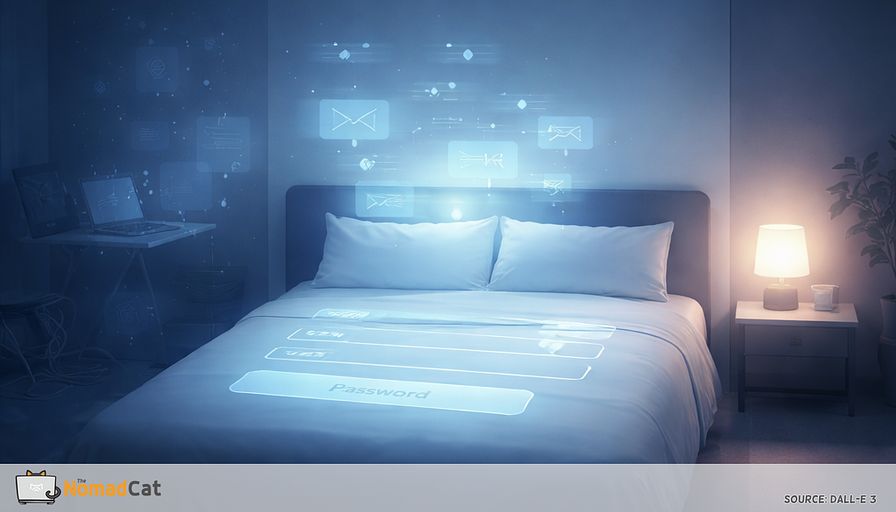
When the bed becomes your login screen
You can be wrecked on the couch at 23:30, barely keeping your eyes open. Then you slide into bed and your brain suddenly acts like it just got plugged in. Inbox scan. Roadmap review. That bug from 16:00. A few “quick checks” that somehow become a full sprint.
And the next morning is the insult on top: you were “in bed” for hours, but you wake up with that thin, buzzy fatigue—like 7 hours got compressed into 4. Coffee works, but only as a patch. You’re slower, more irritable, and you start the day already behind.
If that sounds familiar, yes, it is annoying. And no, it is not because you “lack discipline”. It is more that your setup is training a loop. When work lives on a laptop that can travel anywhere—remote years bouncing between Berlin and Lisbon included—the bedroom stops being neutral. It becomes a trigger.
The goal here is simple. Make the bed boring again.
You’ll see how this pattern works and how to test it without turning sleep into another project to manage. The focus stays practical and small-input, because most people doing 10-hour desk days do not have extra time for a 45-step night routine.
What we’ll cover
- Why bed-work happens even on calm days, and why it is often a cue problem, not a stress problem
- The “cue load” that turns a bedroom into a mini office, even with notifications off
- A fast 2-question check plus one simple metric to track change without over-logging
- A 2-zone rule that works even in a 1-room apartment, using simple physical markers
- How to remove work from arm’s reach so it takes effort to “just check”
- A 3-night test with minimal logging, to see if separating cues reduces the work-brain boot-up
- When bedroom tweaks are not enough and proper screening makes more sense
No perfection. No vibes. Just a cleaner configuration, fewer triggers, and a better chance that when you lie down, the system actually powers down.
Why it happens
Sleep research has a simple idea called stimulus control. The bed can get trained to mean sleep, or trained to mean wakefulness and effort, based on what keeps happening there (Bootzin, 1972; Bootzin & Epstein, 2011). Desk-work translation: if the bed keeps hosting email triage, your brain learns bed = shift start.
There is also a name for the mental part, nocturnal cognitive arousal—basically your thinking ramps up when you want the opposite (Nicassio et al., 1985). You’re tired, but your mind starts “running tasks”.
The cue load that turns a bedroom into a mini office
Even with notifications off, the room can still scream work. Common cues
- Laptop on the nightstand
- Charger cables next to the pillow
- Second screen “resting” on a chair
- Work bag open with papers visible
- Notebook with a to-do list left open
- Headphones and mic ready like a call could start in 3 seconds
- Phone alarm with email 1 swipe away
- The last tab you saw was a spreadsheet
Roles get triggered by cues. Spaces and objects stop being neutral and start signaling work mode or off mode. And unfinished tasks stick around: seeing the open to-do notebook can be enough to start re-planning tomorrow, even if you promised yourself “no thinking in bed” (Masicampo & Baumeister, 2011).
How this differs from generic stress or rumination
This pattern is context dependent.
The day can be calm and still the bed flips the switch. Poor switching-off tends to go with worse sleep, but here the trigger is often the environment, not only the workload. The giveaway is the timing: the boot-up starts when you get into bed.
A fast check that does not become a sleep app project
For the past 2 weeks, answer 2 yes-or-no prompts
- Were you drowsy before bed, then noticeably alert again within a few minutes of lying down?
- Once in bed, did your first thoughts often turn into work mode—planning tasks, rewriting messages, rehearsing tomorrow?
And use one metric (this is the only one you need for the 3-night test later)
- Did the work boot-up happen after lying down, yes or no?
1 to 2 yes is a label, not a diagnosis. It is just a way to name “bed triggers work brain” so you can change cues.
Also, be careful with minute counting. People are bad at estimating sleep onset and awakenings, and rough nights make wake time feel longer than it is. The experience is real. The stopwatch is noisy.
Why desk work makes this predictable
Knowledge work is portable and invisible. So the brain uses proxies to decide if it should keep computing.
Location, posture, and objects become the on/off button. Remote and hybrid remove transitions even more: no commute means no buffer, no door, no role-switch moment (Allen, Golden, & Shockley, 2015). Same thing when you workation across Europe on bad chairs and worse desks: everything becomes “kind of a desk”, including the bed.
The behaviors look harmless until they train the cue
- Answer 2 messages to clear it
- Open the laptop to check 1 number
- Rewrite tomorrow’s plan in Notes because it feels safer there
Then the trap appears. If waking up becomes “productive”, you accidentally reward your brain for waking you again (Harvey, 2002). Another loop often follows, monitoring and clock checking, which adds more arousal, not less.
Make the bed boring again
A 2-zone rule even in 1 room
Zone A is the bed. Sleep and intimacy only.
Zone B is everywhere else. Planning, messaging, and “just checking” lives there.
This is stimulus control logic adapted to normal apartments, not a Pinterest fantasy (Bootzin, 1972; Bootzin & Epstein, 2011). If you do not have a home office, you are not failing. You just need 2 modes.
Tiny physical markers can do the job
- Move work to a specific chair so posture becomes the work-on signal
- Store the laptop and notebook in a closed bag or bin after work hours
- Close the laptop and turn it away from the bed
- Hang a curtain or visual barrier to hide the desk or work pile
- Switch lighting, bright task light for Zone B, warm dim light for Zone A
Good enough counts. The goal is less cue overlap.
If you are in bed and clearly awake, it is often better to stop feeding the association. Consider leaving the bed, or at least leaving the sleep position, and moving to Zone B. No rigid “20 minutes” needed if the clock checking becomes its own problem—because then you’ll just start debugging the clock. Do something boring in dim light: a paper book, calm audio. Return only when sleepiness comes back.
Remove work from arm’s reach
Make bed-work slightly annoying. It’s not very elegant, but it works.
Proximity is a feature. What is reachable feels available, and availability drives behavior when you are tired. Even without buzzing, a nearby phone can keep part of the brain on watch (Ward et al., 2017). So the goal isn’t willpower; it’s removing the “sentinel” object from reach.
- Charge the phone across the room
- Put the laptop out of sight, not on a chair facing the bed
- Close the notebook and slide it into a drawer or bag
- Remove the headset, mic, badge—anything that says you could jump into a call
- Clear the nightstand so it stops being a staging area
A simple trick is a “work is closed” token. Leave 1 critical piece outside the bedroom, like a headset, badge, power brick, or laptop sleeve. It adds role friction by design.
Light is not the whole story, but it helps. Bright indoor light and bright screens late can push the body toward daytime signals (Gooley et al., 2011; Chang et al., 2015). Practical version: dimmer and warmer when you are trying to be off.
No digital capture in bed
Protect the bed from becoming an intake and production zone.
A workable rule is: in bed you capture 1 line on paper only. No inbox, no calendar, no notes app, no “just to be safe” check. Opening a work-capable app in bed teaches the brain that bed is a workstation.
Planning can go either way. One study found that writing a brief to-do list at bedtime helped people fall asleep faster than writing completed tasks (Scullin et al., 2018). But if planning revs you up, move it earlier in the evening or do it in Zone B.
A tiny format helps keep it closed
- Topic ______
- Next allowed time ______
Example
- Topic “Reply to client about scope”
- Next allowed time “Tomorrow 10:30, at desk”
If you slip, repair is simple. Close the phone. Write the 2 lines. Return to nothing to solve now.
Prove it in 3 nights without analytics
Keep the logging minimal, otherwise you end up debugging the debugger at 01:30. (Yes, I like small tests; physics brain.)
- Night 1 stays normal. No hero mode. Just notice what happens when you lie down.
- Nights 2 to 3 run the strict 2-zone rule. Bed stays bed. Any planning happens in Zone B.
- Nights 2 to 3 also keep the phone charging away from the bed (Ward et al., 2017).
- If you miss a checkbox, don’t fix it at 01:00. Just continue the next morning.
Morning checkboxes for each night
- [ ] Any intake or work in bed (phone, laptop, calendar, inbox, notes app)
- [ ] Work brain booted up after lying down (planning, rehearsing messages, solving)
How to read it, without making it a whole thing
- If Nights 2 to 3 show fewer boot-ups than Night 1, cues likely matter. Keep separating cues.
- If there is no change after 3 nights, don’t add more rules. You’re probably in a different bucket: broader hyperarousal, timing issues, or a sleep disorder not driven by the bed-as-office loop.
When to stop DIY and get proper screening
Bedroom tweaks are not the answer for everything. Consider clinical screening if any of these fit
- Loud snoring, choking, or gasping
- Severe daytime sleepiness or dozing in passive situations
- Restless legs symptoms
- Insomnia lasting weeks with clear daytime impairment
- Parasomnias, confusion awakenings, or safety risks
For chronic insomnia, guidelines put CBT-I as first-line treatment (Qaseem et al., 2016). In this article’s terms: if cue separation doesn’t change the bed-boot-up loop, it’s a sign the driver may not be desk setup anymore—and that’s when screening is the more rational move.
Some contexts also need modifications rather than more discipline, like bipolar disorder or PTSD with nightmares. In those cases, individualized support is safer than pushing strict rules.
One sentence that reduces bed checking
Ambiguity is fuel. If your work is global, you can still reduce background polling with a clear routing rule
I’m offline after 20:30. If it’s urgent, call. Otherwise I’ll pick it up tomorrow.
It is not about being strict. It is about making the system legible so your brain stops monitoring at 00:40.
If possible, define urgent narrowly
- Production is down or customers cannot pay
- A security incident that needs action now
- A deadline change that impacts tomorrow morning delivery
Everything else can wait, even if it is important. The practical recap stays small
- Reduce bedroom work cues
- Protect the bed-sleep association
- Run the 3-night checkbox test to see if the boot-up signal drops
If your brain turns the bed into a boot screen, it is not a character flaw. It is conditioning plus too many work cues within arm’s reach. The good news is the fix is more configuration than motivation. Reduce the cue load, keep a simple 2-zone rule, and add a little friction so “just checking” stops being the default. The 2-question check (plus the one yes/no metric) and the 3-night test keep it honest without turning sleep into another spreadsheet. If it helps, keep it. If it doesn’t, stop polishing the nightstand and get proper screening.
The real win is boring bedtime. Less monitoring. Less late-night problem solving. More chance your system powers down when you lie down.
You might be interested by these articles:


8 hours in bed and still tired debug your fragmented sleep

Your 1st 45 minutes are training your 02:00 brain so change the input order

Your brain needs an off duty signal not an earlier bedtime

The 02:17 reboot after a 10-hour desk day and how to make it boring again

Thin sleep is a workday monitoring bug not a bedtime failure

Data Mining for Predictive Maintenance

Scenario planning for freelancers made simple




