
Abstract:
The article explains that you can look composed at a desk—especially on camera and during high-precision work—while your body is quietly running “noisy,” often because of “floating feet,” a non-medical debugging label for low-variation, half-present foot contact (heels barely loaded, toes perching, one foot hooked on the chair, “decorative” feet). Drawing on the author’s long desk life across Beijing, Berlin, and Lisbon and their early warning sign of upper-back tightness after long still blocks, it argues that when the base stops providing normal pressure changes and support cues, the body compensates by stiffening higher up, so jaw, traps, and shoulders do “unpaid stabilizer work,” leading to delayed symptoms like neck tightness and clumsy first steps when you finally stand. Rather than prescribing perfect posture or expensive chair fixes, it emphasizes that constraints (cold under the desk, a chair a few centimeters too high, scooting toward the screen, precision mouse “tripod” behavior, self-view pressure on video calls) drive the problem more than willpower, and that variability beats rigid symmetry. The piece offers “log flags” you can notice without looking down—breath-holds on clicks, pressing the desk down, teeth nearly touching, cursor jitter—and a discreet 10–15 second “foot-base patch” to use in built-in dead time (joining/leaving calls, hitting Send, waiting for pages to load): re-find heel-and-ball contact, make a few small left-right pressure shifts, add one slow exhale, and optionally slide one foot slightly forward to restore input and reduce post-call stiffness, while also naming stop rules for red-flag symptoms like worsening weakness, persistent numbness, or signs of a clot.
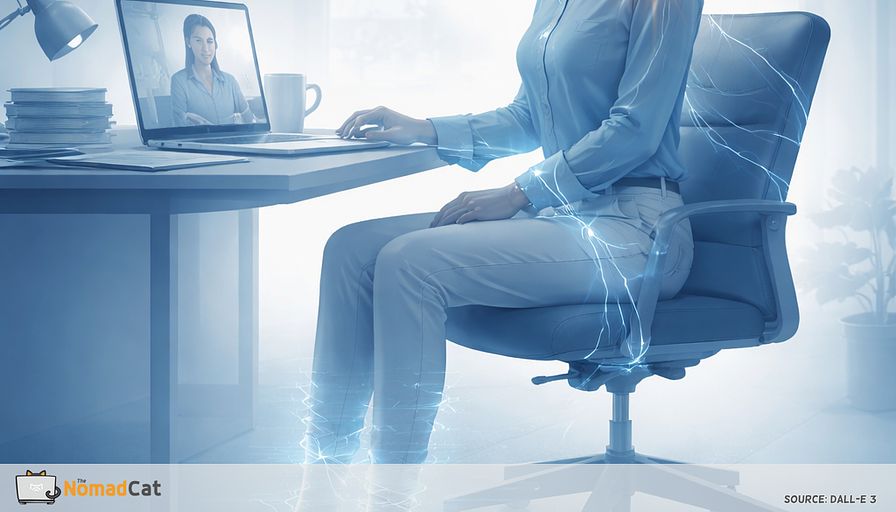
You can look perfectly calm at your desk and still be running a noisy system.
It often happens on the “easy” days. You are mid-edit on something annoyingly important. Tiny changes, high stakes. You stay still because stillness reads as professional, especially on camera. Lunch is at the desk. Meetings stack. After lunch your energy dips, so you stay even more frozen. Then you stand up and your neck feels like it did overtime, and the first few steps feel… oddly clumsy.
One sneaky piece of that pattern lives under the desk. Your feet.
This article gives a name to a common desk glitch, floating feet, when foot contact gets low-variation and half-present. Not a diagnosis. More like a debugging label for when your base goes quiet and your upper body starts compensating with jaw, traps, and shoulder tension.
Here’s what we’ll debug:
- A clear picture of what floating feet looks like in real life, without turning it into a posture rule
- Why it shows up more on camera-on calls and precision mouse work, even if you “sit fine”
- A simple stability model that explains why the top gets busy when the base stops sending good signals
- Fast checks you can notice without staring under the desk, like breath-holds on clicks and that weird urge to press the desk down
- A 10 to 15 second foot-base patch you can use in the dead time you already have, joining calls, hitting Send, waiting for a page to load
No perfect posture. No expensive chair sermon. Just small constraint tweaks that fit inside a packed day, and a way to trade “looking correct” for feeling less creaky when you finally stand up.
The calm desk day that makes your feet disappear
A desk day that looks calm
A lot of desk work runs like this for 10 hours. Meetings. Desk lunches. That low-energy dip after lunch. Then you stand up and wonder why your neck feels like it did overtime.
I have spent most of my adult life at a desk across Beijing, Berlin, and Lisbon, often past midnight. My early warning signal is simple. Quiet upper-back tightness after long still blocks.
One place this stillness shows up is somewhere you rarely think about during work. Your feet.
“Floating feet” is a neutral label for low-variability foot contact. Your feet stop giving you normal pressure changes and support cues. It can look like
- feet tucked far back under the chair, heels barely loaded
- perching on toes, like a quiet ready-to-stand position
- 1 foot hooked on the chair base or a caster, light pressure only
- feet down, but with almost no weight in them, like decorative feet
- legs wrapped around chair legs, contact without real support
It is not a diagnosis. It is a debugging label.
The weird part is you usually do not notice it while it is happening. You feel fine during the block, then you stand up and the traps are suddenly loud, your jaw feels busy like it was doing background work, and the first 3 steps are a bit clumsy.
That delay does not mean nothing happened. It often means your system buffered signals until the task ended.
Small movement changes matter more than they look. Prolonged sitting can reduce leg blood flow and vascular function (Thosar et al., 2015). Micro-breaks reliably reduce fatigue and discomfort with little performance cost (Wendsche and Lohmann-Haislah, 2017).
Constraints beat willpower
Why your feet drift away from the floor
The fix is not a lecture about both feet flat. Most of the time, floating feet is a constraints problem, not a character flaw.
Common triggers
- under-desk cold makes you tuck
- a chair that is 2 to 4 cm too high makes you perch
- scooting forward toward the screen unloads the heels
- precision mouse work turns the whole body into a quiet tripod for the hand
- video calls reward stillness, and self-view adds pressure
Video-on setups tend to reduce movement and increase discomfort compared to audio-only (Fowler et al., 2023). Zoom fatigue research points at self-view and hyper-gaze as real social pressure (Fauville et al., 2021; Bailenson).
What this article is not trying to sell you
The science is imperfect, so better to be honest. No perfect posture. No ideal chair. No all-day foot rules.
The goal is smaller
- restore input and variability in seconds
- use seams that already exist in your day, not extra time
- avoid turning posture into a new identity project
Rigid posture correction can backfire. Critiques from Lederman and O’Sullivan argue it can create guarding and unhelpful beliefs. Lab work shows “corrected” sitting can increase muscle activity compared to natural sitting (Caneiro et al., 2010).
When the base gets quiet the top gets busy
A simple stability model for desk work
Two people can look identical at a desk. One is running a calm system. The other is running a noisy one.
Think like a control loop. If the ground layer stops sending clean signals, the system does more error correction higher up.
When your feet give less pressure variety and a less reliable base, the trunk and hips often contribute less. The body still needs the hand to be precise, so it stabilizes by stiffening around the neck and shoulders.
Research on seated balance and support suggests that when the base is less stable, the body changes its strategy, with more work showing up higher up the chain (Reeves et al., 2006).
Now add precision mouse work. Research on computer work links these tasks with fewer real rest gaps and more sustained trapezius load (Veiersted et al., 1993). Some observational research links higher mouse exposure with more neck and shoulder symptoms (association, not proof of cause).
That’s why your shoulders can light up on “careful cursor” work even when you swear you’re relaxed.
This is why “good posture” as a screenshot is a trap. Same silhouette, different workload.
Variability beats symmetry
The symmetry trap is just a new kind of tension
“Feet on the floor” becomes a rule. The rule becomes a brace. Suddenly you are doing posture like you are holding a plank under the desk.
At 2pm that brace often shows up as “everything looks straight, but I’m pressing the desk down” or “teeth almost touching” while the lower body stays eerily quiet.
Motor-control researchers like Bernstein and Latash make a useful point here. The body likes many workable options, not 1 moralized screenshot.
Slow alternation is not stress fidgeting
Dose matters, yes.
- gentle, predictable shifting can give the system clean input it can coordinate around
- unpredictable, threat-feeling motion tends to increase stiffening
You can often tell in about 2 breaths. If you hold your breath, clench your jaw, or pull your shoulders up, you overshot.
If breathing gets easier and shoulders drop 2 mm without effort, you are in the zone.
Log files you can read without looking down
You do not need to stare under the desk. You can often infer floating feet from upstream signals.
Chair and lower body signals
- pressure mostly on the front seat edge, like perching
- 1 sit-bone feels heavier and you keep shifting to find it
- you keep re-gripping armrests or pinning elbows on the desk
- you catch yourself pressing the desk down during careful mouse work
Face and task signals
- teeth almost touching, tongue pressing into the palate
- lips tight like you are trying to be invisible on video
- tiny breath-holds during clicks, dragging, or sensitive writing
A nerdy extra signal
- sometimes I notice more cursor jitter and micro-corrections before a click, like the hand is doing extra stabilizing work
None of these are proof. They are debug flags.
The 10 to 15 second foot base patch
Use latency you already have
If your calendar is back to back, the easiest micro-break is the one that uses moments you already cannot use for real work anyway.
Good seams
- joining a call
- waiting for others to join
- leaving a call
- hitting Send
- switching tabs or tasks
- waiting for a page to load or a build to finish
This matters even more on workations with bad chairs and worse desks: you don’t get to “fix the setup,” so you steal stability from tiny seams.
Short, frequent breaks tend to reduce fatigue and discomfort without much performance cost (McLean et al., 2001; Wendsche and Lohmann-Haislah, 2017).
The 4 step patch that stays invisible on video
1) Put both feet flat enough that you can feel heel and ball contact. Not a pose. Just contact.
2) Shift pressure left to right slowly. Keep it small. Visually still. Think 2 to 4 gentle transfers, not bouncing.
3) Add 1 slow exhale. Nothing heroic. Evidence is stronger for paced breathing over minutes, so treat this as a downshift cue, not a magic switch.
4) Optional tweak for variety. Slide 1 foot forward 5 to 10 cm, keep it light, then later swap sides. Tiny lower-limb movement is likely helpful for sitting-related blood flow effects (Thosar et al., 2015).
Calibration and common failure modes
What the right dose feels like
The good version feels like less background noise
- shoulders drop a few mm without effort
- jaw separates a little
- breath gets wider
- less urge to grip armrests or press the desk down
If it feels like doing an exercise set, you probably turned it into corrected sitting, which can increase muscle activity (Caneiro et al., 2010).
Brace in disguise patterns to avoid
Overcorrection is still bracing
- planting feet rigidly all day
- pushing heels down hard like you are anchoring a boat
- forcing an artificial upright posture and holding it
Hardware can help, and ergonomic changes often have better evidence than “move differently” advice (Hoe et al., 2018). But this patch is software first. Change input and variability fast. Upgrade later if needed.
Where it pays off and where to stop
Best targets and boring wins
This is most useful where stillness is rewarded and precision is demanded
- camera-on calls where you freeze to look normal
- high-precision mouse blocks with fewer rest gaps (Veiersted et al., 1993)
- long reading or writing where breathing gets small and you become a statue
If it works, the wins are boring
- less neck dump right after a call ends
- fewer jaw-clench moments you catch mid-task
- easier first head turn after work, less creaky startup
- less stiffness when standing after a long sit
None of this is guaranteed. Micro-break evidence supports the direction on average, not a promise for every person every week.
Stop rules and medical guardrails
This micro-patch is for normal desk exposure, not red-flag symptoms. Stop self-experimenting and seek evaluation if there is
- progressive weakness or new clumsiness
- persistent numbness or tingling
- severe unexplained pain, or rapidly worsening symptoms
- marked swelling, redness, or heat in 1 leg, especially with calf pain (VTE guidance like NICE NG158, Wells et al., 1997)
- chest pain or shortness of breath
Plain-language starting points include NHS.uk, MedlinePlus, CDC guidance, and NICE red-flag frameworks (NG59 for back-related serious signs, NG158 for suspected VTE).
If your days are 10 hours of tabs, meetings, desk lunch, and that post-lunch dip, it makes sense that you end up “still” for long stretches. Floating feet is just a useful debug label for the moment when your base goes quiet, heel pressure stops changing, and the upper body starts doing unpaid stabilizer work with jaw, traps, and shoulders.
Constraints beat willpower. Instead of chasing a perfect posture screenshot, bring back small signals and variation in the dead time you already have. Joining a call, waiting for a page to load, hitting Send. Ten to fifteen seconds of foot contact and slow pressure shifts can lower the noise in the system—often the first signal shows up in your jaw or breath long before you think to check your feet.
You might be interested by these articles:


Your posture is not broken your attention is running the brace

Your watch logged the workout but your shoulders still filed a bug report at 18:00

Your hips are booting up after sitting fix the first 60 seconds

The 20 second desk handshake that stops pain from showing up after you log off

Why desk pain hits right after you stop working

Micro-case studies make tech wins easy to share

Navigating the CTO Career Path




