
Abstract:
The article explains how remote, meeting-heavy workdays quietly push people into “tool-compatible eating”—choosing what to consume based on what fits Slack/Zoom/headset constraints (one-handed, silent, instantly pausable, low-mess, camera-safe) rather than hunger—so the day defaults to coffee, thin liquids, off-screen nibbles, or “later” that becomes 16:00 and a jittery mix of hunger and regret, followed by the “did I even eat?” effect and rebound dinner. It argues this is a workflow/ergonomics problem driven by interruption and restart costs, telepressure to stay reachable, and the visibility tax of being watched on camera (not a discipline or moral failing), noting the author’s own desk-heavy years across Beijing, Berlin, and Lisbon where skipping food can look like competence but shows up later as sleep debt, stiffness, and end-of-day hunger “like a truck.” To counter it, the piece proposes a tiny, calendar-proof boundary called “Chew Gate”: after leaving a call and before reopening reactive channels, take 2–4 minutes (even 60–90 seconds) to drink water and eat one quiet, chewable, no-plate option (e.g., yogurt, nuts, jerky, an apple, crackers, a half sandwich), supported by small friction fixes (water within reach, easier audio mobility, a simple “back in 2” script). Success is measured without tracking via boring signals like fewer rescue coffees and less late-afternoon irritability, while also flagging situations that aren’t solvable by workflow patches (persistent appetite loss, significant unintentional weight loss, or rules that trigger rigidity/anxiety) where getting support matters more than optimizing snacks.
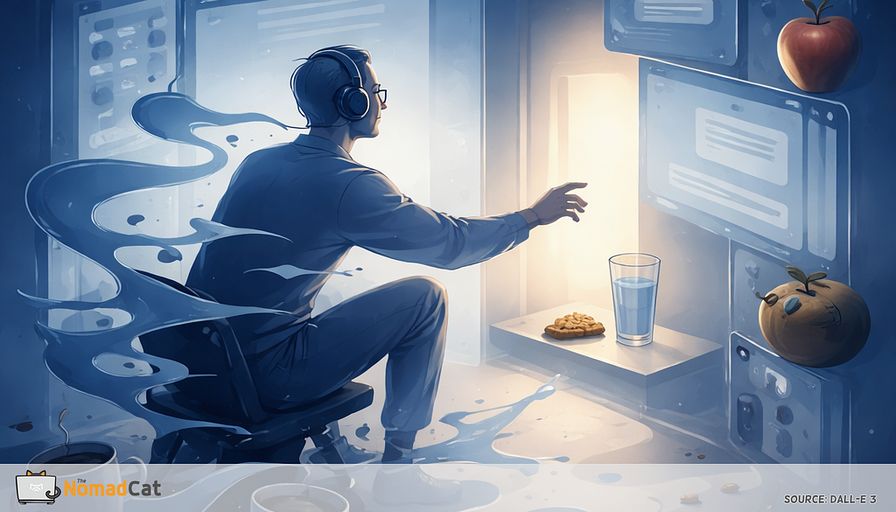
Headset on, camera on, mute button doing overtime. Food exists, technically. But the kind of eating that works in a normal day needs 2 hands, a pause, maybe a plate, and at least 3 minutes where nobody asks a question. So the day quietly defaults to what fits the interface.
Coffee. Thin liquids. A few off-screen bites. Or the classic “later” that turns into 16:00 and a weird mix of hunger, jitters, and regret.
This article is here to name that pattern without turning it into a character review. Tool-compatible eating is a real constraint, not a discipline problem. When work rewards uninterrupted output and constant responsiveness, food gets selected by workflow rules first and hunger second. The result is boring but reliable: the format of what you consume shifts, satiety gets weaker, and the “did i even eat?” effect shows up later.
You’ll see what’s driving it, in plain mechanics:
- what “tool-compatible eating” is and why it shows up in remote, meeting-heavy days
- the friction loop that pushes intake toward sipping, nibbling, and postponing
- why interruptions, visibility, and restart costs matter more than motivation
- a small boundary called Chew Gate that’s designed to survive real calendars
- simple signals to tell if it’s working, no tracking, no perfection
- when this is not a workflow issue and it’s worth getting support instead
The point isn’t to build a perfect lunch life. It’s to stop letting Slack, Zoom, and headset captivity silently pick your fuel format all day. Small patches, placed in the right seams, can beat big plans that never run.
Tool compatible eating is a real constraint not a character flaw
The constraint isn’t time in the abstract. It’s the setup: camera evidence, messy fingers, the risk of chewing while someone is talking, and the tiny fear of leaving headset range and missing the first sentence when you come back. If the food can’t be paused instantly and invisibly, it gets filtered out.
This isn’t only “being busy”. It’s being always reachable. Workdays stretch, collaboration leaks into more hours, and uninterrupted windows get rare. Research on telepressure lines up with the basic symptom: when responsiveness is the job, recovery gaps shrink—and the missed-meal part shows up later as the 16:00 jitter-hunger combo.
Tool-compatible eating is simple: choosing what you consume based on whether it fits the workflow constraints (1-handed, silent, instantly pausable, low cleanup, camera-safe). Eating based on hunger, pleasure, or health goals is a different set of choices.
It sounds trivial. It isn’t. It changes the format of food, not just timing. And like basic ergonomics, the real question is often “what does the setup make easy?” not “why can’t you try harder?”
Desk work doesn’t only reduce movement. It also selects what kind of eating is even doable. When the interface rewards uninterrupted output, meals drift toward sipping, nibbling, and postponing. The chain is boring but reliable:
work state → food format → weaker satiety and weaker meal memory → later volatility
1 dry line that’s hard to unsee: coffee is the most pause-safe meal.
Food form matters. Liquid calories often lead to weaker compensation than solids. That’s not “liquid bad”. It’s “thin liquids are the most workflow-compatible, and often the least satisfying per calorie.”
A quick compatibility checklist predicts the failure before the guilt starts:
- Can it pause instantly with 0 penalty?
- Can it be eaten silently?
- Does it require 2 hands?
- Does it require a plate/fork/visible setup?
- Will it leave “evidence” on camera (chewing, crumbs, messy fingers)?
- Does it require leaving headset range?
- Does it create cleanup friction (trash, smell, sticky hands)?
More “no” answers usually means the day defaults to liquids or postponing.
Why intentions lose against friction
A knowledge-worker day is made of tiny restarts. The systems rule is brutal: behavior follows the path of least friction, not best intentions. When the day is basically a scheduler firing interrupts, you rarely enter a stable “meal mode”. You get opportunistic input windows, and they’re so short the meal barely registers as a meal. That’s the annoying part.
There’s also the cost of coming back after an interruption. Even ignored notifications can pull attention. So the brain runs a quick cost calculation: if a real eating break risks a messy re-entry, the safer choice is a sip, a bite, or postponing.
Camera-on work adds another tax: visibility. Chewing is socially loud and visually obvious. There’s research showing video calls increase self-consciousness and evaluation pressure. Direct studies on eating-on-camera are limited, so treat this as a plausible pathway. Still, the direction is not mysterious: if being watched increases friction, meals get formatted to minimize visible human behavior.
A small credibility anchor matters here. The author has spent years desk-heavy across Beijing, Berlin, and now Lisbon, and can work a full day without eating, drinking, or moving. It can look like competence. It isn’t. It’s a configuration issue with delayed costs—something you also see if you’re the kind of person who logs sleep and training data (Polar H10, Decathlon watch, that sort of thing): the “fine today” often lands as a worse night and a rougher next morning.
The hidden mechanics that select sip nibble postpone
Modern work adds a pauseability tax. If food can’t be abandoned mid-bite without feeling risky, it quietly disappears from the option set.
Then there’s a visibility tax: anything that looks like you stopped working.
Meanwhile, distraction blurs the body’s “this counted as food” signal. Research suggests distraction during eating shows up more in what happens later (more snacking, more second-guessing) than in what happens in that moment—which fits the desk pattern here, because half the time the “meal” never registers as a meal at all. That’s part of why Chew Gate forces a tiny, undeniable registration event: chewing + water, with channels closed.
Mental work can also push intake upward later. In lab settings, cognitively demanding tasks can increase subsequent food intake compared with resting. So the desk-day hotfix becomes caffeine, something sweet, something fast. Not because carbs are a moral failure. Because they are low-latency relief.
How to tell if it’s compatibility or something else
These contrasts change the fix:
1) Not the same as calendar compression
You can have a lunch block and still feel unable to eat because the interface stays reactive: pings, early meeting starts, the fear of missing the first 10 seconds.
2) Not the same as stress-driven snacking
Tool-compatible eating isn’t “i need chips right now.” It’s “what can i consume without breaking my work state.” The selection rule is format.
3) Not only distracted desk lunch
Distracted meals matter, but tool-compatible eating often happens one step earlier: the meal never becomes a meal-format at all.
2 fast questions usually confirm it:
1) Did my tools decide the format of my last intake (silent, fast, 1-handed, off-camera) more than my hunger did?
2) If a surprise call hit in 20 seconds, would i avoid starting to eat right now?
If “yes”, this is a compatibility constraint, not a discipline failure.
Chew Gate
After a long meeting block there’s a seam: you leave a call, resurface, and the reactive channels sit there like a trapdoor.
Chew Gate is a deliberately small rule for that seam: before reopening Slack, email, or the tab spiral, take 2–4 minutes for something chewable plus water. Not a meal. Not a schedule overhaul. A micro patch that changes the state from “preemption-ready” to “human for a second”.
Why small works: research on microbreaks suggests brief breaks help with energy and fatigue. The bet is that a tiny pause placed at the right seam outperforms the “perfect lunch plan” that never happens.
Chew Gate does 2 things at once:
- It forces a break your interface can’t erase.
- It upgrades food form. Chewing tends to help with feeling satisfied, and thin liquid calories often lead to weaker compensation than solids on average.
Keep the bar low. The win condition is reliability, not nutritional virtue.
Minimum viable Chew Gate
Even 60–90 seconds counts if it includes chewing and water.
Minimum criteria
- 1 chewable thing (not a drink)
- a few swallows of water
- no reactive channels open until it’s done
Make it survive meetings
Time blocks are fragile. Event triggers are harder to “accidentally skip” because they already happen.
Useful triggers:
- After clicking Leave on a call, before opening Slack/inbox
- After a camera-on block ends
- Before coffee #2
- After sending a high-stakes message
- After closing a deep-work tab stack
- Right before joining the next meeting (if there’s even a 90-second gap)
A single desk-legal default beats 7 clever options. Pick 1 repeatable chewable thing that is quiet, not messy, no plate required. Higher-protein snacks can help with satiety, but honestly the best option is the one that survives a 10-hour desk day.
Typical desk-legal examples:
- plain Greek-style yogurt (or skyr-style)
- a small handful of nuts
- jerky or dried savory protein (watch salt if that’s a concern)
- an apple or pear
- carrots or cherry tomatoes
- wholegrain crackers with a simple topping
- a basic sandwich half
Also remove 1 piece of physical friction. If standing up is a mini project, breaks won’t happen:
- Make audio mobility easy (wireless or quick-disconnect)
- Put water within reach, stable, with a lid
- Clear the stand-up path (no cable trap)
If the social cost is the blocker, a boring script helps:
- “back in 2”
- “quick break, brb”
Use it between meetings, ideally off camera.
How to know it worked without counting anything
Over 3–5 workdays, look for boring signals:
- less urgency for “rescue coffee” at 15:00–16:00
- fewer kitchen laps that don’t satisfy
- less 16:00 irritability
- fewer rereads and silly work errors late afternoon
- less grazing while typing
- smoother dinner decisions (less rebound eating)
If you want 1 tiny check at end of day:
“Did my tools decide the format of my last intake?”
If it’s “no” at least once per day, a boundary exists. That autonomy often matters more than whether the snack was “perfect”.
When it’s not a workflow bug
Some patterns aren’t fixable with interface patches. If there’s persistent appetite loss, extreme fatigue, or unintentional weight loss (often flagged clinically as >5% over 6–12 months, a common threshold clinicians use to take weight loss seriously), it’s a “get it checked” situation, not a snack-choice problem.
Also, if a tiny rule turns into rigidity, obsession, or guilt, the rule is the bug. There’s a difference between flexible and rigid restraint, and strict dietary rules can make things worse for some people. If this starts feeding anxiety, support beats doubling down.
The goal is boring and non-moral: decouple intake from tool-compatibility so the day stops defaulting to coffee, thin liquids, and postponing. Treat Chew Gate like a small patch you can roll back. If it helps, keep it. If it creates stress, delete it without drama. After Leave, before Slack, you get 2–4 minutes where the interface doesn’t get to choose the format.
You might be interested by these articles:


When eating looks unprofessional and your afternoon runs on coffee

When lunch turns into a drink and your afternoon still crashes

Stop letting Slack eat breakfast fuel before feed for desk days

The 3 minute exit handshake that stops the dinner cliff after deep work

Coffee #2 should not be lunch

Navigating Fog, Edge, and IoT in Distributed Computing

Layered buffers for calm in freelance tech life




