
Abstract:
The article argues that many remote workers can be genuinely productive yet still feel like their day never “finished” because remote work removes the small, unavoidable physical tasks that offices used to provide—things like fetching printouts, fixing a badge issue, grabbing a required adapter, or doing a mailroom handoff—each with a binary endpoint that creates real closure and natural movement. Without these “closed-loop errands,” work stays perpetually editable (threads, tabs, follow-ups, waiting states), which fuels attentional residue, end-of-day mental replay, and even the familiar neck-and-shoulder ache after hours in the same chair, and it also explains why generic advice to “take more breaks” fails on meeting-heavy days: optional, reminder-based breaks get overridden and start to feel like moralizing movement homework. The proposed fix is a deliberately boring, tiny design: attach a 30–120 second completion-based physical loop to an event that already happens (like pressing Send, clicking Leave meeting, or waiting for an upload), using simple templates such as “Send then seal” (put one work object away), “Leave then deliver” (drop an item at a station in another room), or even a slightly silly “Waiting then return” (walk to a door, touch the handle, come back) so the day gains punctuation without apps, tracking, streaks, or performative routines. To keep it small, the article suggests a 7-day experiment with one trigger and one under-90-second loop, tracking only a single nightly 0–10 rating like “Did today feel more finished than usual,” aiming not for a productivity spike but for easier shutdown, fewer tab reopens in your head, and less physical “error logging” by late afternoon.
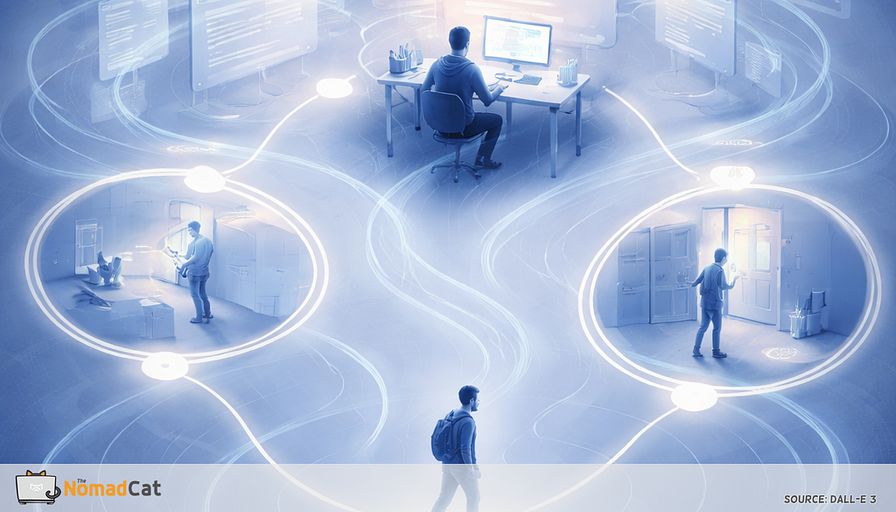
You can have a day packed with output and still feel like nothing really finished.
Last call ends. You stare at the same chair, the same chat threads, the same 17 tabs. You ate lunch at the desk again. I’ve done this for years, from Beijing offices to Berlin workations on bad chairs, and now in Lisbon it still happens. Your neck is doing that quiet protest—for me it’s the upper-back tightness that builds until I have to stand. And somehow the day won’t “land” in your head. Not because you are lazy. More like your work stayed… editable.
This article is about a small missing piece that offices gave you for free, and remote work removed. Tiny tasks with a hard endpoint. You leave the desk, you do the thing, you come back with proof. Done means done.
You will get a practical way to add that missing punctuation back into a remote day, without turning it into a new project, a tracking plan, or a performative break you will skip the second the calendar gets messy.
Here’s what’s coming:
- Why remote work creates a lot of real progress but very few clean “done” moments
- What a closed-loop errand is, and why the boring ones work best
- Why “just take more breaks” fails on meeting-heavy days (and why it is not a motivation issue)
- Simple loop templates you can plug into existing triggers like Send and Leave meeting
- A 7-day test that stays small, with 1 signal to watch so it doesn’t become another app-admin chore
If your days feel like a codebase with 30 uncommitted changes, this is basically a commit button you can do with your feet.
The tiny task you lost
A day that ships but does not land
You close the last video call and everything says “done”—calendar cleared, messages sent, docs updated—but your brain doesn’t buy it. The output is real, the calendar is full, but there were almost no clean done moments. Just a long scroll of still in progress.
Microsoft tracked how remote work made days feel more “always on”—more time sliding into meetings, and more work showing up after hours. That matches the feeling: the brain doesn’t get a clean end. A lot of the time, it’s a missing-closure design issue, not a motivation problem.
The cause is pretty boring, which is why it’s easy to miss.
The missing piece is what we can call a closed-loop errand. A small physical loop with an endpoint you can’t argue with. You leave your workstation, you do the thing, you come back, and it’s closed. In the office, these loops happened all day without planning. In remote work, they mostly vanish. Everything starts to feel like an uncommitted change in a codebase. Progress, but not properly saved.
Those tiny endpoints are not cute breaks. They are punctuation. They make a day feel like it had chapters.
Closed loop errands were small but binary
Closed loop means reality decides
A closed-loop errand is a short physical task with a clear start, middle, and forced end state. You return with proof. The key feature is the unavoidable endpoint.
And that endpoint isn’t only mental. It forces a posture change, a few steps, a different joint angle. Not “exercise”—just enough movement that your back and shoulders don’t get stuck in 1 shape for 6 hours.
You can call it “incidental movement” if you want. The useful detail is simpler. It’s task-driven, not “take a break because your watch told you to.”
Office work shipped through tiny physical loops
These loops were not “breaks” as a vibe. They were the last meters of getting work to an actual done state.
Examples are boring, which is exactly why they worked:
- Walk to the printer, pick up the pages, notice a missing sheet, reprint, return
- Go to reception because access failed and you need the badge to work now
- Set up a conference room cable because the meeting starts at 10:00, not soon
- Mailroom pickup and drop-off with tracking and cut-off times
- Walk to IT to grab the adapter that is not optional if the demo must run
- Bring a document to someone’s desk because approval is not a Slack emoji
A lot of office friction was secretly doing you a favor. It forced micro-endings.
Why you could not half do it
In the office you could not sort of pick up the printout. You either came back with the pages, or you did not. Same with handoffs and all the annoying constraints.
At home a Slack thread can stay in limbo forever. It can reopen at 21:47 with a quick follow-up, and nobody is technically wrong.
Physical workflows tend to end in binary outcomes. That reduces ambiguity and stops tasks from leaking into the next hour.
Movement that survived busy days because it was not optional
The office loops also created sit-stand transitions and short walks because work demanded it. Not a workout. Just frequent interrupts instead of 3 straight hours of stillness.
Evidence reviews suggest interrupting long sitting periods can help with discomfort (Shrestha et al., 2018). Not “work out”—just stand and walk for a minute so your back doesn’t lock into 1 position all afternoon.
When movement is a byproduct of finishing work, it still happens on days where everything is on fire. Scheduled breaks are nice in theory. Busy days do not care.
When everything stays editable
Most tasks end in waiting mode
When hard endpoints disappear, work does not stop. It expands sideways into follow-ups. Same chair, same screen, and too many actions end as waiting, draft, or someone will reply instead of done.
A message creates a thread. The thread creates a meeting. The meeting creates an action-items doc nobody closes. It is real work. It just has no punctuation.
There is also a cognitive reason it feels heavier. When you switch mid-task, part of your attention stays stuck on the unfinished thing. Leroy calls this attentional residue (Leroy, 2009). In plain terms: part of your brain stays in the previous tab even after your eyes moved on.
And your body follows the workflow. If nothing requires a trip, nothing forces a posture change. So the same position runs for hours until the neck and shoulders complain.
Why breaks do not solve it
Optional breaks lose to real work
Breaks sound simple, but they have hidden steps. Someone has to notice stiffness, decide it’s allowed to stop, and accept being briefly unavailable. On meeting-heavy days, that decision stack just collapses.
It becomes a defaults problem, not a knowledge problem.
That is why reminders are the first thing you override. A notification is easy to ignore when the next meeting is already waiting.
Also, plenty of people are tired of apps, trackers, and plans that assume a lifestyle they do not have.
Movement homework triggers backlash
For a lot of desk workers, “take more breaks” lands as 1 more admin task and 1 more way to fail. RAND’s workplace wellness evaluation flags time burden and skepticism as real barriers (RAND, 2013). When health advice turns moral, people resist it (Crawford, 1980). Not because they are lazy. Because they are busy and allergic to being managed.
So the replacement has to be boring, tiny, and socially safe.
A simple design spec
- Tiny enough to fit between meetings without negotiation
- Completion-based so it ends with a clean done signal
- Event-tied to something that already happens
- Identity-neutral so it feels like work hygiene, not a lifestyle statement
- No streaks, no tracking, no gear
The goal is not “doing movement.” It is shipping work with more hard endpoints, the way offices used to do it by accident.
Completion loops that survive a real remote day
What makes a loop usable
Most remote days are wall to wall calls, desk lunch, and “i will stretch later” that never happens. So the replacement must be reliable, not motivational.
Use the same design spec above, and keep it brutally small. If it needs gear, a timer, a mat, or a costume change, the calendar will delete it.
Completion-based means there is a clean end state. A fuzzy loop is “do a few stretches.” It never really ends, so it becomes negotiable. A concrete loop is take the mug to the sink, rinse it, put it back, return to desk. Endpoint is obvious and binary.
Clear endpoints also act like small event boundaries, which can help the brain segment the day into chapters (Zacks et al., 2007).
3 templates that create closure
Guardrails to keep it safe and non-weird:
- keep loads light
- stop if there is dizziness, numbness, sharp pain
- do loops between calls, not mid conversation
- no stretching show, just stand and walk
Template 1 Send then seal
After you press Send on a real work artifact, stand up and do a 45 to 90 second put-away loop that ends with 1 object returned home.
- put the notebook back on the shelf
- hang the headset
- return the charger to its drawer
It’s a tiny physical seal on the digital shipment. It sneaks in a bit of movement without needing a reminder.
Template 2 Leave then deliver
After clicking Leave meeting, deliver 1 physical item to a station in another room and come back. Endpoint is the delivery.
- drop notes into a folder
- put a document into a tray
- return a book to a shelf in the hallway
Meeting endings are reliable boundaries. Adding a physical handoff makes that boundary feel more real (Zacks et al., 2007).
Template 3 Waiting then return
When a file exports or uploads, turn that unavoidable wait into a micro errand with a clear end.
- walk to the door, touch the handle, walk back, sit down, done
Yes, it’s a bit silly. Silly is sometimes what still works when the brain is cooked at 18:00.
The goal is punctuation, not pushing limits.
Two stations that create mini trips
A simple environment trick is 2 stations within about 10 steps.
- 1 spot for sending and thinking at the desk
- a 2nd spot for reading and reviewing
The walk becomes the delivery. A second station can be a window ledge, a doorway shelf, or a standing counter. It’s not an ergonomics virtue signal. It’s just a delivery target that makes closure the default.
Physical relocation can also help reduce task bleed. It creates boundaries, which can mean less tab hopping.
A 7-day test that does not become a new project
Boring signals that show it is helping
Expectations have to be low enough to survive day 2. Success is not a productivity spike. It’s a slightly easier switch off and a bit less after-hours replay (Sonnentag & Fritz, 2007).
Signals to watch
- less stuck energy around 18:00
- fewer tab reopens and replay loops
- easier switch into dinner mode
- less neck and shoulder creep
A 7-day one-trigger experiment
Pick 1 trigger you already hit most days, like after Leave meeting or after Send. Attach 1 loop under 90 seconds. No other changes.
At night, track only 1 thing with a 0 to 10 score, no streaks. Use the same question each time so you don’t drift into rating your whole life. For example
- “Did today feel more finished than usual”
Single-item ratings repeated across days are useful here because they’re low-friction: you’ll actually do them, even when the week is messy (Hjermstad et al., 2011; Shiffman et al., 2008).
Treat the week like debugging, not self-improvement theater. Look for direction, not perfection. If nothing moves, swap the loop or the trigger and re-test. Often it’s a spec mismatch, not a character flaw.
The goal is fewer open loops, not more discipline to perform.
If your remote days feel like real work that never quite “lands”, it’s not a motivation defect. It’s a missing design feature. Offices used to hand you dozens of tiny, physical endpoints for free. Remote work swapped those binary done moments for threads, tabs, and waiting states that stay editable all night.
A remote day doesn’t need more discipline. It needs more periods.
You might be interested by these articles:


Your remote brain needs endings not more willpower

Micro-exits for remote days that keep your body from timing out

Your remote day needs friction to make movement normal again

Stop relying on break reminders and steal movement from meeting transitions

Debugging the 18:40 crash between work and movement

Second-order hunger and the next-day crash on meeting-wall days

How to leave your tech job without a digital mess




