
Abstract:
The article argues that feeling stiff and “stuck” after a smooth remote workday isn’t a motivation or character problem but a design problem caused by low-friction work where everything is one click away—so lunch happens at the keyboard, the bathroom is “7 steps away,” and by 6pm your body feels like it’s been on pause. In an office, subtle “public friction” used to make movement happen automatically through light observability (you’re slightly on stage), shared timing (meetings end and everyone shifts), and spatial obligation (walking to rooms, printers, kitchens), but remote work collapses those transitions into one long “worker-state.” The proposed fix is to rebuild legitimacy rather than rely on willpower: use work-native triggers like the moment you click “Leave meeting” (or “Send”) to prompt 30–60 seconds of low-drama movement, plus camera-safe “role switch” scripts such as “I’m listening, going audio for 2 minutes” or “Give me 30 seconds, standing to focus,” and simple “micro-public anchors” like touching the door handle, stepping into the corridor, or standing at a window to create boundary cues between calls. Success is intentionally boring—fewer 18:30 upper-back “invoices,” less shoulder creep, less rusty first steps, clearer day chapters—and if you want proof, track one simple signal (like a 0–10 end-of-day tightness score) while keeping movement options flexible and stopping to seek medical advice if serious warning signs appear.
A remote workday can be almost too smooth. Click into a call, click out, drop a link, answer 3 pings, move the next ticket. Lunch happens beside the keyboard because it’s “faster.” The bathroom is 7 steps away so it barely counts as movement. By 6pm, your body feels like it’s been on pause for hours, and you’re not even sure when that happened.
This isn’t a motivation problem, and it’s not a personality flaw. It’s a design problem. When everything is one click away, the day starts behaving like a low-friction app: the default path wins. I’ve done desk work across Beijing, Berlin, and Lisbon, and the pattern is boringly consistent: if the day doesn’t force small relocations, tightness in the upper back builds quietly until it forces you to move.
This article is about rebuilding that office effect at home, without turning your calendar into a fitness program or adding another task you’ll ignore when things get busy. You’ll get a practical way to think about the problem (legitimacy beats motivation), plus a set of low-drama tactics that fit real work constraints.
Here’s what’s coming:
- Why offices quietly made you move (mostly: space doing the work for you)
- Why remote work collapses “transitions,” and how that keeps you stuck in one long worker-state
- Work-native triggers that beat willpower and rigid reminders
- Simple, camera-safe movement options and 1-sentence scripts that don’t look like you’re disengaging
- What “success” looks like when you keep it boring: fewer end-of-day complaints, less stiffness creep, clearer day chapters
The goal isn’t to become a different person. It’s to give your remote day the same gentle gravity that offices provided for free, just enough friction to make moving feel normal again.
When everything is one click away
Public friction as behavioral gravity
Offices had a hidden feature: tiny bits of “public friction” that made movement happen without needing a decision. You were lightly observable, your day had shared timing cues, and the space itself made you walk to things.
- In public: movement is a background process.
- At home: movement becomes a manual task.
That matters because working from home tends to increase sitting time (McDowell et al., 2020)—not because remote workers are “worse,” but because calls + pings + no physical transitions makes the shortest path win all day. And the boring guidance still holds: replacing sitting with any movement helps, and some is better than none (WHO, 2020).
So the useful question isn’t “how do i take breaks?” It’s “what made movement legitimate before?” In an office, you don’t announce “I’m going to move.” You say: “i’m heading to the meeting room,” “i’ll grab lunch,” “quick sync.” Those are role transitions. They come with little markers that make behavior change feel normal. Remote work flattens everything into one continuous worker-state, so you lose the markers.
The goal shifts from taking breaks to restoring transitions.
The office was moving you without asking
Spatial obligation and the collapsed movement map
Offices were basically a low-effort walking simulator. Printers, meeting rooms, bathrooms, kitchens. Each one was a small reason to relocate. At home, the map collapses. The nodes are: chair, laptop, fridge, bathroom. The edges are short, and you stop traversing them.
This is why “work movement” is usually light and incidental, not heroic workouts. Office-type days often land somewhere around 4,000 to 7,000 steps/day, with big variation from commute and layout (Tudor-Locke). When workplaces change the environment, sitting time often goes down, even if the effect varies (Shrestha et al., 2018). When destinations disappear, optional walking becomes unreliable under pressure.
Light observability and the quiet self check
In an office, you’re slightly on stage. Not in a paranoid way—just enough that you notice when you’ve been frozen in the same shape for too long, and you adjust. That small “someone could see me” effect makes the space-driven walking happen more often.
Synchrony and the free ride of shared timing
In an office, transitions are bundled. A meeting ends and chairs scrape, someone refills water, people drift to the next room. That shared timing amplifies the spatial stuff: you move because everyone is moving and the destinations are real.
So the solution is not becoming a more virtuous person. It’s rebuilding legitimacy and triggers in a remote-friendly way, with “place” doing more of the work.
Legitimacy beats motivation
If movement needs willpower, it won’t survive a week where your calendar is on fire. If it feels work-valid, it slips in with less effort. The target is legitimacy, not a perfect streak, because some is better than none (WHO, 2020).
And for me, it is the key: if it looks like “real work,” it happens; if it looks like “a break,” it gets postponed.
This is also why classic “every 30 minutes” reminders often fail: they show up at the worst moment and force a choice between your spine and your attention. A simple if-then rule like “if i click Send, then i stand up” tends to fit real work better than rigid schedules.
Camera-on adds another constraint: movement has to be explainable in 1 sentence and not look like you’re checking out. Video calls can raise self-monitoring and make people feel pinned in place (Bailenson, 2021). So the design goal is boring movement: low drama, easy to read as normal.
Work-native triggers that already exist
Meeting bookends are the closest thing remote work has to shared cadence: stand for the first 10 seconds, or the last 10 seconds, because meetings are already “public events” in your day.
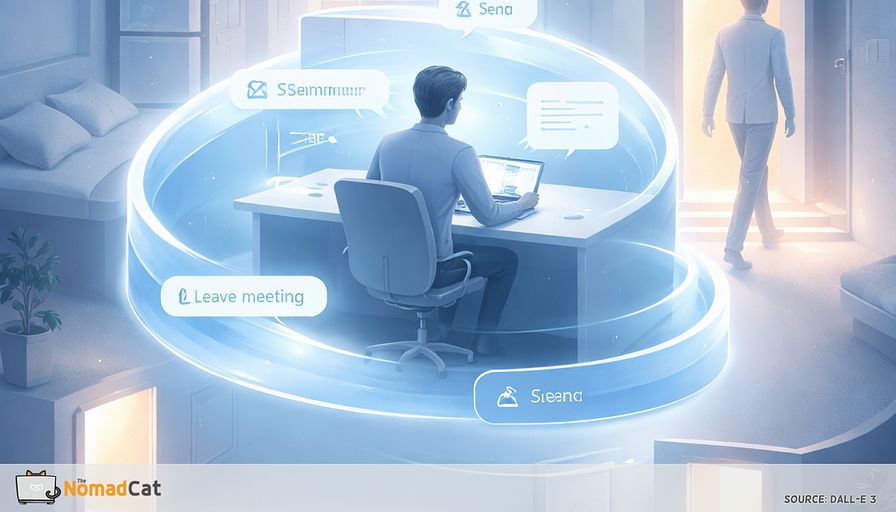
The most universal boundary isn’t the meeting. It’s the click that ends it. Think of these as state changes, not workouts. After Leave meeting, take 30 to 60 seconds: stand, one long exhale, 5 slow steps to the door and back. Brief breaks often reduce discomfort and fatigue while usually not hurting performance (Wendsche & Lohmann-Haislah, 2017).
With triggers in place, pick low-friction movements that feel legitimate, not heroic. Think of stiffness like error accumulation: tiny resets at known boundaries can help prevent the big evening “invoice.”
Low friction replacements for public friction
Role switch scripts that make movement socially boring
A role-switch script is a 1-sentence permission device that makes movement feel work-valid on a call. It removes the awkward guesswork (“will this look rude?”) and turns movement into something automatic. Keep it neutral and short.
On camera, scripts work best when paired with movement that is visually uninteresting (Bailenson, 2021). Options that sound like normal work language:
- “I’m listening, going audio for 2 minutes.”
- “Give me 30 seconds, standing to focus.”
- “I’ll stay on, just stepping back a bit.”
- “I’m taking notes standing, still here.”
- “If I’m quiet, I’m thinking, not gone.”
Camera-on movement that usually reads as “still engaged”:
- Shift weight left/right every 1 to 2 minutes
- Stand slightly off-frame, shoulders still in view
- Step back during listening segments, step in to speak
- Move only in the gaps when others are talking
Tiny “outside-facing” laps between meetings
This is the simplest replacement for the missing office map: add one small destination that forces a change of place. It’s not “getting steps.” It’s boundary management: a quick role/context flip that stops the day becoming one endless worker-state.
Example: after Leave meeting, touch the door handle, step out, step back.
Options across housing setups:
- Apartment corridor to end of hall, back
- Stair landing, 1 flight up, 1 down
- Building entrance, stand outside 30 seconds
- Balcony threshold, look far, slow breathing
- Open door, 5 steps out, 5 back
- Indoor-safe: stand at window, shift stance
A note on “being watched” cues: gimmicks aren’t reliable. The “eyes watching you” trick sometimes works, often doesn’t (Northover et al., 2017). The dependable part is the boundary itself.
What success looks like without making it weird
Boring signs the system is working
The real wins are not hero minutes. They’re fewer small complaints stacked at 18:30. Research on short breaks is pretty consistent on direction: brief breaks tend to reduce discomfort and fatigue, and don’t usually trash performance (Wendsche & Lohmann-Haislah, 2017).
- Less 18:30 upper-back “invoice”
- Shoulders creep less during long calls
- First steps feel less rusty
- Fewer “why am i tense?” surprises
- Day has clearer chapters, easier switching
- Less flat fatigue, more normal “ok” energy
If you like logs more than vibes, keep it insultingly simple: 1 signal. A 0 to 10 end-of-day tightness score, or one question like “when i stood up, did everything complain?” I’m biased toward one metric, not ten (the same instinct that makes me track sleep/HRV when I’m not careful). For a more structured option, the Cornell Musculoskeletal Discomfort Questionnaire exists (Hedge et al., 1999). Don’t over-interpret tiny shifts: in pain scales, small numeric changes may not be meaningful (Farrar et al., 2001).
Some studies suggest light activity breaks can help attention in the short term, but real work output is messier. It’s safer to watch for fewer rereads, fewer sloppy errors, less stuck-after-calls fog.
Constraints and stop rules
Keep options capability-first: standing or a short walk or seated mobility or posture variation or just frequent weight shifts. No moral ranking. WHO guidance is explicitly “some is better than none” and “start small” (WHO, 2020). If you deal with chronic pain, individualized pacing is usually the sane default (NICE NG193).
And keep basic stop rules. If any of these show up, stop experimenting and get medical advice:
- Chest pain, pressure, or unusual severe breathlessness
- Dizziness, fainting, or near-fainting episodes
- Sharp or rapidly worsening pain with movement
- New weakness, numbness, or bowel/bladder changes
- Unilateral leg swelling, redness, or calf pain
- A joint “giving way” or inability to bear weight
Keep it reversible, keep it explainable, and let the boring wins accumulate.
Remote work didn’t make you “lazy.” It mostly removed one practical thing: the built-in movement map of the office—real destinations spaced just far enough apart to create transitions. When those transitions disappear, the day turns into one long worker-state, and your body pays the tab at 6pm.
The fix is mostly design, not discipline: attach 30 to 60 seconds of low-drama movement to the clicks that already end chapters (Leave meeting, Send, Close laptop), and use a one-line script when you need to stay camera-safe. That’s usually enough friction to make moving feel normal again.
You might be interested by these articles:


Micro-exits for remote days that keep your body from timing out

Make movement non-narrative on video calls

Audio first gives your body permission to move on remote days

Build an interruption ecology for remote work so your body stops billing you at 18:30

Stop relying on break reminders and steal movement from meeting transitions

Advanced Microprocessors Evolution

Conquering EU Regulations: A Startup's Guide to Success in Agricultural Robotics




