
Abstract:
The article explains why elbow, forearm, and grip pain can show up after an apparently “nothing” 10-hour desk day: it’s usually not a dramatic injury but a high-volume “dose” problem where hundreds of tiny actions—especially the “phantom phone” reach‑hover‑grip‑scroll loop (2FA checks, Slack scrolling with one thumb, trackpad hovering), plus small clenched tasks like mugs and doorknobs—stack load with almost no recovery, and the body “sends the invoice later.” Framed as a calm debugging pass rather than diagnosis or posture policing, it offers a simple throughput model and highlights key dose “knobs” (grip force, wrist extension, finger/thumb tension, reach distance, and static holds), then suggests confirming your personal exposure with two tiny logs (an 18:00 discomfort score and brief notes about phone/mouse/hovering) and one boring daily reference task (a standardized mug lift). The practical fixes are intentionally unheroic: bring high‑ping objects into near reach (phone between keyboard and screen, mouse close to keyboard, mug on the mouse side), add forearm support to stop the elbow “floating,” and use boundary-triggered micro breaks—parking the forearm for 10–15 seconds after Send, after copying a 2FA code, or when scrolling ends—because timers get ignored mid-thought. It closes with clear stop rules (e.g., numbness/tingling, worsening weakness or dropping objects, night pain, swelling, sudden injury) and a rough timeline for reassessment (expect some trend within ~2 weeks if exposure is truly lower; reconsider by 4–6 weeks), plus a nuance that delayed systemic crashes in ME/CFS or some long COVID patterns may need different guardrails than local tendon irritation.
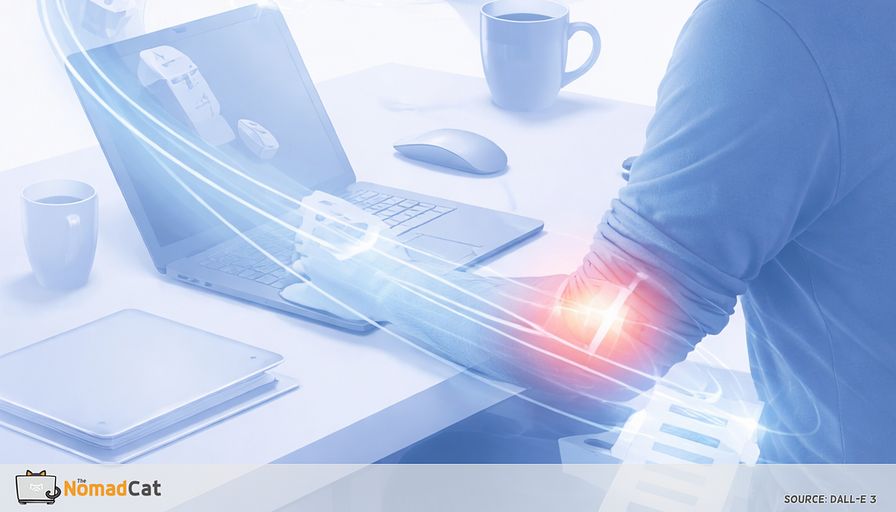
A 10-hour desk day can end with a weird surprise. Your elbow hurts, your forearm feels cooked, your grip is suddenly unreliable. And you look back at the day like… what exactly did you even do. No heavy lifting. No heroic gym mistake. Just emails, Slack, a mouse, a trackpad, and that “weightless” phone you picked up 40 times for 2FA and quick checks.
That mismatch is the clue. Tiny actions repeated with almost no recovery can add up. The body is polite during the work block, then sends the invoice later.
This article is a calm debug pass for that pattern. Not a diagnosis, not posture policing, and not a new lifestyle project. I’ve spent most of my adult life at a desk, moving between Beijing, Berlin, and Lisbon, plus plenty of “work from wherever” weeks on bad chairs and worse desks. The goal here is to spot a few quiet dose drivers and lower them without needing motivation or perfect habits.
Here’s what you’ll get into
- The phantom phone pattern and other “reach hover grip scroll” loops that quietly stack load
- A simple throughput model for why light effort can still irritate tendons over time
- The main knobs that increase daily dose like grip force, wrist angle, reach distance, and static holds
- A quick way to confirm your own exposure pattern using tiny logs and 1 boring reference task
- Small changes that buy slack fast, like near reach setup, forearm support, and micro breaks tied to natural boundaries
- Clear stop rules for when the pattern doesn’t fit, or when symptoms need a proper check
If the elbow thing has been making you mildly annoyed and mildly guilty at the same time, fair. That usually means it’s not about toughness. It’s about configuration. A few centimeters, a bit more support, and less hovering can do more than willpower.
The phantom phone pattern
A day of tiny reaches that do not look like work
The annoying part is the mismatch. The elbow complains even though nothing heavy happened. No gym heroics. No dramatic moment. A quieter culprit is often a reach hover grip scroll loop repeated all day, with the phone acting like a “weightless tool” that still charges rent.
Once you name the loop, you start seeing versions of it everywhere.
- A quick 2FA check with the phone in 1 hand, thumb doing all the work while the wrist sits slightly bent back
- A Slack ping that becomes 3 minutes of one thumb scrolling, elbow floating because “it’s just a second”
- Trackpad review where the hand hovers and the forearm never fully rests
- Mouse work where the real exposure is not “computer time” but high frequency small actions over hours
- Mug grabs, badge doors, doorknobs, little clenched turns when the hand is tired
So why does it feel like it came out of nowhere. Because the body’s feedback is boring and late. The signal can be outer elbow tenderness, inner elbow ache, forearm burn, grip fatigue, or a slightly zappy feeling during handshake, lift, or twist. This is not a diagnosis, just pattern spotting.
People miss the pattern because each rep is low effort, and focus is good at downranking discomfort until the task ends. The invoice arrives after. A bit like blink rate dropping during screen work, then eyes feel gritty later.
Micro load is volume not drama
A throughput model for desk pain
One swipe is nothing. One 2FA check is nothing. The problem is when the system runs the same request hundreds of times with no cooldown, until it starts throwing errors.
A lot of upper limb irritation is less a “big event” and more a throughput problem. Repetition plus not enough recovery is a common idea in work and ergonomics. If this is a dose issue, the useful question becomes practical: what variables quietly increase the dose all day.
In a minute, you’ll log 1 number and use 1 boring reference lift to see whether your “dose” is actually dropping.
The knobs that increase dose
The easiest knob for most desks is not strength. It is geometry.
-
Grip force: more gripping means more forearm demand
-
Wrist extension: a wrist bent back tends to load the tendons more
-
Thumb and finger tension: texting is not “free” for the hand
-
Reach distance: farther reach turns the arm into a stabilizer
-
Static holds: holding removes micro rest, even at low load
For mouse work, adding forearm support often helps. It’s basically the practical version of “stop making the wrist and elbow do all the stabilizing.”
Near reach beats willpower
Before changing anything, it helps to confirm you are seeing your pattern. Do a quick scan:
- Does the elbow float away from the torso while mousing
- Does it float while holding the phone
- Does it float when reaching for the mug
When objects sit outside near reach, the upper arm drifts out and the forearm becomes part mover, part tripod. Basic ergonomics guidelines put frequent tools in near reach for a reason. A few centimeters can matter more than motivation.
Exposure spotting not self diagnosis
Not every outer elbow ache is tennis elbow. Tingling or numbness changes the story. The goal is to spot a modifiable exposure and lower the daily dose, not to label yourself.
A calm debug pass for the elbow
Two tiny logs that beat your memory
Treat this like debugging, not testing. Memory is bad at matching symptoms to exposures, so a tiny log can help.
A simple 3-line format:
- Date
- 18:00 discomfort score 0–10 for outer and inner elbow
- Notes: phone-heavy blocks, mouse/trackpad-heavy blocks, and whether the forearm was mostly supported or mostly hovering
Optional, if you’re the data type (I am): note whether the score jumps after a long uninterrupted block (your calendar usually tells you if you just did 2–3 hours without a real break).
One daily task as a reference
Keep 1 standardized task so changes are comparable. The mug lift works because it is boring and repeatable.
- Same mug, same fill level, same hand
- Do it around the same time, ideally late afternoon
- Lift normally, no bracing, no form obsession
- Note what shows up first: sharper outer elbow, inner ache, or just weird effort for a light object
If pain is truly sharp, escalating, or paired with tingling or numbness, skip the “check” and treat it as a stop signal.
A phone audit that targets support not guilt
The goal is not less screen time. It is spotting the posture that taxes the forearm.
Common posture cues
- 1 hand holds the phone
- Elbow drifts away from torso
- Wrist slightly bent back
- Thumb does almost everything
- Forearm floating in mid air while scrolling
Support cues are the opposite. A surface does some holding. Desk edge, armrest, or the other hand. That difference often matters more than counting minutes.
The small change that buys slack
Put high ping objects in near reach
Treat this as a temporary high ping mode layout for the next hour, not a permanent redesign. Put the objects you touch all the time inside near reach so the elbow can stay closer to the ribs.
A few swaps that remove dozens of micro lunges
- Phone between keyboard and screen
- Mug close on the mouse side
- Notebook centered
- Headphones on a hook within forearm sweep
- Keys badge in a front edge bowl spot
- Charger cable routed to the near edge
- Mouse as close as possible to the keyboard
Yes, the desk can look messier. That is allowed.
Park the arm at boundaries
Parking is non performative rest. Mechanical, simple, short. After you hit Send, after you copy the 2FA code, after the scroll ends, let the forearm go fully down on a surface, open the hand, and take 1 slow exhale. Keep it around 10–15 seconds, but make it actual offload.
Micro breaks can reduce discomfort without killing productivity, especially when they happen at natural boundaries. Timers often fail because they fire mid thought and get ignored. Boundary triggers happen at natural stops, so annoyance is lower and it’s easier to return to the task. I like boundary triggers because they’re measurable without another app.
The point is not perfection. It is distribution and variation, so the same tissue is not paying the full bill every hour.
Micro variability that survives a meeting heavy day
Variability is the feature. Not symmetry. Not a perfect desk life. Just avoiding 1 arm doing the same stabilizing job for 10 hours.
Keep it stupidly small and tied to events you already cannot forget
- If you unlock the phone, then rest both forearms before scrolling
- If you copy a code, then put the phone down and open close the hand 2 times
- If you refill coffee, then carry it with the other hand for that trip
- If a call ends, then let both arms hang for 2 breaths
- If you hit Send, then park the arm on the desk for 10 seconds
To know if it is working, use boring checks instead of posture policing.
End of day checks
- Less forearm burn after a long mouse block
- Less tenderness grabbing a bag or lifting a mug
- Less irritation turning a key or doorknob
Next morning tells can be even more honest. Fewer creaky first grips, less immediate tenderness on first mouse use. Trend matters more than daily perfection.
If tracking helps, keep it minimal. A single 0–10 note around 18:00 plus the same simple mug lift is usually enough. Tools like QuickDASH exist if structure helps, but they are optional.
Stop rules that keep this sane
If you are deep in a 10 hour desk day and the elbow is just annoying, a short, time bounded experiment with reach, support, and micro breaks is usually reasonable. But some signals are not “reduce volume and wait” signals.
Stop and get checked if you have
- Numbness or tingling spreading into the fingers or becoming more frequent
- Worsening weakness, trouble extending fingers or gripping
- Dropping objects you normally would not drop
- Severe night pain or night waking
- Marked swelling, redness, warmth, feverish feeling
- Symptoms after a clear injury or sudden pop
- Rapidly escalating pain over days despite reducing obvious triggers
One practical timing rule helps. As a checkpoint (not a rule): if dose is genuinely lower, you should usually see some change in trend inside ~2 weeks. If it is worse, or not trending better after roughly 2 weeks, reassessment makes sense. If it hangs around at 4–6 weeks, that is a common window to re check assumptions.
One nuance. Not all delayed crashes are mechanical. In ME CFS and some long COVID subsets, symptom flares can be delayed and disproportionate after exertion, including cognitive effort. That’s a different mechanism than local tendon irritation. If the dominant pattern is systemic fatigue and post exertional worsening rather than local elbow tenderness with grip and twist, small changes and more rest still matter, just with different guardrails and often clinician guidance.
Desk pain after a “nothing day” is rarely a mystery injury. Most of the time it’s 1 boring thing: the phone posture, the mouse hover, or the reach distance—and the fix is making that one thing smaller. Move high ping objects closer. Add forearm support so the arm is not doing tripod duty for 10 hours. Use boundary-based micro breaks that happen after Send, after 2FA, after the scroll ends, so it does not require motivation.
Keep it calm and measurable. A tiny log and 1 repeatable reference task can show whether things are trending better. And keep the stop rules. If numbness, weakness, or sharp escalation shows up, that is not a desk tweak problem.
You might be interested by these articles:


Your hands are stuck in ready mode on desk days a 12 second reset at task seams

Your neck is doing overtime for your mouse hand

Add back push pull twist so remote work stops billing your forearms at 18:00

Direction matters fix the one sided desk day

The 30 second range refeed that stops the 18:10 bug report after desk days

How to leave a tech job on good terms and shape your legacy

Boosting Security for Remote Startups with EU Compliance




