
Abstract:
The article explains that most desk-related discomfort comes less from a single “bad posture” moment and more from an unnoticed directional bias that repeats all day—your mouse always on one side, a notebook slowly shoving the keyboard off-center, coffee and phone living in the same corner, a “real work” monitor sitting 10–20° off-center that makes your head subtly turn for 8–12 hours, and habits like crossing the same leg during calls—until one shoulder becomes the “work shoulder” and one hip the “anchor hip,” feeling fine in the morning but “busy” and uneven by evening. Rather than chasing perfect symmetry, buying new gear, or relying on nightly stretching that gets overwritten by the same daytime geometry, the piece argues for restoring variety with small, realistic changes: a quick end-of-day question about whether fatigue was one hotspot or evenly distributed, brief weekly left-right “body maps,” and 5-second “return to neutral” check-ins tied to existing work triggers (send, tab switch, meeting end) that re-center feet, shoulders, sit-bones, and head without turning posture into a performance. It recommends low-drama “object swaps” (move phone/water/notebook to the other side for 30–90 minutes), pulling the mouse closer to midline (and optionally practicing a few minutes of off-hand mousing), and reducing neck miles by turning the torso toward the active screen or alternating which monitor is primary, plus a few desk-safe anti-rotation micro-moves. Progress is described as boring but meaningful—end-of-day tiredness spreads out instead of concentrating in one loud spot, and standing up feels less like one hip needs “startup steps”—illustrated by the author’s own long desk life across Beijing, Berlin, and Lisbon and the wry note that his wife can get him to “sit straight” for about three minutes, alongside clear guidance on when to stop tinkering and seek urgent or timely medical evaluation for neurological or systemic red flags.
You probably didn’t decide to build a one-sided workstation. It just happened.
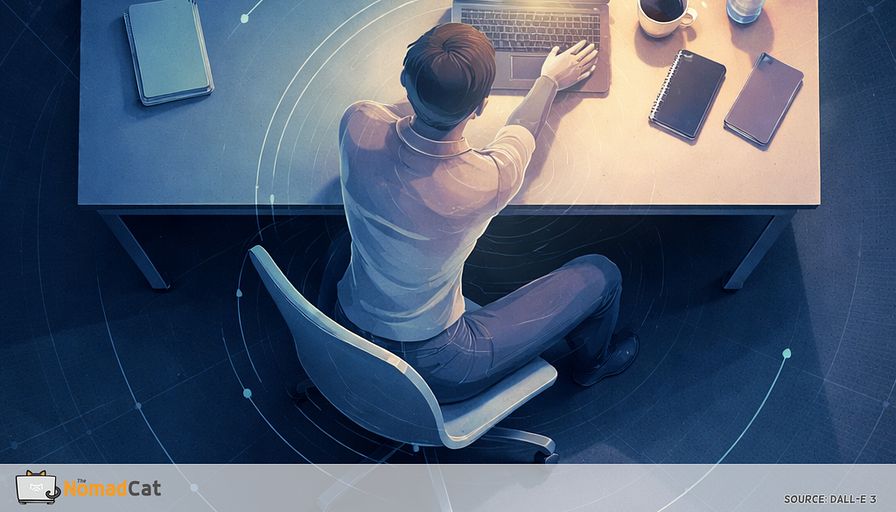
The mouse camps on the same side. A notebook slowly pushes the keyboard off-center. Coffee lives in one corner like it pays rent. You look “straight” on camera, but you’re slightly rotated for 8 to 12 hours. Not a posture crime. Just normal office life.
The annoying part is that desk strain usually isn’t one dramatic slouch. It’s the tiny repeats that add up. The same reach. The same neck turn toward the “real work” screen. The same leg cross the moment a call starts. Nothing feels dangerous at 10 am. By 6 pm, one shoulder feels busy and one hip feels like it’s been quietly taking on extra tickets all day.
This article is about that hidden variable, direction. Not chasing perfect symmetry. Not buying a new chair. Just noticing when one pattern has a monopoly, and nudging it back toward variety.
Here’s what you’ll get, without turning it into a new hobby
- Why small daily rotations and micro-reaches matter more than a single “bad posture” moment
- The common desk defaults behind the “work shoulder” and the “anchor hip”
- A low-drama checklist to spot when your setup is drifting one-sided again
- Tiny changes that fit into a real workday, like 5-second neutral check-ins and simple object swaps
- What progress actually looks like, and when it’s smarter to stop tinkering and get help
If you’ve been stretching the same tight corner every night and it’s back by 11 am, you’re not failing. You’re just debugging the wrong layer. This is the layer that tends to stick.
The one-sided workstation you didn’t choose
How your desk day becomes a one-way street
Most desk strain doesn’t come from 1 dramatic slouch. It’s the tiny repeats.
The mouse lives on the same side. The keyboard drifts because a notebook takes over. Coffee parks in the same corner. You look “straight,” but you’re still slightly rotated for 8 to 12 hours. This is not a character flaw. Real offices are often asymmetric. The basic ergonomics idea is simple: reduce repeated lean and twist, instead of chasing perfect posture.
One classic trap is the “real work” screen. If your main monitor sits 10 to 20° off-center, that head turn becomes your default. A quick reality check: if your nose points “forward” but your eyes spend most of the day on the right (or left) screen, you’re rotated. Dual monitors aren’t evil. But the layout, plus how you use it, changes how much time you spend turned.
Then there are the micro-reaches nobody counts.
- Phone always on the same side
- Water bottle in the same corner
- Headphones grabbed with the same hand
- Notes placed just out of easy reach
- Same leg crossed the same way on calls
Here’s the non-glamour version: if your phone + water + notebook all live on the mouse side, you’ve built a full-day “reach and twist” loop without meaning to. Not because a single reach is dangerous, but because the same reach, repeated all day, becomes your default geometry. Like a shopping cart with 1 bad wheel, you keep correcting without noticing.
The goal is not perfect symmetry. Dominance is normal. The simpler framing is this: one-sidedness is worth reducing, especially if it keeps loading the same spots.
The work shoulder and the anchor hip
That low-level load is why it feels harmless at 10 am and annoying at 6 pm.
A common desk pattern is the “work shoulder” on the mouse side sitting slightly forward, sometimes a bit elevated. Often the mouse-side upper trap ends up doing more steady, low-level work. Low-level here means the muscle is on a little bit for a long time, instead of working hard briefly and then fully resting.
Low-level activation is not “strengthening.” It’s more like leaving a small app running in the background all day. You don’t notice it until the laptop fan kicks in.
The same thing often happens lower down, just quieter. Many people subtly load 1 side more, especially with a habitual leg cross or a foot tucked under the chair. Over hours, the pelvis sits a bit off-center and the torso adapts above it.
And the early signal usually isn’t pain. For me, after too many long desk days (often past midnight), it’s this:
“i am not in pain. but i know the early signal: tightness in the upper back that builds quietly until it forces me to move.”
That’s the point. You don’t need a crisis to get feedback. Sometimes the body is just sending low-priority notifications.
Why 1 side seems to age faster
Your body adapts to the angles you repeat
Your body doesn’t hold posture like a statue. It adapts to what you do most. Whatever you repeat becomes easier and more automatic. If your day lives in a small rotation and a small reach, that becomes the new home base.
So the early signal is usually boring. Not pain. More like a tiny loss of range and the feeling that 1 side is always tight. You notice it when you turn your head during calls, reach overhead, or stand up after a long focus block.
This also explains the nightly stretch that feels great and changes nothing by Tuesday.
If the directional exposure stays the same, your system reinstalls the same default the next morning. Relief is real, but it’s often more about changing sensation and tolerance than permanently “lengthening” something overnight. A useful model is load vs capacity. If daily demand stays a bit higher on 1 side, that side keeps paying the tax.
Stretching can help. It’s just not enough if the workday keeps recreating the same pattern.
Direction is the exposure you forget
Stillness is not the whole problem
The goal is not symmetry. It is avoiding 1 pattern owning your whole day.
Even if you “change position,” you might still run the same script each time. Same leg cross. Same shoulder hike. Same side reach. Variation only counts if it actually changes direction and load.
Good news. The fixes can be tiny, and attached to boundaries you already hit. Dominance is normal. The problem is monopoly. Think load balancing. Spread work across more angles so 1 spot isn’t always paying the bill.
If-then cues help because they reduce willpower. You link a 5-second change to a stable trigger you already have.
The small tells your desk bias is back
A low-drama checklist for directional defaults
Sensations are the log files. Without measuring angles, the easiest clues are just your defaults.
- You always shift to the same side when thinking
- You cross the same leg the moment a call starts
- You always swivel the chair the same way to reach a bag or shelf
- You rest 1 elbow while the other arm “hovers” to use the mouse
- You always park the notebook, phone, or coffee on the same side
- End of day: was it 1 hotspot, or just evenly tired?
Mild asymmetry is common and often meaningless on its own. The point is defaults, not damage.
By lunch, an informative signal is a consistent left-right difference in fatigue.
Maybe 1 forearm feels more loaded. Maybe the mouse-side shoulder feels “busy” first. Or your neck turns easier one way and the other direction feels reluctant.
And yes, the stretch that never sticks is a clue. If you stretch the same corner every evening and it’s back by 11 am, that’s not you failing. It usually means the same direction keeps winning during the day.
The tiny fixes that survive a real workday
After-send check-in
Attach a 5-second check to a boundary you already hit.
After you hit Send. After you switch tabs. When a meeting ends. When a build finishes. After you export a file. When you close a ticket.
Then do a quick return to neutral without turning it into posture theater.
1) Feet flat for 1 breath
2) Slow exhale, let shoulders drop without yanking them back
3) Feel both sit-bones for 1 second, re-center on the chair
4) Tiny chin glide back a few millimeters with a small “yes” nod, jaw relaxed
If it makes you rigid, you’re doing too much. The point is many small returns, not holding an ideal position.
Swap the reach 2 or 3 times a day
2 or 3 times a day, for the next 30 to 90 minutes, move 1 frequent object to the other side, then forget about it.
Phone. Water bottle. Notebook.
You’re reducing repeated awkward reaches and one-sided twisting. No discipline cosplay required.
Then address the strongest asymmetry driver at most desks, the mouse.
- Option A: move the mouse closer to midline so the arm doesn’t live out to the side
- Option B (optional): once per day, do 3 to 5 minutes of easy mousing with the other hand as variability practice
Distance is still the main win.
Screens and calls also matter. If 1 monitor becomes the “real work” screen, you get more neck rotation. Two simple mitigations
- Alternate which screen is primary for the next call
- Rotate the chair and torso toward the active screen instead of twisting only the neck
If the torso turns a little, the neck doesn’t have to do all the miles.
Desk-safe moves that counter rotation
Keep these small and low-stakes.
- Seated breathing into the “quiet” side that feels compressed, 2 breaths, variability not performance
-
Seated pelvis untwist. Slide 1 knee forward and the other back for 10 seconds, then switch
- Neck re-center. Move eyes left-right first, then let the head follow in a small comfortable range once per transition
If symptoms escalate or spread, stop tinkering and get proper help.
What progress looks like and when to get help
What counts as a win
Progress is usually boring and specific.
End-of-day fatigue becomes more evenly spread instead of 1 loud hotspot. Standing up feels less like 1 hip needs 3 startup steps. Over a few weeks, neck turning can feel less one-sided.
Nothing happens instantly because you’re not fixing a posture photo. You’re changing a default repeated for years.
The author puts it bluntly and familiarly
“my wife… reminds me regularly to sit straight. i usually manage about 3 minutes.”
If nothing changes, treat it like debugging. Change 1 variable for 3 days, observe, iterate.
Safety notes, kept short
Quick sanity check: here’s when this is not a desk-setup problem.
Stop debugging at home and get checked if you have (1) radiating arm pain with numbness/tingling that’s affecting function, (2) any real weakness or clumsiness in the hand/arm, or (3) symptoms that are escalating instead of settling.
And if you have neuro symptoms or systemic illness signs, don’t self-manage.
A one-sided desk setup rarely looks dramatic. It just quietly repeats until the mouse-side trap feels “busy” and the pelvis sits a little off-center all day. The main takeaway is simple: direction matters. Not perfect posture, not a new chair, not a nightly stretch that keeps getting overwritten by the same daytime geometry.
The good news is the fix can stay boring and small. A 5-second return to neutral at natural work boundaries. Swapping where the phone or water sits for the next hour. Pulling the mouse closer. Turning the torso toward the active screen so the neck doesn’t do all the miles.
Progress looks like fewer hotspots and more evenly spread end-of-day tired. What’s the 1 repeat in your setup that probably wins most days?
You might be interested by these articles:


Your feet are shrinking under the desk and your 18:00 steps notice

Your neck is doing overtime for your mouse hand

Your watch logged the workout but your shoulders still filed a bug report at 18:00

The 30 second range refeed that stops the 18:10 bug report after desk days

When your mid-back stops clocking in on desk days

Elevating Training with VR Tech

Your 1st 45 minutes are training your 02:00 brain so change the input order




