 Gilles Crofils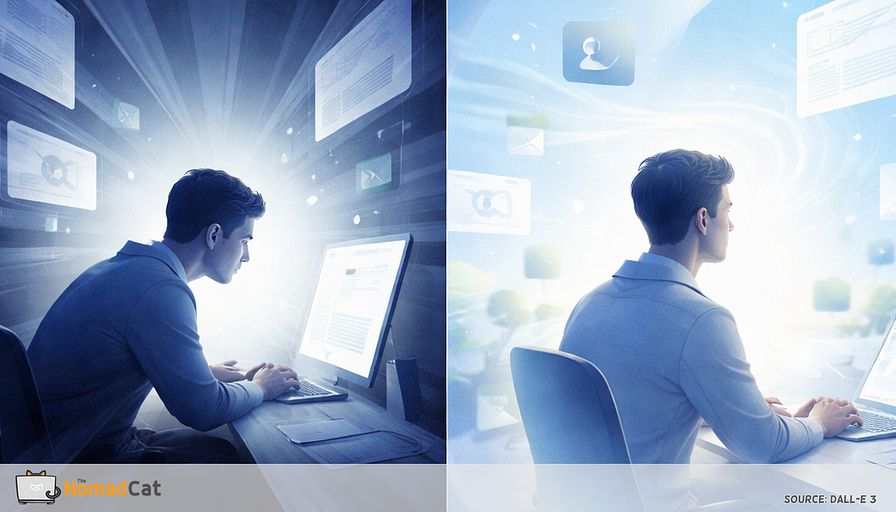
You know the day. You sit down “just to finish this one thing” and suddenly it is 19:30. Lunch happened near the keyboard. Meetings ate the gaps that were supposed to be breaks. The commute movement is gone, so the default is more chair.
And the weird part is the timing. During the work, you feel mostly fine. Then you stand up to grab water, walk into the hallway, and your neck feels like it set into drying cement. Shoulders heavy. Jaw a bit clenched. Eyes tired in a way that is not dramatic, just annoying. Like an invoice that shows up after the work is already done.
If this is where a posture sermon usually starts, yes, fair. Also no. This is not another app, tracker, or 20-minute break protocol that dies the first time your calendar gets spicy. The goal here is smaller and more realistic. My wife still tells me to sit straight sometimes. I usually manage about 3 minutes.
This article is about a 10 to 20 second “wide-angle” micro action that can fit inside real work. It is designed to be quiet, meeting-safe, and attached to work events you already hit, so it has a chance to survive a messy week.
Here is what you will get, without the fluff
- Why desk discomfort often shows up after you stop working, not while you work
- A simple model for the slow creep of neck and shoulder heaviness that is not “1 bad posture”
- The tunnel-mode signature, the cluster of signs that tends to travel together on screen-heavy days
- A fast self-check that is not posture policing
- The wide-angle switch you can do in 10 to 20 seconds, plus a few low-drama variations
- How to anchor it to boundaries like Send, page load, joining a call, leaving a call, so it does not rely on motivation
No perfection required. The aim is just to add a tiny bit of variation to a day that keeps trying to lock you into the same position, same gaze, same bracing. Fewer surprises in the hallway is a good enough target.
The discomfort that waits for the hallway
You finish a block of screen work, stand up to grab something, and the corridor feels weirdly dim for 2 seconds. Then it hits. Not during the work, but right after you stop. Shoulders feel heavy, head a bit locked, and suddenly you notice how tight everything is. This has shown up for the author in Beijing, Berlin, and now Lisbon, often past midnight.
The timing mismatch is the clue. During focused tasks, the brain can downplay body signals, and once the task ends you notice what was accumulating (Wiech, 2016; Bushnell et al., 2013). So a “good chair day” can still end badly.
The desk day dimmer switch model
When heaviness shows up late, the brain wants a single culprit. The chair. The monitor height. The 1 moment you slouched. It’s clean, and it matches office checklist culture.
But desk discomfort often does not behave like 1 mistake. Plenty of people have a decent setup and still end the day with trapezius heaviness, temple pressure, and a head-turn that feels not smooth. A more useful framing is boring but true. This stuff is usually driven by duration and static load (long, quiet holding), not 1 “bad position” you correct once (NRC/IOM, 2001). In practice, variation beats perfection. Perfection doesn’t ship.
Tunnel mode is normal and expensive
Intense screen work pushes you into tunnel mode. Attention narrows toward the central task and reduces what gets through from the periphery (Lavie, 1995, 2005; Eriksen & St James, 1986). So you can be “fine” right up until you aren’t, because the brain keeps the inbox closed until the task ends.
That is why “I had a productive day” and “my neck feels like concrete” can coexist. Productivity is not proof the system was kind to you. It just means the zoom stayed locked.
Stabilizing the camera is the hidden posture
When gaze is fixed and head movement drops, a common strategy is basically stabilize the camera. Less wobble, more quiet holding. That can show up as more sustained muscle activity around the neck and shoulders, and often the jaw joins too. Visual ergonomics guidance has warned for years that high visual demand can drive compensatory posture and strain (NIOSH, 1997). You can look “fine” in a screenshot and still be stacking static load.
Why modern desk work makes it worse
Some tasks quietly force tunnel mode because missing a detail is expensive.
- Dense doc reading where 1 footnote breaks the logic
- Slide pixel-polishing where 2 px becomes a personality test
- Spreadsheet auditing where 1 wrong cell is a small disaster
- Code review and error hunting where almost correct is still broken
- Camera-on listening where you try to look calm while your brain is doing math
In these modes, people often blink less on screens (Tsubota & Nakamori, 1993) and micro-move less because tiny shifts feel like losing the thread.
Why the invoice arrives after you stop
Feeling fine during the task then stiff right after can be an attention effect. Under cognitive load, attention can reduce how much discomfort gets processed up front, then it comes back when the goal ends (Wiech, 2016; Eccleston & Crombez, 1999). Accumulation happens while awareness is muted.
Remote work makes it easier to miss. Fewer natural movement triggers. More long blocks of self-managed focus. Work bleeding into evenings. The body does not send a push notification. It just logs quietly.
Camera on turns listening into stillness
Video calls add a multiplier. You are not only listening, you are also performing “looking attentive.” That means fewer posture shifts and more polite statue time. Research on videoconferencing fatigue points to self-monitoring and nonverbal load as drivers (Bailenson, 2021; Fauville et al., 2021). It does not require a dramatic “Zoom is evil” story. It is simpler. Camera on often removes the small movements that keep you from locking the tripod for 60 minutes.
The tunnel mode signature
A boring but effective check: if a task makes you do 3 of these, you are probably in tunnel mode.
- You stop blinking normally
- You stop shifting in the chair
- You stop moving the head freely
- You hold the jaw or shoulders a bit braced
It is often the same cluster. Fine for hours, then not fine when you stand up.
- Neck feels stiff when you start walking
- Upper traps feel like a small backpack you forgot to remove
- Jaw is busy, temples too
- Eyes feel tired even when not screaming dry
- Shoulders creep up, elbows tuck in, hands stay near the keyboard like they are still on duty
Digital eye strain is often described as a bundle, not a single clean complaint (Rosenfield, 2016; Sheppard & Wolffsohn, 2018). Office discomfort also tends to travel in bundles when duration and static exposure are high (NRC/IOM, 2001). You do not need a diagnosis to test a small exposure change.
A quick self check that is not posture policing
This is not a visual field test, not a posture inspection, not a personality quiz. It is a fast read on whether you are in zoom mode.
3 low-noise indicators
Edge awareness
Keep eyes on the center of the screen and name 3 things on the far left edge of what you can see, then 3 on the far right. If it feels blank or forced, that is often attention narrowing under load (Lavie, 2005; Posner, 1980).Precision face
Notice the squint, the wide eyes, the brow lift. In this mode blink rate often drops, and many blinks become incomplete (Tsubota & Nakamori, 1993; Argilés et al., 2015).Magnet head
If turning your head 10 degrees feels like breaking a small lock, you may be running a stabilization strategy. Visual demand can recruit the neck (NIOSH, 1997). The issue is often static exposure over time, not 1 bad frame (NRC/IOM, 2001).
A 5 second edge test
Keep your eyes on the center. For 5 seconds, notice the left and right edges of your visual field without hunting for details. If the edges feel absent until you “try,” that is a useful hint that you are in tunnel mode.
The goal is repetition, not precision. Notice the state, then pair it with a tiny response.
The wide angle switch in 10 to 20 seconds
This is designed to be meeting-safe. No stretch theater. No getting on the floor like a retired cat.
Step 1 soften the gaze
Keep the head mostly still. Soften the gaze like switching from laser-pointer mode to ambient-light mode. Let attention expand to the edges for 2 to 3 breaths. High load pulls attention into the center and quiets the periphery (Lavie, 1995, 2005). This is a small way to undo that, briefly.
Step 2 let the room exist
For 2 to 3 breaths, notice the left and right edges of the room, like widening a camera frame by 10%. Add 1 calm exhale. No need to force shoulders down. The point is to reduce near-focus grip for a moment, consistent with digital eye strain guidance around brief breaks and distance changes (Rosenfield, 2016).
Step 3 keep teeth apart
On 1 slow exhale, set a specific cue.
- Teeth apart
- Tongue resting softly
Awake jaw bracing can ride along with concentration and evaluation pressure (Lobbezoo et al., 2013). This cue is stealth and removes a common stabilizer.
Optional if eyes feel dry.
- 2 slow complete blinks (not half blinks) (Argilés et al., 2015)
What to expect
This is not guaranteed, and the effect size of a 10 to 20 second seated change is uncertain. Microbreak research is stronger for longer breaks, often 30 to 60 seconds or movement-based, with more consistent fatigue and well-being benefits (Kim, Park & Niu, 2017). Treat this as minimal viable state change. Small reps can beat 1 heroic break at 16:00.
Attach it to work boundaries not motivation
Timers sound rational until the alert fires at the worst moment, then you snooze it into oblivion. Event cues work better because they ride on boundaries you already hit. “When X happens, I will do Y” tends to increase follow-through (Gollwitzer & Sheeran, 2006) and matches how prospective memory works in messy days (McDaniel & Einstein, 2000).
Pick 1 anchor you hit more than any meeting. Especially if you are working off bad chairs and worse desks on a workation somewhere in europe: the setup won’t be perfect, so the cue has to do the heavy lifting.
- After hitting Send, do the wide-angle switch
- When a page loads, soften gaze for 2 breaths
- When you go from typing to reading, teeth apart plus 2 slow blinks
- When you join a call, do 5 seconds of edge awareness
- After you leave a call, 1 long exhale and let the system de-brace
Camera on makes people freeze. The good news is this switch is invisible. Also, if your platform allows it, hiding self-view can reduce self-monitoring load (Bailenson, 2021).
A 7-day boring experiment
Choose 1 event you hit many times per day. For 7 days, do the 10 to 20 second wide-angle switch only at that event. No app. No timer. No catching up.
Track 1 signal, not a dashboard.
- Less post-call neck dump in the 2 minutes after a meeting
- Fewer helmet-head evenings after long screen blocks
- Easier first head turn when standing up
- Shoulders feel lower within 10 minutes after work ends
A realistic win is fewer spikes, less surprise in the hallway, and faster downshift after intense tasks. If nothing changes after 7 days, that is still useful information. Maybe the cue was not frequent enough, the action too subtle, or the main driver is elsewhere in the exposure picture.
Guardrails
If there is sudden or significant vision change, double vision, severe eye pain, or a painful red eye, treat it as medical first. Same for severe headaches with new neurologic symptoms, fainting, weakness, numbness, confusion, or trouble speaking. Jaw locking, major bite change, trauma, infection signs, or escalating pain also deserves assessment.
This is a small desk-day input to test, not treatment. The target is exposure and variability, because desk discomfort is often multifactorial (NRC/IOM, 2001). Think of it like changing a setting, not fixing a broken part. The promise stays modest. Fewer end-of-day invoices, paid with small, repeatable wide-angle moments that actually fit inside real workdays.
Long desk days do not usually fail because of 1 “bad posture”. They fail by accumulation. Hours of tunnel mode, fixed gaze, polite statue time on calls, and a little jaw brace you did not order. Then you stand up, walk to the hallway, and the invoice arrives.
The point here is not perfection, or another timer you will hate by Wednesday. It is variation. A 10 to 20 second wide-angle switch that is quiet, meeting-safe, and tied to events you already hit like Send, page load, join call, leave call. Small input, high repeat rate.
If the hallway gets less surprising, that’s already a measurable win.


