Your feet are shrinking under the desk and your 18:00 steps notice
The article explains how a “professional-looking” remote workday can still produce an 18:00 “error message” where the first 10–30 steps feel awkward—hips pinch, knees feel oddly busy on stairs, or feet feel tired—because of a quiet under-desk habit that gradually narrows your base: knees drifting inward, feet tucked behind the knees, heels barely loaded, and even a foot hooking the chair as meetings and camera-on optics reward stillness. It argues the core problem isn’t bad posture or needing a new chair, but the loss of small built-in movement transitions (walking to rooms, stairs, standing to talk, getting water) that used to reset the body for free; now calendar “Tetris” and time pressure make people default to compact, invisible positions for hours. Using a skeptic-friendly “debug” framing (where “not reproducible” is an acceptable outcome) and a personal aside from an author who’s spent years working late at desks in Beijing, Berlin, and Lisbon, it offers a minimal intervention: quick “chair” and “stand” awareness checks and a 20–30 second under-desk micro-sequence (reloading heel/big-toe contact, sliding one foot forward slightly to “de-spiral” the hip, then one longer exhale) designed not to look like exercise and to be anchored to daily “seams” like leaving a call or hitting send. The piece then proposes a 7-day self-test using just one easy metric (e.g., steps until walking feels normal) to see if the pattern is real, while emphasizing a clear stop-list—swelling, locking, giving way, neurological changes, severe night pain, or sudden calf symptoms—that signals the issue may not be desk-related and warrants proper assessment.
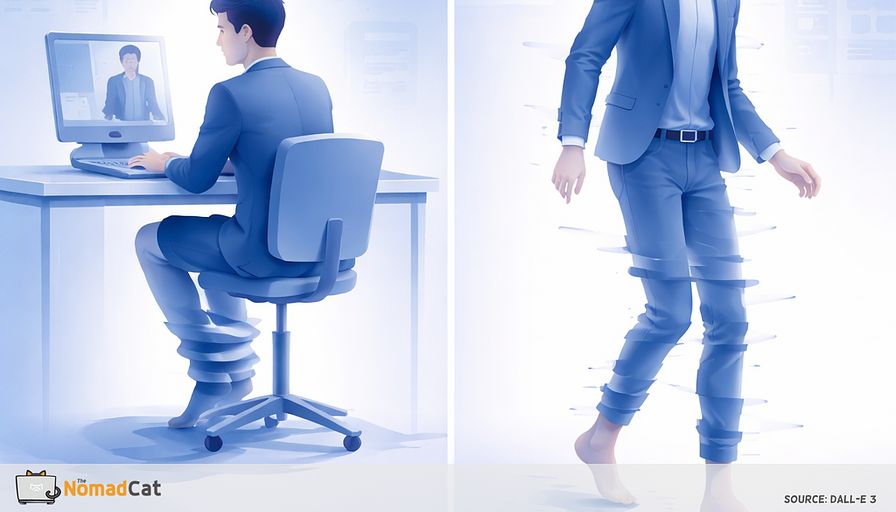
You can sit “fine” all day and still stand up at 18:00 like your legs are negotiating terms. Not injured. Not dramatic. Just… weird for the first 10 to 30 steps. A little hip pinch. A knee that feels busy on stairs. Feet that feel tired even though the hardest thing you did was unmute.
This article is about the quiet pattern that builds that invoice. The inward drift under the desk. Knees inching closer. Feet sliding back. Heels getting light. One foot hooking the chair base like it’s trying to be helpful. On camera you look professional. Below the desk, your base slowly shrinks.
The goal here is not perfect posture, a new chair, or a personality change. It’s a small debug guide you can use inside real workdays. The kind with 10-hour desk time, meetings chained together, lunch at the desk, and work that leaks into the evening like it pays rent.
Here’s what you’ll get, without the sermon
- Why remote work removed the tiny movement transitions that used to keep your legs normal, and replaced them with nothing
- A simple way to spot the inward spiral in real time, especially on camera-on days
- A 20 to 30 second under-desk patch that doesn’t look like exercise and doesn’t need motivation
- A 7-day self-test with 1 metric so you can tell if this is your issue or just noise
- A clear stop list for signs that are not a desk problem and deserve real assessment
If you’re skeptical, good. Treat this like any other system issue. Look for the pattern, change 1 input, watch the output. If it helps, the day ends with fewer weird steps. If it doesn’t, also useful. Debugging is allowed to return “not reproducible.”
How the inward spiral sneaks into a normal workday
Stillness that looks professional and quietly narrows your base
On screen, everything looks fine. Face forward. Shoulders quiet. The polite nod.
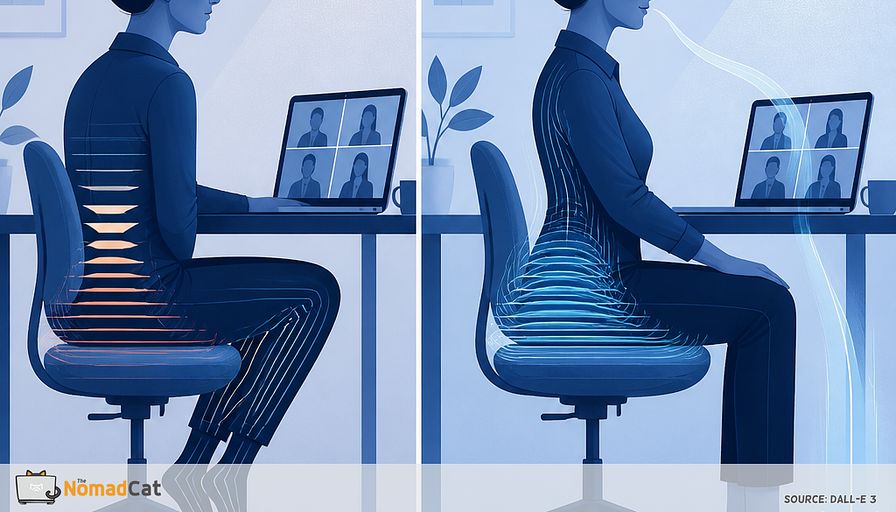
Under the desk, the body does something else. Knees drift closer. Feet slide back. Heels get light. One foot hooks the chair base. It feels tidy, contained, controlled. The body is basically trying to look like a good employee with zero needs.
By the 3rd or 4th meeting block, you’re not “choosing” a position anymore. You’re just gradually folding into whatever lets you stay still without thinking.
This “inward drift” is not dramatic, which is why it sticks. Stillness starts to feel like the safest option on camera. Add basic ergonomics (supported feet, leg clearance, avoid pressure points) and you get a simple result: when support is missing, the body improvises a stable shape. Stable now, annoying later.
Common under-desk patterns look like this:
- Knees held close together, like you’re “taking less space”
- Feet tucked back behind the knees
- Heels barely loaded, toes doing tiny stabilizing work
- One foot hooked around the chair base
- Sitting slightly perched forward to see the screen, feet pulled back to brace
It’s often bilateral, so “i sit centered” doesn’t rule it out. And it’s not the classic left-right mouse story. It’s quiet. No big strain signal. It fits the social goal of being contained.
Time pressure makes it worse. When the calendar is tight, attention narrows. Maintenance behaviors (like noticing what your feet are doing) drop first. And if everyone else is still, staying still becomes the socially correct default.
Remote work made this easier to run on repeat. It removed the small movement interrupts that used to reset you for free.
What remote work removed without replacing it
The missing transitions that used to save your legs
Before, your day had movement baked in:
- Walking to meeting rooms
- Stairs without thinking
- Turning corners and weaving around people
- Standing at a whiteboard
- Hovering at someone’s desk for 2 minutes
- Getting water because the kitchen was not 2 meters away
In my case, the boring variable is simple: if I stand up for ~20 seconds between 2 calls (or even just re-plant my feet properly), the 18:00 steps are less clippy. If I don’t, I pay for it later.
Remote work didn’t just reduce breaks. It removed the default ones.
Meeting density and optics make stillness the safe option
What replaced transitions is often calendar Tetris. Zero buffer. Camera on. You learn quickly what looks normal. Anything else feels like you are doing something odd, even if it’s just re-planting your feet.
So the lowest-risk move is to not move. The legs pick the most compact version of not moving because it’s stable and invisible.
A quick confession from someone who is good at ignoring basics
If this sounds familiar, yes. The author has spent most of adult life at a desk, first in Beijing, then Berlin, now Lisbon, often past midnight.
It is possible to work a full day without eating, drinking, or moving. That is not a superpower.
The early signal here is not drama. It’s upper-back tightness that builds quietly until it forces movement. The “sit straight” advice usually lasts about 3 minutes.
Scope for the fix so it survives real weeks
This isn’t asking for a new chair, a new identity, or a workout plan.
It’s not “perfect posture.” It’s a small debug guide for one drift pattern, with tiny patches that can live inside meetings and deadlines.
If it needs motivation, it won’t survive meeting-wall days. If the prompt is clear and the action is easy, it happens more often.
The 18:00 bug report you can actually recognize
What shows up in the first 30 steps
You can sit “fine” all day and still get the error message at 18:00.
If the legs feel weird when you finally stand, the next useful question is simple: where does the first complaint appear. Hip, knee, or foot.
Often the first 10 to 30 steps are short and a bit clippy, like the feet are searching for contact instead of just landing. Then, after a minute of walking, it mostly fades and you start to doubt it happened.
That timing is the clue. The problem isn’t imperfection. It’s sameness for too long.
The hip version
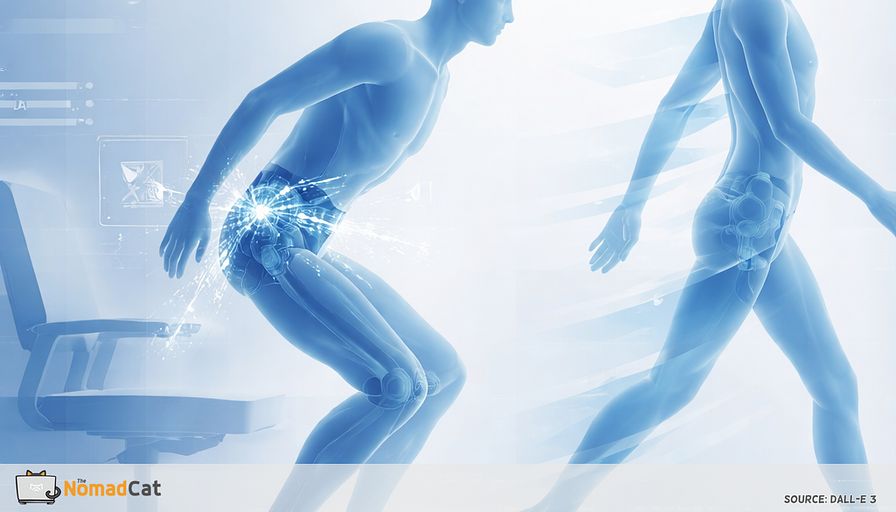
Sometimes it’s a pinch in the front or side of the hip when the leg finally goes behind you. Not a clean stretch. Subtle. Sometimes only on the 3rd or 4th step.
This is often a state effect from too much still sitting, not proof something is “tight forever.” If the legs lived turned-in and tucked-back for hours, the first time they need a longer stride can feel abrupt.
The knee version
This one can be quieter but more annoying. Flat ground feels mostly ok, then stairs expose it: an inner-knee whisper, or the kneecap feeling weirdly busy.
No fear messaging here. The point is just: stairs often act like an accidental test when you’ve been still.
The foot version
If hip and knee feel “fine,” the foot often carries the quiet invoice. Arches feel tired. Shoes feel more present. Ankles feel fatigued even though you did no sport, just meetings.
A reasonable explanation: if your feet were under-loaded all day (heels barely grounded, toes stabilizing, base narrowed), they can feel overworked the moment they have to stabilize you again.
How to tell this from normal stiffness
Desk-exposure signals often fade within about 30 to 180 seconds of walking. They tend to feel worse after high-stillness blocks, and better on days with more transitions.
Also: training doesn’t grant diplomatic immunity. 45 minutes in the morning doesn’t automatically cancel 8 hours of inward drift. Distribution matters.
A skeptic-friendly check is correlation. If it tracks meeting density and camera-on stillness more than it tracks gym days, it’s probably an exposure pattern worth testing.
The corkscrew without the anatomy lecture
Long sitting is not just time passing. It’s a slow reduction of options.
When posture stops changing, the system chooses a repeatable shape that feels stable, discreet, and camera-friendly, even if it’s not great for standing up later. Fewer movement options means the same tissues do the same low-level work again and again.
The default has 2 ingredients:
- Hip drift: hips stay flexed and tend to drift inward because it’s compact and asks less coordination.
- Foot under-support: heels get light, feet tuck back, base becomes narrow and unreliable.
That’s why the patch later has 1 foot-contact step and 1 small hip-opening step: same 2 ingredients, reversed.
If the base is “offline,” the system compensates elsewhere so you can still type and look calm. That compensation often looks like subtle bracing upstream.
This is why “sit perfectly upright” is often the wrong first fix.
Why overcorrecting makes it stickier
When people notice the drift, they clamp. Knees forced out. Feet forced flat. Spine forced tall.
It looks virtuous. It also adds effort on top of cognitive load. Research on upright cueing suggests it can increase muscle activity. More effort means you revert faster the moment attention leaves.
A better goal is small change plus more available configurations. Not 1 correct pose. Several workable ones.
2 checks that fit inside a meeting day
The chair check
A 1-second scan is enough:
1) Are your knees closer than your feet
2) Are your feet behind your knees (tucked-back default)
3) Are both heels actually loaded, or are you running decorative feet (toes touch, heel floats)
4) Bonus: can your feet stay supported without hooking the chair base
If it looks tucked, the fix should be small and non-performative.
A low-drama adjustment:
- Slide both feet forward about 5 to 15 cm.
- Let the heels get soft contact with the floor. You should feel the heel heavier, not the toes working harder.
- Leave the knees alone. No forcing, no military posture.
The stand check
Stand up. Unlock the knees slightly. (Just don’t lock them straight—keep a tiny bend.) Observe: do the knees tend to fall inward relative to the feet.
This is not a diagnosis screen. It’s an awareness screen. You’re looking for “more than usual,” and especially “worse after 2 hours of meetings.”
Optional: if you’re alone, a 5-second phone video from the front can help, because memory is… creative. Keep it minimal. The point is to see the pattern once.
The 20 to 30 second patch that fits between meetings
A micro sequence that does not look like exercise
Step 1: base contact
Under the desk, place heel + ball of the big toe on the floor (add the little-toe side if you want). Keep toes soft. Do 3 slow left-right pressure shifts, tiny.
Anti-mistake: if you feel toe clawing, cut the effort by 50%.
Step 2: hip de-spiral
Slide 1 foot forward 5 to 15 cm so that hip opens a few degrees. Let the knee track roughly over the mid-foot. Hold for 2 quiet breaths. If it feels pinchy or you start bracing, it’s too much.
Step 3: 1 longer exhale
1 quiet longer exhale, no performance. The intention is just to drop “precision brace” mode for a second.
Keep it invisible on purpose. Almost all of this happens below the desk or while you’re “thinking.” Dull has uptime.
Attach it to seams, not motivation
Seams outsource memory to the environment. Pick 1 seam and keep it same for a week:
- After clicking Leave on a call
- After clicking Send on an email
- After uploading/exporting a file
- After an approval or “Merged” moment
- Right after mute/unmute
Reminders assume spare attention. Meeting-wall days are exactly when attention is already spent. External cues are cheaper.
A 7 day self test that stays tiny
One metric only
Pick 1 outcome. Keep it low effort:
- Steps to feel normal after standing (0 to 30 is enough)
- Hip pinch on first 10 steps yes/no
- Stairs test does the 2nd flight feel better than the 1st yes/no
If it takes more than 5 seconds to log, it’s too heavy.
For 7 days, do the under-desk patch 3×/day, anchored to the same seam. Keep everything else stable. Missing a day is allowed; note “missed” and continue.
A small bias, admitted: the author likes the “1 metric” framing because it’s easy to ignore vague signals until they become loud. A number forces a log entry, even when the day is messy.
How to read the result without overpromising
Success looks boring: fewer “first minute weird” steps, fewer hip pinches, stairs feel less negotiated.
If nothing changes, that is also data. Maybe this drift isn’t the main bottleneck. Maybe the metric is noisy. Maybe frequency is too low. Debugging is allowed to return “not reproducible.”
Stop list for symptoms that deserve real assessment
This is a configuration tweak, not a diagnosis.
Stop and get checked if any of these show up:
- Persistent or increasing swelling in a joint
- True locking of the knee or repeated giving way
- Progressive numbness or weakness, or worsening walking control
- Severe night pain that is persistent and not behaving like “better with movement”
- Sudden one-sided calf swelling, warmth, redness, or pain (especially with risk factors)
- Can’t bear weight or can’t take a few steps normally after an acute twist or fall
- Symptoms that steadily worsen independent of desk exposure
Neutral rule: progressive, unilateral-with-swelling, neurological, or mechanical-blocking patterns are not a desk ergonomics problem until proven otherwise.
The goal here is simple: smoother transitions at 18:00 and fewer late-day invoices, not perfect posture and not a new hobby called thinking about your knees.
A 10-hour desk day can look perfectly professional on camera and still leave you negotiating the first minute after you stand.
Most days the fix isn’t bigger effort. It’s restoring 2–3 tiny transitions that remote work deleted.