
Abstract:
The article argues that remote work can quietly create “manual bandwidth collapse,” a pattern where your hands spend all day in narrow, precision modes (keyboard, mouse/trackpad, phone scrolling) and miss the constant micro-variations an office used to provide—pushing heavy doors, carrying a laptop bag, twisting knobs, uncapping pens, wrestling with meeting-room cables—so even if posture looks fine, the forearms, shoulders, and upper back end up doing steady stabilizing work until the “18:00 invoice” shows up as vague heaviness, pumped forearms, stuck shoulder blades, thumb soreness, or a roaming dull ache. Drawing on the author’s own long desk-based life across Beijing, Berlin, and Lisbon and his familiar early signal of upper-back tightness, it reframes the issue as a system problem rather than a moral failure and emphasizes that steps, walks, or standing desks don’t automatically restore the missing “hand transitions.” The proposed fix is deliberately unglamorous and meeting-proof: manufacture tiny, under-60-second “hand role switches” with no gear, scheduling, or on-camera theater (e.g., write one notebook line, restack papers, wipe a surface, water a plant, carry a glass, do a slow door-handle turn, move two light objects, unplug/replug a non-critical cable), and test it with a simple 7-day debug by pairing one reliable daily trigger (like hitting Send or leaving a call) with one fixed analog action and rating one end-of-day symptom—while treating numbness, tingling, radiating pain, weakness, night symptoms, or worsening signs as reasons to stop experimenting and get assessed.
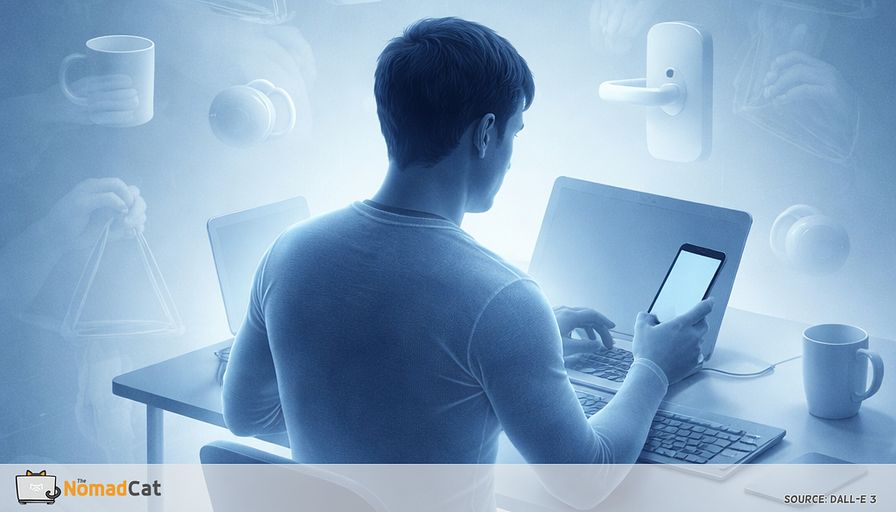
You wake up, open the laptop, and the day starts running without friction. Tabs. Calls. Slack. A bit of phone scrolling between meetings. Coffee appears, then disappears. By late afternoon you might notice something oddly specific. Your hands haven’t really handled anything.
No door to push. No bag to lift. No knob to turn. Just tiny accurate movements, on repeat, for hours. It can still feel exhausting, but in a narrow way. And it’s easy to blame posture, “bad habits”, or the chair you keep meaning to replace. But sometimes the simpler explanation is that remote work quietly removes the micro-switches your body used to get for free.
This article puts a name on that pattern: manual bandwidth collapse—too much precision work, not enough hand variety—and makes it feel a little less like a personal flaw. You’ll see why office days accidentally built in hand variation, how remote days compress everything into precision mode, and what that “18:00 invoice” often looks like in forearms, shoulders, and upper back.
Then it stays practical. No new identity, no gear, no calendar choreography. Just small, boring hand role switches you can fit between meetings, plus a simple 7 day “debug” to see if the end of day heaviness shifts even a bit. If it does, you’ve found a lever. If it doesn’t, you’ve at least stopped guessing.
A day with no handles
Why remote work feels weightless to the hands
Remote days remove the automatic switching that used to happen without effort. You can do a full workday with the hands stuck in precision mode: keyboard, mouse or trackpad, phone scroll, back to keyboard. And the one reminder is this: by late afternoon, you haven’t really handled anything.
It can still feel exhausting, but in a narrow way. The UK HSE’s DSE guidance uses the plain phrase “changes of activity,” and the point is practical: don’t just sit “better”—break up screen work with a different kind of task for a moment, even if it’s brief.
A useful label is manual bandwidth collapse. Not a posture issue. Not a moral failure. Just a system stuck in one mode.
It’s like being stuck in the same gear all day. Things still move, but the same small parts do the same job, at the same small angles, for a long time. Once you notice the missing handles, the old office baseline looks different.
The office built in hand variation without asking
The hidden mechanics of an in-office day
Those little office chores loaded your hands and shoulders in ways typing never does. Badge in, badge out. Heavy glass door that always fights back. Laptop in a bag, bag on a shoulder, bag off again. Chair scrape, chair lift. Notebook open, pen cap pulled, marker uncapped.
Nobody called this “movement.” It was just the annoying friction of being around other humans. And it quietly created the variation that guidance keeps pointing at when it says screen work needs changes of activity.
How trivial handling tasks change the load pattern
In an office, the hands kept switching roles, even if each task was small:
- Full-hand grip on a mug, a phone, a stair rail, a bag handle
- Pinch grip for badges, keys, paper clips, a tiny USB dongle
- Rotation when you twist a knob, open a bottle, adjust a chair lever
- Reach and pull for doors, drawers, cables under a desk
- Release and reset as you hand over paper, pass a marker, move a laptop
Meeting rooms were basically a small obstacle course. HDMI, adapters, power bricks, whiteboards, paper handoffs, that one cable that is always 10 cm too short.
This matters because repetition is not only “doing a lot.” High repetition plus low variety is its own problem.
How remote work compresses everything into precision mode
Remote work removes many of those triggers. What vanishes is not “movement” in general, but switching.
Office had reach, grip, twist, carry. Remote has keyboard, mouse or trackpad, phone scroll, back to keyboard, with the forearm parked in almost the same place. Even standing can become “standing while doing precision work.” The missing variable is role changes for the hands.
The missing hand transitions
Hand transitions in plain language
A hand transition is a micro-switch where your hands stop doing precision work and briefly do something more whole-hand. Grip, carry, twist, pull.
Not to go faster. Just to stop the system sitting at the same RPM all day.
This is why “low force” is not the same as “no problem.” Low force plus high sameness can still cause trouble.
Why offices created transitions without motivation
This is not a diagnosis guide, and it is not a perfect desk setup checklist. The claim is narrower.
Offices created progress through physical friction. That friction forced hand transitions. Printer across the room. Lunch meant leaving your chair. Someone waiting in a meeting room. Remote work removes most of those boundaries, so the hands stay in one narrow mode.
There’s no heroic story on my side. I’m french, born in 1974. I’ve done desk years in Beijing, Berlin, and now Lisbon, and I know the early signal: quiet upper-back tightness that builds until it forces movement. Like a notification you tried to mute.
The precision-only day and the 18:00 invoice
When tiny inputs recruit the whole upper back
The problem is often not the size of the load. It’s the lack of real gaps.
Remote posture can look fine. Forearms floating a bit. Hands doing tiny clicks and corrections. The fingers look busy, but the shoulder and upper back do steady stabilizing work hour after hour. Light hand work can still mean sustained load higher up, because the arm has to be held and guided.
And then the bill arrives at the end of the day. Long, unbroken precision blocks can feel like overuse because the load is low but constant.
Switching devices often just moves the bill:
- Mouse can cost more at the shoulder if it sits far out
- Trackpad can cost more in fingers and small wrist angles
- Trackball can reduce arm travel but concentrate work into thumb or fingers
There is no universal magic device, because setup and technique change the outcome.
The 18:00 signs you are paying for a precision-only day
What it tends to look like when you close the laptop
Some patterns won’t fit this story, so don’t force it. But if it is the pattern, it often reads like vague heaviness that tracks with long pointer-and-keyboard blocks, not one dramatic injury moment.
Common signs:
- Forearms feel “pumped” even though you lifted nothing
- Hands feel a bit dead when cooking for 5 minutes, then clear once the hands do a different job
- Shoulder blades feel stuck like they don’t glide
- Neck feels loaded anyway even if you got steps in
- Thumb soreness after phone time especially one-handed scrolling
- Urge to crack fingers or shake hands out less because it helps, more because the system wants a different input
- A dull ache that moves around wrist one day, forearm the next, then upper trap
- A short flare after the last meeting because the day stops and you finally notice
When it is not just desk tightness
Heaviness is one thing. Numbness or tingling is different.
Progressive weakness, dropping objects, radiating pain down the arm, or night numbness should not be treated as normal remote-work tax. If that shows up, it’s a reason to get checked sooner.
Why the obvious fixes can feel oddly useless
Steps help. Lunch walks help. A standing desk can help.
But they don’t automatically create hand transitions.
In meeting-heavy days, time-based prompts arrive exactly when they cannot be used. Mid sentence. Mid screen share. You dismiss it, and after a week it becomes wallpaper.
And also, it is a bit stupid: if the hands never change jobs, a lot of good habits don’t touch the load pattern.
Manufacture hand roles, not workouts
A replacement principle that survives calendars
Replace the lost office micro-tasks with tiny manual jobs that change what your hands are doing.
Design constraints that make it meeting-proof
If it needs gear, a schedule, or courage, it will die by Wednesday.
- No equipment
- No special clothes
- No schedule to protect
- No tracking or streaks
- Works when tired
- Works between meetings
- Event-triggered, not time-based
- Completion-based, then stop
Also avoid anything that turns into on-camera theater. Remote meetings already increase self-awareness. Adding visible “look at me moving” usually backfires.
Hands-busy defaults for a real remote day
A practical default is the analog touchpoint rule.
After you click Leave or hit Send, do 1 short analog action that needs gross hand use. Grip, reach, rotate, release. Under 60 seconds.
Examples:
- Flip a notebook page and write 1 line
- Restack 5 papers
- Wipe a small surface with a cloth
- Water a plant with a small jug
- Refill a glass and carry it back
- Open and close a window latch once
- Put 3 items back where they belong
Pick 1 or 2. The mechanism is the point.
Two even simpler options:
Two-object relay. Move 2 light objects to 2 different locations, then come back. Keep them light on purpose. It’s grip and shoulder repositioning, not load.
Door handle handshake. Walk to a door, turn the handle slowly, pull, close, return. It adds rotation and a different shoulder pattern.
For calls, camera-safe micro actions can help:
Stand to point substitute. Stand for 10 to 20 seconds and gesture once or twice like you’re explaining something to a person in the room.
Unplug replug. Between calls, unplug and replug 1 non-critical cable slowly, like setting up a meeting room. Deliberate, not fast.
If you ever feel the need to explain it on a call, keep it boring. “Give me 20 seconds, resetting.” Less story means less attention.
A 7 day manual variability debug
One trigger, one action, one signal
To see a signal, make the input boring and repeatable.
- Pick 1 reliable trigger you already hit 5 to 20 times a day. Meeting ends, call disconnects, you hit send, kettle boils.
- Pick 1 hand role switch action and keep it fixed. Under 60 seconds.
- For 7 days, do only that pairing. Same trigger, same action. No upgrades mid-week.
Then pick 1 end-of-day signal and rate it around 18:00 on a 0 to 10 scale. Forearm tightness. Shoulder heaviness. “Hands feel normal when cooking.”
Add one simple, measurement-like proxy: each day, note hand-switches done / triggers hit (for example, 9/12 meetings ended with a switch). No judgement, just the ratio.
Expectations should be modest. In short self-experiments, even a small shift can matter. If nothing changes, that’s also data, not a personal failure.
Troubleshooting:
- Missed the action most days means pick an easier trigger
- Did it but it felt too tiny means swap to an action that changes shoulder position more
- Small improvement then plateau means you fixed one slice of the day, not the bigger one
- Discomfort tied to long pointer blocks means look at bigger knobs next, like where the mouse/trackpad sits and how your forearm is supported
Guardrails and when to stop experimenting
Keep actions gentle and boring. Role switching, not force.
Pause the experiment and get proper assessment if you have:
- Persistent numbness or tingling
- Radiating pain down the arm
- Marked weakness, dropping objects, or worsening clumsiness
- Visible swelling, warmth, or redness
- Night symptoms that wake you up repeatedly
- Symptoms worsening quickly over days
- Severe sudden headache or other neurological symptoms
If an action provokes pain or makes symptoms sharper, drop it and choose a different one. Don’t fight through it to prove discipline.
The goal is modest. Make the remote day less narrow for the hands and shoulders, and see if the 18:00 invoice shifts a bit. If it does, you found a lever. If it doesn’t, you learned where not to waste more time.
Remote work didn’t just remove commuting. It removed handles. All those tiny grips, twists, carries, and resets that used to break up precision work got deleted, so the hands stay stuck in keyboard and trackpad mode. That is manual bandwidth collapse. Not a character flaw, not “bad posture”, just a system with no gear changes.
The fix is refreshingly unglamorous. Add back small hand role switches that survive real calendars. Under 60 seconds, no gear, no performance. Pair 1 trigger you already hit all day with 1 analog action, and run the 7 day debug to see if the 18:00 heaviness shifts even a little. Most remote days don’t need more effort. They need ten more tiny gear changes.
You might be interested by these articles:


Your 18:00 stiffness is a config bug fix it with micro-variability

Your weightless remote day is missing micro-loading

Your watch logged the workout but your shoulders still filed a bug report at 18:00

Build an interruption ecology for remote work so your body stops billing you at 18:30

The 10 second wrist reset for post laptop kitchen pain

Minimalist summaries that help tech professionals stand out and build trust

Why video calls wreck your neck after you hit Leave




