
Abstract:
The article argues that remote work didn’t just eliminate commuting—it also erased the small, annoying “latency buffers” of office life (printer queues, elevators, walking to meeting rooms) that quietly gave the nervous system and body brief chances to downshift between tasks; in their place, remote work creates a “0‑second handoff” where meetings end into instant Slack/email/doc intake, driving up task-switching costs (resumption lag, attentional residue) while keeping the neck and shoulders in a low-level braced “on” state that can feel like carrying a light backpack all day. Drawing on recovery and ergonomics research as support (without claiming seconds-long pauses are a cure), the author—who notes a personal pattern of sitting at a desk all day from Beijing to Berlin to Lisbon, sometimes without eating, drinking, or moving—frames the problem as “arousal stacking”: you can still ship work by late afternoon, but you’re jumpier, sharper, and physically tense because the day has no edges. The proposed fix isn’t timers, tracking, or a defensible “break plan,” but reintroducing tiny, boring micro-gaps that “don’t accept content” by using existing cues (10–30 seconds before clicking Join, after clicking Leave, while the kettle/microwave runs, or during progress bars) and doing simple physical actions like hands off the keyboard, one long exhale, dropping the shoulders, unclenching the jaw, or taking a far gaze—implemented as a realistic 7‑day experiment with modest expectations and clear stop-if-unwell guardrails.
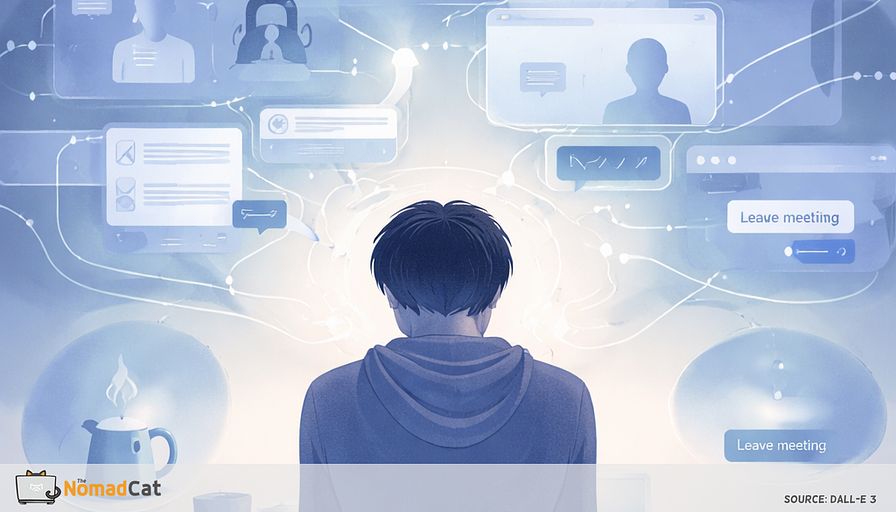
Remote work didn’t just remove the commute. It removed the tiny waits that used to break your day into pieces.
The printer queue. The elevator. Walking to a meeting room that wasn’t ready yet. Annoying, yes. But also a built-in buffer. A forced pause where your nervous system could stop bracing for 20 seconds before the next thing hit.
Now the handoff is 0 seconds. A meeting ends and the next link is already open. Slack blinks while someone is still saying goodbye. You close 1 tab and open 3 more like it’s the same action. It looks efficient. The system runs hotter.
This article is about putting those missing micro-gaps back without timers, tracking, or a “break plan” you have to defend like a lawyer. Not to become a calmer person with perfect habits. Just to stop running back-to-back threads all day and then wondering why your neck feels like it’s been holding a small backpack since 10:00.
We’ll cover a few simple ideas:
- what those forgotten buffers were doing for recovery, even when they felt pointless
- why desk work creates a steady low-level “on” state in the neck and shoulders, and why tiny activity gaps can matter
- how remote work trains the reflex to fill every gap with more input, and why switching costs make that feel worse over time
- practical ways to reintroduce waiting around meetings, kettles, progress bars, and “Leave” clicks, in 10 to 30 seconds
- a small 7-day rollout that stays realistic, plus guardrails for when to stop experimenting
Nothing here claims that 15 seconds fixes anything. It’s more modest than that. It’s about restoring a missing layer of micro-recovery that offices used to force on you for free.
The buffers you forgot
Waiting was a nervous system feature
The printer queue. The elevator. That little walk to a meeting room that was never ready on time.
Those were latency buffers. Small forced waits between work actions. Not “wellness moments”, just office friction. But they created tiny windows where the body could stop bracing before the next demand.
Remote work tends to erase these transitions. It also blurs boundaries and makes work leak everywhere. Reports on “working anytime, anywhere” describe this pattern well. If disengagement matters for recovery, that lines up with the “detachment” idea in recovery research. Not proof that 30 seconds “fixes” anything. Just a reasonable direction.
Here’s the part that changes the “too small to matter” feeling: your neck and shoulders don’t get rest unless they get real zeros—moments where you’re not bracing at all.
Desk work can look still, but the upper back often stays lightly switched on for long stretches. In ergonomics research, those near-zero “gaps” in muscle activity are treated as actual recovery signals, not noise. You don’t need a stretch every time. Sometimes you just need 10 seconds of nothing happening.
This is not a productivity trick. Not a mobility routine. Not a 10-minute break you have to defend like a lawyer.
It is about keeping the micro-pauses that used to be mandatory and socially effortless.
Research is fairly reassuring on the general idea: small breaks can reduce discomfort without hurting performance in office tasks, and recovery can happen during work, not only after.
A useful analogy is load balancing. Offices had tiny queues between tasks. Remote work removed the queue, so threads run back-to-back and the system runs hotter.
The output can stay high. The temperature still creeps up.
Remote work trained us to erase the gaps
The 0 second handoff
A meeting ends and the next link is already open. The chat keeps blinking while somebody is still saying goodbye. You close a tab and open 3 more like it is one movement. The day stops having chapters. Studies and industry reports point in the same direction on pace and fragmentation. Even without perfect studies, you can feel it: meetings end and your fingers are already typing again.
The trap is that it feels efficient, until you pay the switching cost.
When the system removes waiting, the brain still tries to use the gap, just not for recovery. It uses it for intake. A “normal” micro-gap becomes
- a Slack scan
- an inbox refresh
- a quick doc tweak
- a calendar shuffle
- a fast reply to prove you are “on it”
Telepressure research helps explain that itchy urge to respond fast. Frequent email checking is also linked with higher stress. Recovery research points to the same weak spot: tiny bits of detachment during the day can correlate with better momentary well-being.
Then there is the hidden tax.
You “use” the 30 seconds between calls to reply to 1 message, maybe you save 12 seconds later. Then you come back to the agenda and reread the last 2 paragraphs for 90 seconds because you lost the thread.
One useful label for this is attentional residue: a bit of the previous task sticks to you and drags when you try to resume. That’s why the rule for progress bars is boring: don’t switch tabs. Let the residue clear.
So what is the cost of running hot all day? It is not laziness. It is arousal stacking.
My reality is simple: I’ve spent most of my adult life at a desk, from offices in Beijing to Berlin and now Lisbon, and I can work a full day without eating, drinking, or moving. It can look like focus. It can also be a system design bug you adapt to too well.
The cost is arousal stacking
The wired but still working pattern
By 16:00 you can still ship work, but you’re jumpy. Pings feel louder. Your tone gets a bit sharp. You notice you’re braced even after a lunch walk.
Those signals fit the strain pattern that shows up when work has no edges, a theme in boundary blurring research. Microbreak research often finds better fatigue and vigor outcomes even when the “break” is tiny.
The continuous-load idea also shows up in physiology. Time-pressured computer tasks can increase cardiovascular activation and reduce HRV in lab settings. Ambulatory studies link work stress with similar real-world patterns. This does not prove a 10-second pause will fix biomarkers. It just makes the nonstop schedule look less harmless.
There’s also a plain mechanical version. Sustained low-level activation can feel like upper-trap heaviness by late day. Not pain, more like wearing a light backpack you never agreed to carry. Then comes the urge to crack your neck or stretch without even thinking.
Even if you walk, lift, or surf, the missing piece can still be the state transitions between tasks.
Why a workout does not cancel a day with no downshift
What matters isn’t only moving. It is whether a pause actually disconnects you from demands.
A 60-minute workout at 19:00 doesn’t replace 0-second transitions at 10:00 and 14:00, even if the workout is excellent. Break research is still reassuring: more frequent short breaks can reduce discomfort without obvious productivity loss on office tasks.
Detachment is the payload. In recovery research it basically means mentally switching off from work demands for a moment. A “break” that is a Slack scan is often just more input, and telepressure makes that harder to resist.
Zoom and docs also push the body into near mode. Eyes locked close, lots of self-monitoring, not much distance. A boring tool is to look far for a few seconds. This fits digital eye strain mechanisms and aligns with evidence that breaks reduce visual discomfort. The 20-20-20 rule is best treated as a rule of thumb, not a magic spell.
Reintroduce waiting without timers or plans
Buffers do not accept content
Buffers do not accept content. If the “gap” becomes the inbox, news, Slack, or even a quick doc tweak, it’s not a downshift, it’s just more work. It is a context switch, with the usual switching cost and residue.
The hardest constraint is the phone. It makes input basically frictionless, so buffer actions need to be physical and dumb enough to survive the worst day.
Examples
- hands off keyboard and mouse
- 1 long exhale, a bit slower than normal
- drop shoulders, let traps go soft for 5 seconds
- unclench jaw, teeth not touching
- look to the farthest point you can see
- stand up without “doing” anything
EMG work on gaps is exactly about brief stops being real rest signals, not wasted time. Slower breathing is a plausible lever, but the strongest evidence is usually with longer bouts, so keep expectations modest.
Of course people check. Remote work trained that reflex, and responsiveness pressure makes it feel risky not to. But “just checking” keeps the monitoring loop alive.
Use the waits you already have
The simplest seams are around meetings.
Before joinIf the meeting link opens, wait 15 seconds, sit back, slow-exhale, then click Join. It looks like normal latency. It uses an existing cue and a tiny if-then plan.
After leaveDo 20 seconds hands off keyboard with a far gaze, so video-call mode does not hard-cut into reactive typing.
Not all buffers come from meetings. Some come from machines.
When the kettle boils or the microwave runs, let it run. Stand there. Let the ribcage move. Take the boring coffee-line wait you used to get for free.
The last common wait is progress bars. They look like bonus time but aren’t.
During exports, uploads, builds, renders, treat the wait as mandatory rest
- no tab switching
- 1 breath
- 1 posture change
Switching mid-wait creates resumption drag. Badly timed interruptions increase restart cost and errors.
Make it meeting proof without making it weird
Remote work makes stillness look like disengagement, so people avoid moving even when they need it. Telepressure makes that worse.
The point of these buffers is that they look like normal latency.
A tiny script can help
- “Joining now.”
- “One moment.”
- “Back in 10 sec.”
Even with camera on, buffers can read as listening. Keep camera on, stop typing for 10 seconds, lean back and breathe. Microbreak studies are not magic, but performance usually does not collapse because you stopped moving your fingers for a moment.
A 7 day rollout that stays small
A latency budget without tracking
Success should be checked with boring end-of-day signals, not vibes. Think latency budget like adding small capacitors to reduce noise.
Aim for 6 to 10 tiny buffers a day, 10 to 30 seconds, no spreadsheet.
If your day is back to back, the budget must degrade gracefully. At 18:00, “working” looks the same, but the error logs look different
- less neck bracing and fewer shoulder hikes
- fewer replay loops after calls, less rereading to restart
- less urge to snap-reply the second a meeting ends
- smoother shift into evening, less work still running in the head
Choose 1 cue and 1 action for 7 days. Even 5 seconds counts.
Cues
- the 1st meeting of the day
- every click on Leave
- kettle boil or microwave running
- export upload build progress bar
Actions
- stand still and do 1 long exhale
- drop shoulders for 5 to 10 seconds
- unclench jaw, teeth not touching
- far gaze, 10 seconds
Missing buffers is normal. The system restarts on the next cue, no drama. If you forgot 8 times, fine. Streaks are for Duolingo, not for your trapezius.
Guardrails and when to stop experimenting
Keep breathing claims modest. This is a cue, not treatment.
Stop if you get
- dizziness or feeling faint
- panic spikes
- chest pain
- unusual shortness of breath
- any new symptom that worries you
Seconds are signals. Minutes are training.
This will not fix a broken schedule or erase video call fatigue overnight. It just restores a missing micro recovery layer you used to get for free.
Most days you won’t need a new habit. You’ll just need 10 seconds where nothing new enters the system: not a reply, not a scan, not a tab switch—just a tiny, boring pause before Join, after Leave, or while the kettle does its thing.
You might be interested by these articles:


Your remote day is missing 60-second cardio spikes

Add a physics layer back to your remote day with 10 second role exits

Micro thaws for the camera on freeze desk day

Micro-exits for remote days that keep your body from timing out

Build an interruption ecology for remote work so your body stops billing you at 18:30

Stop rehearsing monday at 01:00 close the work loops on friday

Minimalist brand audits for solo tech professionals made simple




