
Abstract:
The article explains how intense, camera-on “precision work” often makes people unconsciously freeze at their desks—barely moving while tabs multiply and Slack pings stack—so they feel productive during the task but pay for it afterward with a delayed “invoice” of neck compression, busy jaw/temples, grainy eyes, headaches, and low-back or hip stiffness once they hit **Leave call** or **Send**; the key point is that the real problem isn’t one “bad posture” but prolonged low movement variability under high attention (often amplified by the self-monitoring of being watched on video), which mutes body signals until the task ends and “internal logs” come back online. Rather than chasing perfect posture or willpower-based stretching breaks, the author—drawing on a long desk life across Beijing, Berlin, and Lisbon—argues for treating the body like a system that needs tiny, frequent load-sharing inputs, using 5–10 second “micro thaws” at natural work boundaries (mute/unmute, start/stop screen share, compile/run, export/upload, switching docs, opening the calendar). These micro thaws are simple reversals of bracing that don’t disrupt meetings or require leaving the frame: one longer exhale with relaxed jaw, dropping shoulders about 1 cm and softening grip for a breath, alternating a foot forward to change hip/pelvis position, and two slow blinks plus a brief far gaze to counter screen strain; success looks like a smaller, less sharp post-task rebound (fewer “startup steps,” less need for aggressive night stretching, reduced eye crash), alongside a reminder to seek medical help for clear red-flag symptoms like progressive numbness/weakness, bowel/bladder changes, severe sudden headache, major vision changes, chest pain, or systemic illness signs.
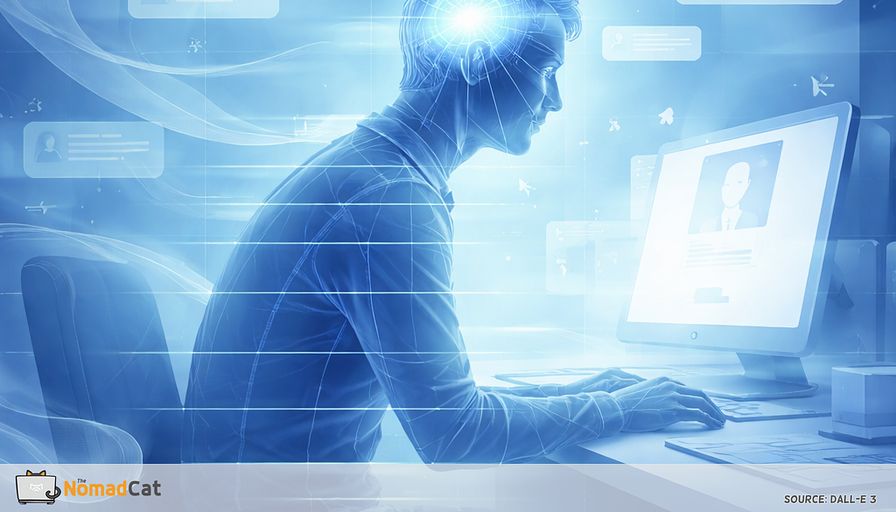
You sit down for “just 2 hours” of deep work and somehow it’s dinner time. Tabs multiplied. Normal. Slack did its little siren song. You barely moved except for your fingers. And if there was a camera on, you probably stayed extra still, like movement might look suspicious on video.
This article is about that specific kind of stillness. Not the calm kind. The freeze-by-default kind. When your brain is in precision mode and your body quietly pays the invoice later, usually right after Leave call or Send. Neck gets compressed. Jaw feels busy. Eyes go grainy. Low back complains the moment you stand up. It’s annoying because during the work you felt… fine. Productive, even. But “no pain” is not the same as “no load”.
The goal here is simple: make desk days hurt less without asking for heroic discipline, perfect posture, or 45-minute stretching breaks you don’t have. Instead, treat your body like a system with settings. Small inputs. Quick feedback loops. More variety over time.
Two things matter most here:
- Why symptoms often show up after the task ends, not during it
- A practical way to add tiny movement back in using 5–10 second “micro thaws” at natural work boundaries
If the day keeps stealing your movement and then returning it as stiffness at 18:10, this will help you spot the pattern and interrupt it in small, boring, workable ways.
When precision makes you freeze by default
The workday that makes you vanish
You know the scene: 18 tabs open, cursor blinking, Slack pings stacking, and you’re doing tiny edits that somehow feel important. The mind is sharp, almost crisp, and 2 hours disappear in what feels like 20 minutes. Very low movement, very high compute.
That lock-in doesn’t mean the body stayed neutral. Attention can dial down pain and body signals, while load keeps building in the background. Then add the extra ingredient that makes stillness even more likely: being watched.
Camera-on work adds a visibility layer where movement starts to feel… risky. In a normal office you can shift, stand, shake your legs, nobody cares. On video, every little move can feel like a “signal” somebody will interpret. So people stay in frame and minimize motion during camera-on meetings, screen sharing, live doc editing, live coding, or presenting dashboards. Video calls also push self-monitoring and fatigue, and they limit how much you move.
Call it what it is: freeze is when your body gets very still, often with some bracing, while your brain tries to maximize control and avoid mistakes. Like a CPU running at 95%, the system turns down background processes like shifting, breathing variety, and comfort-checking, because precision and social safety feel more urgent.
This is the confusing part. It feels like clean productivity, but it’s also a narrowing. And “no pain” is not the same as “no load.” A more useful self-check is not was I in pain, but did my movement and breathing narrow while I worked.
What freeze looks like at the desk
A quick mid task checklist
The red flag is not 1 “bad posture.” It’s low variability for a long time.
Motion narrows. Feet stay glued. Pelvis stops doing small swivels. Shoulders hover up and forward. Head creeps toward the screen. Elbows pin in. Wrists get parked. Hands sit in a permanent ready-to-type pose. When movement variety drops, discomfort tends to go up.
Small muscles take over. Jaw gets quieter but tighter. Neck and upper traps do the stabilizing. Forearms grip harder. Mouse and keyboard become something to control, not just touch. Hips often help by keeping you folded.
Breathing becomes a control tool. Waiting to unmute. Screen-sharing something that must not break. Many people do a small breath hold or shift into shallow chest breathing. It helps in the short term. It also adds up.
Sensation is deprioritized. Think of it like internal monitoring logs getting muted while the external task is loud. Under cognitive load or distraction, people can feel less discomfort even when the body is still taking on load. Feeling “fine” is not a lie, it’s just not a perfect sensor.
Why it hurts after
The inbox reopens after send
You click Send, leave a camera-on meeting, stop screen sharing, stand up to pee, get in the metro/car, or land on the couch for 20 minutes of doomscrolling and suddenly the neck, jaw, eyes, low back go “bonjour.”
That timing is not random. During the task, attention can turn down internal signals. When the task ends, the system shifts back toward internal monitoring, and sensation comes back online. So after feels worse, not because the body suddenly broke at 18:10, but because the channel reopened.
Some people also get a real sensitivity rebound after long cognitive effort. It doesn’t hit everyone the same, but the pattern is common.
Stress recovery also has lag. Nervous system effects don’t always stop when the meeting ends. That helps explain evening or weekend flare-ups and the classic “let-down” headache pattern.
Common rebound signatures you can recognize
The patterns that show up right after the task
For me it’s the quiet upper-back tightness first; the loud stuff comes later. A lot of “random desk symptoms” are the same exposure showing up in different places.
- First steps feel stiff or wooden
- Neck feels compressed after Leave call
- Late afternoon eye crash and headache
- Jaw or temples feel “busy”
- Shoulder heaviness, arms feel dragged
- Hip or knee stiffness after standing
Eyes and head often join because screen viewing tends to reduce blink rate, which sets up dryness and that end-of-day heaviness.
Reality check
The exposure is low variability under high attention, not a moral failure.
The author has spent most of adult life at a desk (Beijing, Berlin, now Lisbon). A common early signal in desk life is boring but consistent: quiet upper-back tightness that builds until it forces movement. Also, reminders to “sit straight” usually last about 3 minutes. So yes, willpower is a fragile tool here.
The real exposure is low variability
A good chair helps but it cannot move for you
A good chair can reduce extremes and make “neutral” easier to land in. But it can’t create variety when attention is glued to the screen and sensation is muted. Ergonomic changes help sometimes, but the effect is often limited. A more useful target is more posture variety over time, not 1 perfect shape.
Demand and evaluation drive the dose
Same chair, different week. When delivery pressure goes up, or work feels more evaluated, the body often shifts into control mode: fewer breaks, more hovering shoulders, tighter hands. Stuff like high demand + low control shows up a lot in real life too: you don’t “choose” to freeze, you just notice you did it after.
Bracing is a feature for precision and a tax when sustained
Co-contraction is basically your nervous system buying accuracy with stiffness. Useful for performance. Expensive when it never really drops for long. That’s when the jaw gets “busy” and the shoulders hover like they’re waiting for impact.
Why tiny shifts change the load
Variability is load sharing not posture purity
Static sitting is like pinning load on the same few pixels until they burn. Small shifts change contact area and pressure, and internal loading changes across positions too. Micro-variability is basically load sharing.
Feet are a quiet control knob
Feet position is underrated because it’s almost invisible on calls. Move feet forward/back and the chain follows: feet → hip angle → pelvic tilt → lumbar curve, with knock-on effects.
Skip fake precision rules
There isn’t a validated universal threshold like “shift every 10 minutes.” Bodies, tasks, chairs, and stress levels vary too much. A more robust rule is boring but effective: create many small variability opportunities, especially during high-focus blocks. In my own desk weeks, tiny breaks don’t hurt output; they mostly prevent the 18:10 crash.
Micro thaws that fit inside real work
Micro thawing is a tiny reversal
Micro thawing is a 5–10 second thaw inserted at a natural boundary: before Join, after Send, when you mute, while a page loads. It’s not a stretch session. It’s a tiny reversal of bracing, sized to survive camera-on life.
Boundary triggers
Event-based cues beat intention when the calendar is on fire.
- Hit Send
- Click Leave
- Press Mute or Unmute
- Start or stop screen share
- Compile or run
- Export or upload
- Switch documents
- Open the calendar
Measure success like garbage collection
On weeks where I’m past midnight at the desk, I treat thaws like garbage collection for load. You want small cleanups all day so there’s less end-of-day manual cleanup. Success is simply more variability moments, not looking aligned for 8 hours.
The micro thaw menu
The exhale thaw
Do 1 longer exhale. Let the teeth be slightly apart, tongue soft. Then continue.The unbrace thaw
Drop shoulders by about 1 cm. Loosen grip on mouse/keyboard. Let elbows feel heavy for 1 breath.The hip thaw
Slide 1 foot slightly forward and shift weight a little. Next boundary, swap sides. (Alternating matters, otherwise you just build a new asymmetry.)The eye thaw
Do 2 slow complete blinks. Look far for about 2 seconds. Then back to the screen.
How to know it is working
Signals your system is thawing
Boring improvement often looks like rebound reduction. The post-task symptom dump is smaller and less sharp.
- Fewer “startup steps” when you stand up
- Less urge to do aggressive stretching at night just to feel normal
- End-of-day stiffness feels more evenly spread, less like 1 hotspot screaming
- Slightly less late-afternoon eye crash and head heaviness
Optional, if you like numbers: once per day at a fixed time, log either 1 0–10 tightness number or a yes/no big rebound today. Keep it optional so it doesn’t become another job. I’m the kind of person who tracks things (Polar H10, cheap Decathlon watch), so a single daily score works better for me than “try to remember how I felt.”
When to get checked
Most desk discomfort is not dangerous. Still, red flags should stand out. It’s worth getting checked if you have:
- Progressive numbness, tingling, or weakness
- Bowel/bladder changes, or saddle numbness
- Severe or sudden headache, or headache with new neurologic signs
- New vision loss or major new visual changes
- Chest pain, fainting, unusual shortness of breath
- Unexplained swelling, a joint that locks, or inability to bear weight
- Fever, unexplained weight loss, or cancer/infection context with new back/neck pain
Stillness is a weird modern competence. Under high demand and evaluation, bodies adapt by narrowing movement. Micro-thawing isn’t about perfect posture. It’s restoring variability during the day so the load gets shared instead of cached in the same place.
If your days are 10 hours of tabs, meetings, desk lunch, then a little more work at night, it makes sense the body goes quiet until 18:10 and then sends the invoice. The point here wasn’t perfect posture or heroic stretching. It was noticing the pattern: the way camera-on focus blocks make you go statue, and how the complaints show up after when the internal logs come back online.
Micro thaws fit that reality. 5–10 seconds at boundaries like Send, Mute, Leave call: exhale, drop the shoulders 1 cm, swap a foot forward, blink slow and look far. Most days won’t change. But the invoice at 18:10 can shrink.
You might be interested by these articles:


Your posture is not broken your attention is running the brace

Precision mode turned you into a statue now pay the desk invoice

The 20 second wide angle switch for tunnel mode desk days

Your watch logged the workout but your shoulders still filed a bug report at 18:00

Bring back the missing 20 seconds that kept remote work from running hot

Unlocking Solar Potential in Europe's Varied Climates

Maximizing Wi-Fi 6 for Business Growth




