
Abstract:
The article explains why the common after-work habit of “just scrolling for five minutes” often fails to feel restorative and can leave you more tense—shoulders up, neck compressed, jaw tight, breathing half-held—because the body stays in a work-like state when the inputs don’t really change (near viewing, tiny precision thumb reps, attention capture that keeps you still, and lingering mental looping likened to background processes). It offers a practical, low-effort way to turn the same 20–60 minute gap into a real downshift without quitting your phone or adding an unrealistic routine: first, spot the “scroll clench” quickly via simple posture and tension tells (phone sinking to lap, chin drifting forward, shoulder creep, C-shaped upper back, unsupported elbows, busy forearm, dry eyes); then use a 30–60 second “mode switch” before opening the first app (longer exhale, unclench teeth and tongue, let arms hang, one shoulder roll down, a few gentle weight shifts). It also suggests small phone-hold adjustments with honest tradeoffs (raise the phone but support the elbows; try two-handed/two-thumb use to reduce one-sided load; use app switching as a cue for slow blinks and a brief distance look), and emphasizes boundary-based cues like unlocking, sitting down, or switching apps instead of timers that tired evenings won’t tolerate. Finally, it includes clear stop rules—seeking medical care for escalating or neurologic symptoms, urgent eye changes, or persistent thumb/wrist pain—framing the goal as fewer “after-work invoices” from your body and less of a “second startup glitch” when you finally stand up.
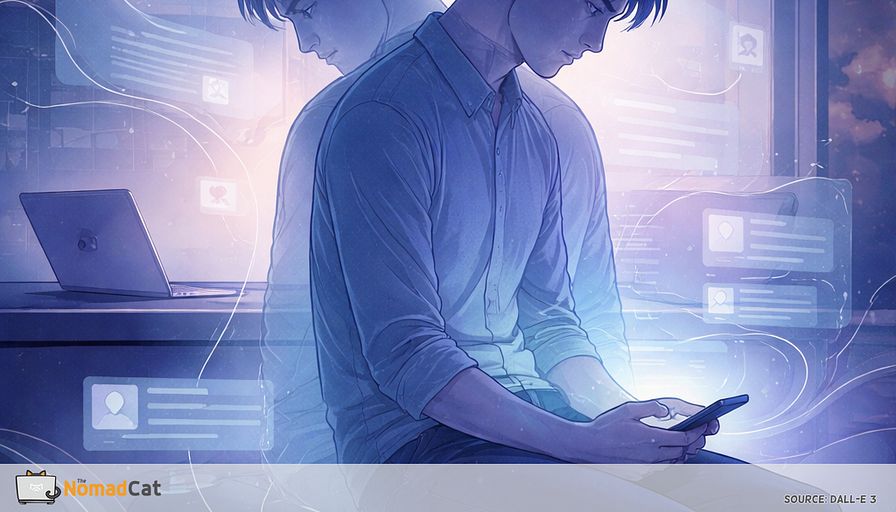
Laptop closed. Work is “done”. And yet your shoulders are still up near your ears, your neck feels compressed, and your brain is somehow still chewing on the day.
So you grab the phone for a small reward. Just 5 minutes. Then it’s 30. And when you finally stand up, it feels like you never really left the desk. More braced. More stiff. Not even properly rested.
This article is about that weird after-work gap nobody tracks. For me, it shows up on mostly-remote days—the kind that happen on bad chairs and worse desks—and it’s still there later, living in Lisbon, when I catch myself at the screen past midnight. (My wife is a fitness trainer and nutritionist; she keeps telling me to sit straight. I can usually manage about three minutes.)
Not because you “shouldn’t scroll”, and not because you need a perfect evening plan. The goal is smaller and more realistic: make the same 20–60 minutes you already take feel more like a downshift, with changes that still work when you’re tired and your patience is gone.
Here’s what you’ll get:
- A quick way to spot the “scroll clench” in 10 seconds, using simple tells like phone height, chin drift, shoulder creep, jaw tension, and half-held breathing
- A clear explanation of why scrolling can keep your system in work mode even when the content is supposed to be relaxing
- A tiny 60-second switch you can use before the first app, plus a few practical phone-hold fixes with honest tradeoffs
- Boundary-based cues that fit real evenings (unlocking, app switching, sitting down) instead of timers and complicated plans
- Simple stop rules for when it’s time to stop tinkering and get symptoms checked
This is based on a mix of ergonomics research and practical observation, with the citations kept light on purpose.
If your body feels like it’s still running background processes after work, this is a way to read the logs and change a few inputs. No gear. No new routine that only works on imaginary Tuesdays. Just less “second startup glitch” when you stand up later.
The after work bridge nobody counts
Scrolling feels like a reward but not like recovery
If that sounds familiar, it helps to name what the phone is doing in that in-between window, especially for people who live at a desk. The win condition here is modest. Not quitting the phone, not buying gear, not adding a 40-minute routine that only works on imaginary Tuesdays. It is making the same 20–60 minutes you already take feel more like a downshift, with changes small enough to survive tired evenings.
Think of it like switching apps but keeping the same inputs. Work ends, but the signals that keep your system in “precision plus monitoring” mode don’t always change when you switch to scrolling. If your brain keeps re-running the meeting, your body keeps acting like it’s still in it (Brosschot, Gerin & Thayer, 2006). Stretching later can help, but it can also feel like patching symptoms without touching what kept the load going.
So what are the inputs during scrolling that keep you stuck in desk-mode?
The scroll clench checklist
Quick tells you can spot in 10 seconds
After a 10-hour desk day, scrolling is supposed to feel like easy mode. But the body logs often show you’re still in a work posture, just on a smaller screen.
A quick scan usually catches the drift first.
- Phone sinks toward lap level
- Chin creeps forward like it has a deadline
- Shoulders inch up toward the ears
- Upper back turns into a polite C-shape
- Elbows float with no support, for style
Also, phone neck angles get big fast when the screen drops. Ergonomics standards like ISO 11226 and EN 1005-4 exist for a dull reason: angle plus time is what turns “fine” into “why am i stiff”. Practical translation: if the phone is in your lap and your chin is drifting, raise the screen until the chin drift mostly stops—and then support your elbows so your shoulders don’t take the bill.
Then the hands join.
That busy forearm feeling is a good clue. Nothing looks intense, but the system is doing continuous stabilizing work. One hand clamps the phone, the other thumb repeats the same small arc, and the load becomes oddly one-sided. Lab work suggests one-thumb use often drives higher muscle activity than two-thumb use, and setup changes the demand (Owen et al., 2013; McKeown et al., 2018).
If you want a surprising tell, check your jaw and breath.
A lot of people scroll like they code. Teeth hover close to touching. Tongue presses the roof of the mouth. Breathing gets quiet or briefly held. Not a personality problem—just a common “I’m monitoring something” pattern. And small breathing changes, especially a longer exhale, can shift stress markers quickly (Laborde, Mosley & Thayer, 2017).
Eyes also give a calm warning.
Dryness, rubbing, squinting, that sandy feeling. Reviews on digital eye strain often point to reduced blink rate and more incomplete blinks as a key reason screens start to feel rough over time (Rosenfield, 2016; Sheppard & Wolffsohn, 2018).
Once you can spot the logs, the mechanism becomes less mysterious.
Why scrolling keeps your shoulders on
Attention capture keeps you still
Feeds are built to keep attention just engaged enough for longer than planned. That design choice shows up in your body. More novelty means fewer natural exit points, so you move less. Less movement means more static loading. Infinite scroll and autoplay are basically “no ending credits,” which is great for minutes watched and terrible for spontaneous posture changes.
A useful framing is inputs, not content. Scrolling isn’t work, but it can keep your system in engagement mode because you are still selecting, evaluating, reacting—deciding if something is worth watching, checking comments, doing tiny judgments every few seconds. So the switch after work is not “better content”. It’s different signals. If the sensory and motor inputs stay close to desk-mode, your body stays closer to task-mode.
Near mode plus micro work loads the upper quarter
Near viewing quietly pulls you back into desk geometry. Phone drifts down, head follows, upper back rounds a little. Not dramatic—just a few degrees held for 20–30 minutes with almost no variation. Smartphone posture studies consistently find more neck flexion during phone tasks depending on position and task (Lee, Kang & Shin, 2015).
Then the fingers add continuous work. The thumb is doing tiny precise reps, and the rest of the chain stabilizes so the thumb can be accurate. In lab work, upper trapezius activity tends to rise during smartphone tasks and can increase with more neck flexion (Gustafsson et al., 2017).
One-hand use often makes it worse by adding asymmetry. Holding with one hand and operating with one thumb tends to increase muscle activity and awkward thumb postures compared with two-handed use (Owen et al., 2013; McKeown et al., 2018).
Finally, the face and breath can lock the pattern in place. Concentration tightens the jaw and makes breathing smaller, which keeps the system feeling “on”.
A tiny patch that makes scrolling feel less like work
A 60 second mode switch before the first app
The fastest lever is often not posture. It’s the exhale. A 30–60 second mode switch before opening the first app can change how the next 30 minutes feel. Not perfect relaxation, just less “still braced”.
Because micro-actions mostly fail due to forgetting, tying this to a boundary you already hit is usually more reliable than trying to be disciplined about it (Gollwitzer & Sheeran, 2006).
A simple sequence (as an experiment)
- Try 1 longer quiet exhale—no need for a big inhale
- Check if your teeth are “glued”; un-glue them. See if your tongue can stop pressing the roof of your mouth
- See what happens if both arms hang for 5 seconds, then try 1 shoulder roll down (not back)
- Try widening your stance a little and doing 3 gentle weight shifts left-right-left
Microbreak research is boring in a good way. Small breaks can reduce discomfort without wrecking output (Galinsky et al., 2000).
3 phone hold fixes with honest tradeoffs
Option A is height. Raise the phone a bit and you usually reduce neck flexion. Tradeoff is shoulders. If elbows hover, the neck wins and upper traps pay. A compromise is support. Rest elbows on a pillow, armrest, or your ribs so arms are supported while the screen sits higher.
Option B is distribution. Try 2 hands, loosely, for the first 60 seconds. Not a rule, a test window. Two hands and 2 thumbs often reduce the one-sided stabilization that creates the busy forearm feeling (Owen et al., 2013; McKeown et al., 2018).
Option C is eyes and face. Use app switches as the trigger. Every time you switch apps:
- Try 2 slow blinks
- Then look far for 2 seconds
The popular 20-20-20 heuristic is fine as a reminder, but the stronger point is breaks and distance viewing as a principle, not magic numbers (Rosenfield, 2016).
Pick the least annoying option. Consistency beats intensity, especially at 8:43 pm.
Make it boundary based
Glue code for tired evenings
After work, timers are a bad match for the spec. Energy is low. Patience is low. Alert fatigue is high. Another ping feels like unpaid paperwork.
Boundaries already happen. Unlocking. Sitting down. Switching apps. Hitting play. You can treat these as places to attach a small “mode change,” not as promises you have to keep forever.
- If you unlock the phone, try 1 long exhale before the first tap
- If you switch apps, try 2 blinks and look far for 2 seconds
- If you sit down, try 3 gentle weight shifts left-right-left
Success is boring and sensory, not a streak.
- Shoulders drop sooner without forcing them
- Less temple pressure during “relaxing” scrolling
- Standing up later feels less like a second startup glitch
If symptoms are sharp, escalating, or include numbness or weakness, stop experimenting and get it checked.
Stop rules that beat guesswork
When to stop tweaking and get checked
Most after-work stiffness is just static load plus too much near work. But some symptoms are not a scrolling problem.
Treat it as time-sensitive and get medical help if you have:
- Progressive numbness or weakness in an arm or leg
- Severe symptoms that are sudden or escalating (especially with confusion, fainting, or one-sided weakness)
- Sudden vision loss, a curtain across vision, or a painful red eye with severe light sensitivity
Thumb pain can creep in slowly. If pain sits near the thumb side of the wrist and starts lingering after phone use, don’t treat it like a badge. A practical stop rule is to change inputs now, then consider an assessment if pain, swelling, or loss of function does not settle after 1–2 weeks, or if numbness shows up.
The goal is fewer after-work invoices from the body, not a perfect posture screenshot.
If your evenings keep ending with that “why am i still tense” feeling, it’s probably not because you lack willpower. It’s because the after-work bridge still looks like work to your nervous system. Same near focus, same tiny precision reps, same quiet jaw clench, same half-held breathing, just with funnier content.
The useful win here is small. Spot the scroll clench in 10 seconds. Use a 60-second downshift before the first app. Adjust the phone hold so your neck and shoulders stop fighting each other. Hitch those changes to boundaries you already hit, like unlocking or switching apps, instead of adding more timers you will ignore.
The cue is already there; the downshift just needs to ride along with it.
You might be interested by these articles:


The 20 second wide angle switch for tunnel mode desk days

Your posture is not broken your attention is running the brace

Micro thaws for the camera on freeze desk day

Your hands are stuck in ready mode on desk days a 12 second reset at task seams

The 20 second desk handshake that stops pain from showing up after you log off

Blockchain-enabled Zero Trust Architecture

Navigating EU Regulations: A Tech Executive’s Guide to Balancing Compliance and Work-Life Harmony




