
Abstract:
The article argues that remote work didn’t just relocate work—it quietly removed the “permission layer” that made everyday movement feel legitimate, turning physical activity from an automatic byproduct of office life into an awkward, schedule-dependent chore made worse by the “watchable constraint” of camera-on meetings. In offices, “social locomotion” (tiny walks to ask a question, escort someone to a room, grab water, or do a quick “I’ll show you”) was driven by weak ties—light, frequent interactions that create lots of low-stakes movement “reps” without needing motivation or a fitness plan—whereas at home even a 30-second lap can feel like breaking etiquette or focus. The proposed fix is “desk-worker debugging,” not hacks: keep the work the same but change the container by using audio-first or camera-optional for routine calls (saving video for high-ambiguity or relational moments), standing when helping (“helping equals upright”), and adding 20–60 second “drop-off loops” after sends/calls (like returning a mug to the kitchen or plugging in a charger in another room) to create physical endpoints that reduce both lingering mental residue and uninterrupted sitting. It recommends a lightweight 7-day experiment—one recurring trigger, one if-then movement rule, and one simple nightly signal like “How compressed by 18:00?”—plus practical scripts (“Camera off today. I’m here and fully engaged.”) to remove optics anxiety, and clear safety guardrails and red-flag symptoms to keep the advice from drifting into medical territory.
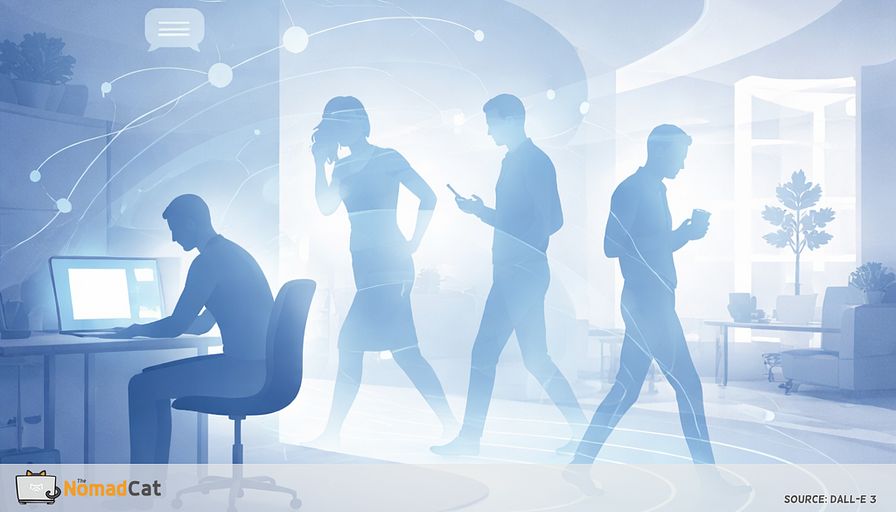
Remote work did not just change where the job happens. It changed what your body can do while you do it.
If your days look like 8 to 10 hours at a desk, meetings stacked like Tetris, lunch near the keyboard, and a workout that keeps getting pushed, the problem is not “motivation.” It is that movement stopped feeling acceptable during work time. I did 6 years in Berlin like this, and the last 4 were mostly remote on bad chairs and worse desks.
In an office, you could stand up and walk without it looking like you were bailing. At home, even a 30-second lap can feel like you are breaking focus, breaking etiquette, or drifting off camera.
This article is about rebuilding that missing permission layer with a simple idea. Weak ties create movement reps without asking for intimacy, planning, or discipline. Those small interactions used to create a lot of casual walking and standing, almost by accident. The goal is to get some of that back, without turning your calendar into a fitness project.
Here is what will be covered.
- Why weak ties created so much low-stakes movement without anyone calling it exercise
- How remote work turned movement into a scheduling problem, plus the watchable constraint of video
- Low-friction container swaps that make movement feel normal again, with simple scripts that reduce optics stress
No coaching voice. No shiny hacks. Just desk-worker debugging, with small changes that survive a brutal week.
Weak ties as your movement permission layer
Social locomotion is not a workout plan
A normal office day had a funny property. You moved, but nobody called it movement.
You stood up to answer a question at your desk. You walked a few meters because the corridor was quieter. You escorted someone to a room. You did tiny loops for water, printer, coffee.
That is social locomotion. Movement as a side effect of being a functional colleague, not a health project.
Once this mechanism has a name, the question is why offices produced so much of it, often with people you barely knew.
Weak ties create reps not intimacy
Strong ties give support. Weak ties give reps.
Weak ties are the light connections outside your close circle. In workplaces, they lead to quick coordination and lots of low-stakes interactions. A 10-second question becomes a 40-second walk because it feels normal to ask it in person, or to walk over together to look at the same screen.
Low stakes plus high frequency is the whole trick.
That volume matters because it quietly changes what your body is allowed to do during work time.
The office made moving feel legitimate
In an office, standing up has an instant social reason.
- “I’ll walk you over.”
- “Let’s grab that room.”
- “I’ll show you.”
That tiny script turns movement into part of the job, not a break you have to defend.
At home, the same move can feel like it needs a reason. The default becomes stay seated because “i’m already working.” Defaults are powerful because the easiest option wins, and at 16:30 my brain will always pick “don’t move” if it’s 1 click cheaper.
Self-initiated movement comes with hidden friction. You interrupt yourself. You worry you look odd on camera. You lose your thread. And the immediate payoff of staying on the task beats the delayed payoff of “this might be good for my body.”
It shows up in the body in a very unglamorous way. Longer uninterrupted sitting.
Small bouts matter because they are reliable
The real advantage is not the dose. It is the reliability.
The office gave you dozens of tiny, repeatable breaks: the 40-second walk to ask a “quick question,” the 1-minute detour to a quieter corridor, the walk back from a room. Those add up, mostly because they happen even when you would never choose to “take a break.”
Physiology-wise, short stand-and-walk interruptions can be enough to improve blood sugar signals that day (nothing dramatic, just less hours in the same shape).
People also notice the boring benefits first.
- Less stiffness
- Less end-of-day fatigue
Not magic. Just fewer hours in the same posture.
Why office movement worked without motivation
Automatic beats planned when cues are external
Office movement was built into the workflow.
Input, a colleague appears or a quick question lands.
Loop, stand, walk, point at the same thing, walk back.
Output, a lot of movement happens while attention stays on work.
That stable repetition is how automaticity builds over time, without anyone labeling it a habit.
It also avoided a classic failure mode. Negotiation and re-entry cost. On remote days, “i’ll walk after this meeting” often means the next meeting starts and the break disappears. That is not laziness. It is friction.
Reviews of workplace sitting interventions point in the same direction. Environmental and organizational changes tend to beat education alone. The system wins when the calendar is brutal.
This is why the problem can stay invisible until the body sends a late error message. Like your laptop fan screaming because you ignored the logs for 3 weeks.
Remote work did not remove work. It removed the permission layer that made those prompts automatic.
Remote work turned movement into a calendar problem
From hallway collisions to calendar blocks
Slack ping, quick question, 2 tabs open, and suddenly it is a meeting.
In an office, a lot of coordination resolves via a walk-by and a shared glance, then you physically disperse. Remote keeps the communication, but it often turns it into a call, a thread, or a doc comment that lingers and needs follow-up.
Even quick switches have a cost. There is resumption lag after interruptions and attention residue that sticks to the previous task.
Video adds a watchable constraint
Camera-on adds a second layer even when you technically could move.
Video creates a watchable constraint. Stable framing becomes the safe default. Self-view increases self-monitoring, like a tiny supervisor lives in the corner of the screen. The outcome is predictable.
- Less shifting
- Less standing
- Less casual movement
Stillness is the low-risk option.
Even when the meeting ends, remote removes the small walk that used to clear the buffer. In the office, you ended the interaction by physically leaving: stand up, walk back, sit down.
The office had endpoints you could feel. Those scene cuts help the brain chunk experience. A hard click from Zoom to spreadsheet skips that punctuation, so open loops leak into the next block.
Stack that all day and the cost becomes physical, not just mental.
Even with a solid workout, sitting time still accumulates. Sitting time is about long, uninterrupted desk stretches, not whether you lifted yesterday.
One low-drama way to get some movement back is to change the medium before you change your calendar.
Audio first is not antisocial
When video is worth it
Video is not bad. It is just a richer medium, and richer is useful when the work is fuzzy or when nuance matters.
Keep video for
- High ambiguity discussions where interpretation matters more than facts
- Relational nuance, feedback, conflict, delicate 1:1 topics
- Hard grounding moments where shared understanding needs fast repair
The point is not anti-video. It is removing the default tax on routine updates.
Audio removes the watchable constraint
When the job does not require faces, audio quietly gives the body some freedom back. Posture stops being part of the performance. Standing, shifting, or pacing becomes socially cheaper.
There is some research suggesting video calls can reduce idea generation compared with audio-only, but the measurement base here is not perfect and the effect is not a neatly quantified rule. Call it a plausible mechanism, not a law.
Limitation. There is still not much good measurement data comparing video-on versus audio-only in normal working days. The “watchable constraint” is obvious in practice, harder to cleanly measure.
Camera optional is also inclusion
Camera-optional is not only comfort. It is accessibility. Many accessibility and accommodation frameworks support offering options that reduce load. In plain terms, camera off should not require a speech.
Low friction replacements that keep movement legitimate
3 container swaps that do not feel like a fitness project
To make it socially safe, the move is not persuasion. It is scope control.
Keep the work the same. Change the container so movement becomes incidental during time already spent talking.
Audio-first fits well for
- Routine status updates where nobody is drawing diagrams
- Quick 1:1 check-ins that are mostly alignment, not emotion
- Low-stakes triage like “what is blocked and who owns it”
If calls cannot change, attach movement to role shifts instead of reminders. Make it reputation-safe with a small safe set.
- Use audio-only and camera-optional mainly for internal calls and low stakes
- Default to camera-optional when screen share is not needed, frame it as focus and accessibility
- Treat camera off as accommodation-friendly by default, no explanations required
Then add closure with tiny delivery loops so the interaction has a physical endpoint.
Rule. Helping equals upright.
When reviewing a doc, debugging, or explaining something, stand in a neutral spot a bit away from the desk. Doorway. Kitchen counter. A place where you would not start deep work. Stable cues repeat well.
If camera must be on, use degraded mode.
- Stand up only when not speaking
- Step back between agenda items
Drop-off loops after messages and calls
A drop-off loop is 20 to 60 seconds right after a message lands or a call ends. It sounds silly. But event boundaries help the brain segment and close.
Examples
- Return the mug to the kitchen like a responsible adult
- Plug the laptop charger in a different room and come back
- Put 1 paper away in a drawer that exists only for this purpose
- Drop a sticky note on the door for the next task, then re-enter
On late nights in Lisbon, I use the “return the mug” loop because otherwise I notice at midnight i haven’t stood up once.
If it becomes a tiny habit that marks done, it can reduce lingering tension without pretending it solves life.
Make movement meeting proof without making it weird
Scripts that remove the optics risk
- “Camera off today. I’m here and fully engaged.”
- “I’m listening. I may stand to focus better.”
- “I’ll be off camera while I take notes.”
- “Audio only for bandwidth. Please continue.”
- “If you need me on video, tell me.”
Boring is the point. It keeps movement non-narrative so nobody has to interpret it.
Then make behavior predictable by meeting format.
- Tier 1 camera on and presenting. Minimal movement. Sit or stand still. Shift posture between agenda items.
- Tier 2 camera on and listening. Stand in place, shift weight, small shoulder rolls off-mic.
- Tier 3 audio only. Full permission to pace or do a slow loop.
- Medium choice rule. Pick the cheapest channel that still achieves grounding for the task. If context is thin, add richness with artifacts like screen share before jumping to faces.
A 7-day test that does not need tracking
One trigger, one rule, one signal
Keep it small enough for a chaotic week.
- Pick 1 recurring social moment that already exists.
- Attach 1 rule to it in if-then form.
- Keep the context stable for 7 days.
Binary beats “try harder.” Same work, different container.
Examples
- If audio only, walk slowly during the call.
- If helping someone, stand up for the whole exchange.
- After send, do a 30-second drop-off loop.
Then use 1 boring nightly signal, not a dashboard.
- 0 to 10 rating, “How compressed by 18:00?”
- Yes or no, “Were the first steps after work rusty?”
Simple self-ratings are fine for repeated discomfort tracking. If more structure helps, there are standard questionnaires, but the point is keeping the experiment light enough to survive real calendars.
Guardrails that keep this from becoming medical advice
Stop rules that are boring and useful
This is not medical advice. It is desk-worker debugging.
If pain gets sharper, spreads, or new symptoms appear after adding pacing or standing, scale it down or stop and get assessed. If the fix makes the logs worse, stop editing config and call support.
Red flags to treat as urgent include
- Chest pain, pressure, tightness, or pain spreading to arm jaw or back
- Sudden face droop, arm weakness, speech trouble
- Sudden severe headache, confusion, or vision changes
- Shortness of breath at rest or with minimal effort
- New one-sided leg swelling, warmth, redness, calf pain
- Coughing blood or sharp chest pain with breathing
- New numbness, pins and needles, or radiating pain down an arm or leg
- New bowel or bladder changes, saddle numbness, or progressive weakness
Basic safety for pacing and loops
- No stairs while distracted, keep a hand free near doorways
- Clear cables, rugs, and clutter on the path
- Use a headset so the neck is not doing weird angles for 30 minutes
- Keep speed slow and simple. This is not cardio. It is just less sitting.
If your remote days turned into 8 to 10 hours of sitting, it is not a character flaw. The system changed. Offices used weak ties and tiny “can you show me” moments to create movement without asking for discipline. Remote work kept the tasks, but removed the permission layer and added the watchable constraint of video, so stillness became the safe default.
The fix does not need a new calendar hobby. Keep the work the same and swap the container. Use audio-first when faces are not required. Add small drop-off loops after messages and calls. Stand up when helping. These are boring changes, which is why they survive a brutal week.
Try the 7-day test with 1 trigger and 1 rule, then notice 1 simple signal like less stiffness or less end-of-day compression.
Most people get stuck either in video blocks, back-to-back meetings, or the weird dead space after they hit send.
You might be interested by these articles:


Video calls kept the talk and killed the movement

Stop relying on break reminders and steal movement from meeting transitions

Remote work stole your hallway breaks and your neck feels it

Your remote day needs friction to make movement normal again

Micro-exits for remote days that keep your body from timing out

Solar Innovations: Powering a Sustainable Future for Data Centers

Thriving in Europe's Startup Ecosystem: Turning Challenges into Opportunities




